
The full catalogue
Everything the theme can do, on a single page.
Every feature ships with the theme: nothing to install, nothing to connect, no extra subscription.
sections
composable blocks
built-in features
Product page
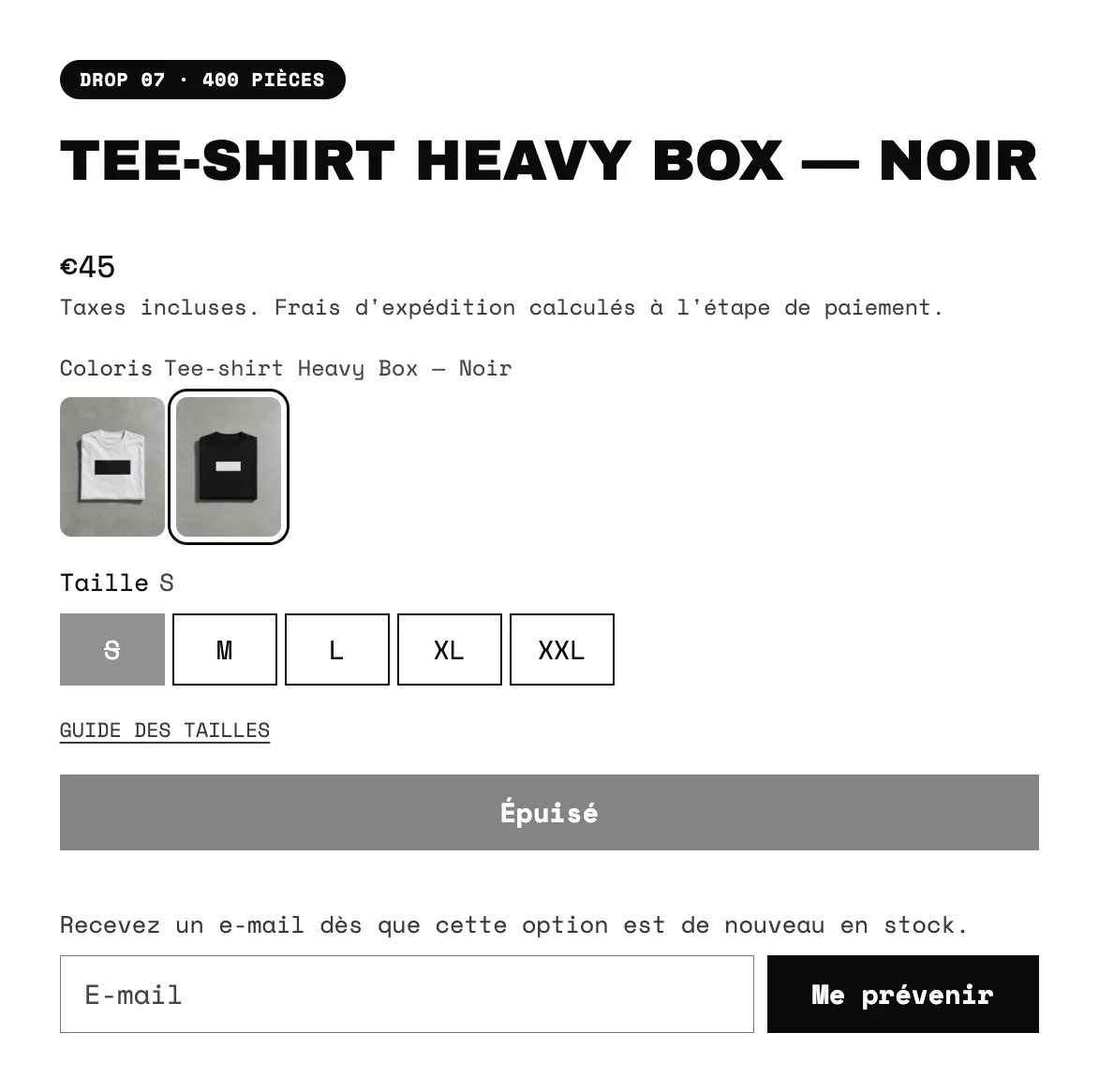
On a sold-out variant, customers leave their email to be notified, through a form or via Klaviyo.
Back-in-stock alert
On a sold-out variant, customers leave their email to be notified, through a form or via Klaviyo.
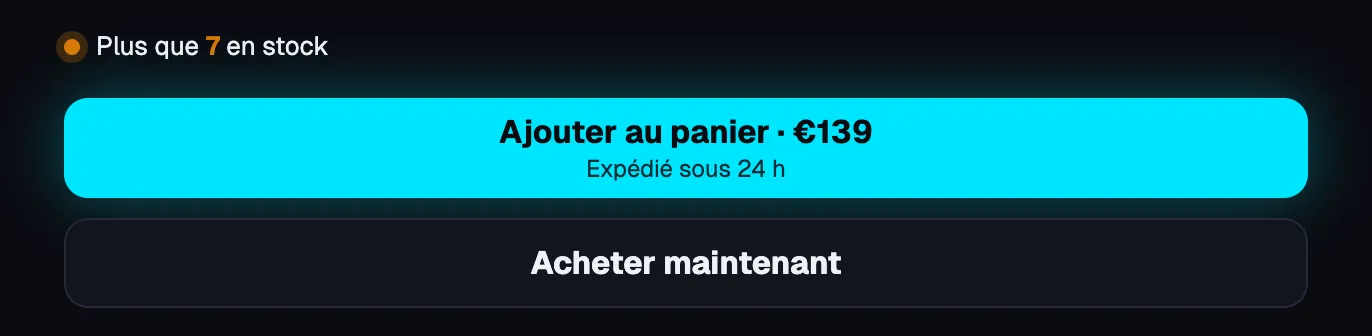
The button shows the updated price and a second line (delivery time, returns), with payment icons below.
Buy button with price and subtext
The button shows the updated price and a second line (delivery time, returns), with payment icons below.
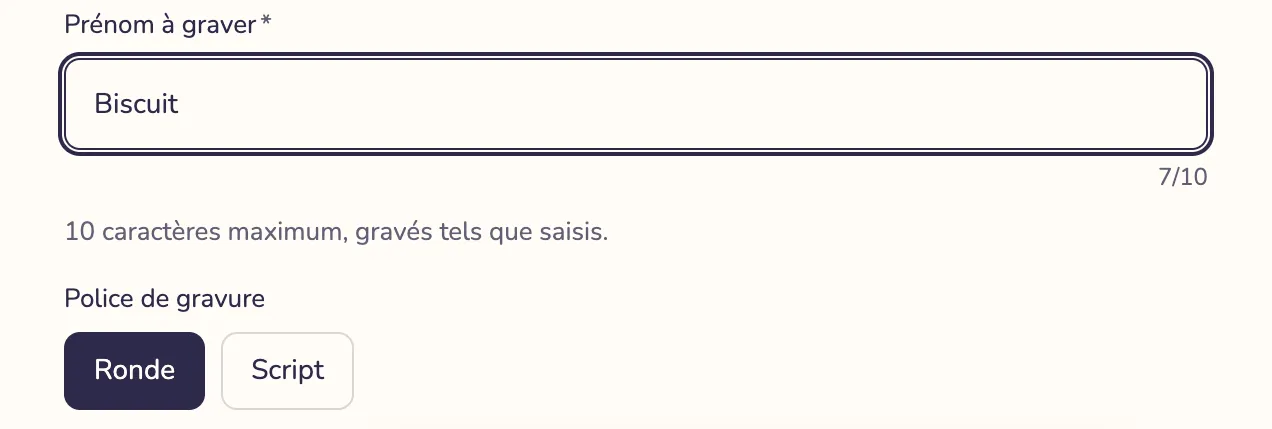
Text to engrave, choice, list, date or checkbox, with a character counter and an optional required field, passed on with the order.
≈ 11 €/monthReplaces Infinite Options (ShopPad)
Personalisation field
Text to engrave, choice, list, date or checkbox, with a character counter and an optional required field, passed on with the order.
Separate products display as colours of the same item; a click switches product without reloading the page.
Colours sold as separate products
Separate products display as colours of the same item; a click switches product without reloading the page.
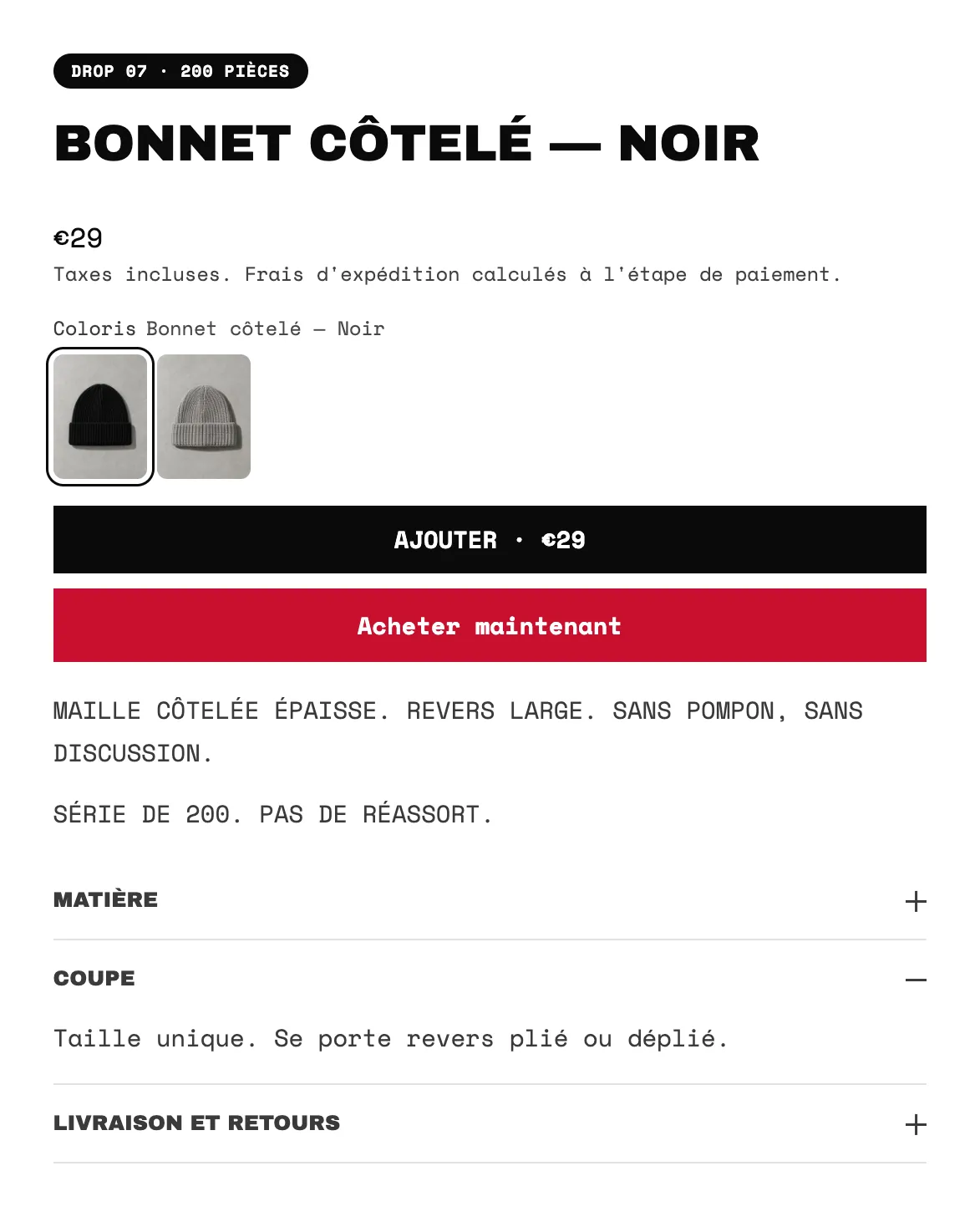
Details, care and shipping organised into collapsible panels or tabs, which can be filled from metafields.
≈ 4 €/monthReplaces Easy Tabs ‑ Product Tabs
Description in accordions or tabs
Details, care and shipping organised into collapsible panels or tabs, which can be filled from metafields.
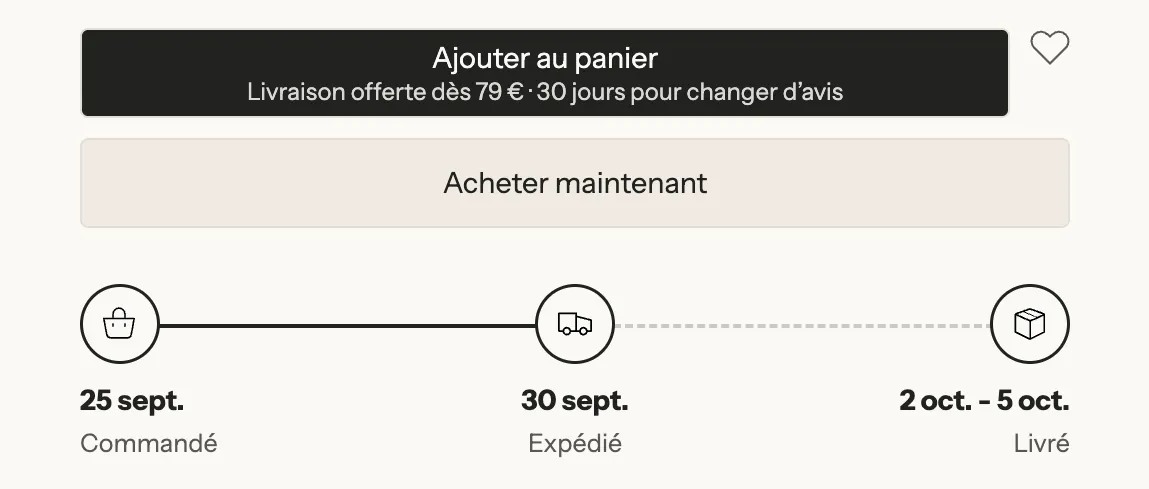
An order, shipping and delivery timeline with dates calculated from business days and the days you are closed.
Delivery estimate
An order, shipping and delivery timeline with dates calculated from business days and the days you are closed.
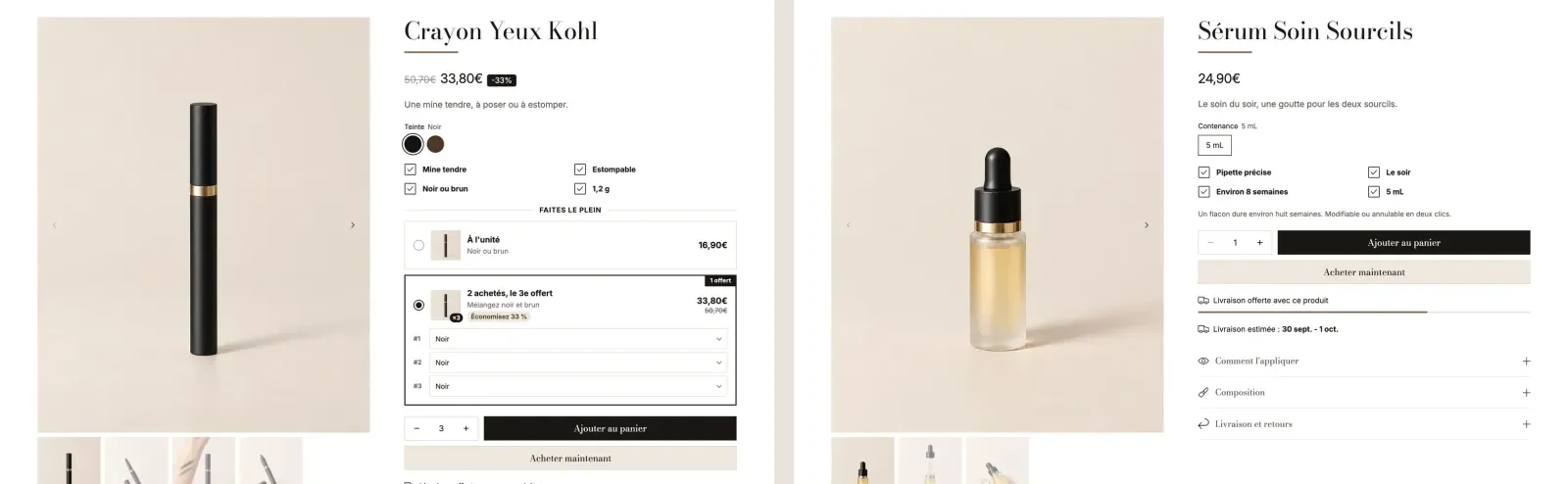
Every element of the product page is a block to place, duplicate or group, with different templates per product.
Fully composable product page
Every element of the product page is a block to place, duplicate or group, with different templates per product.
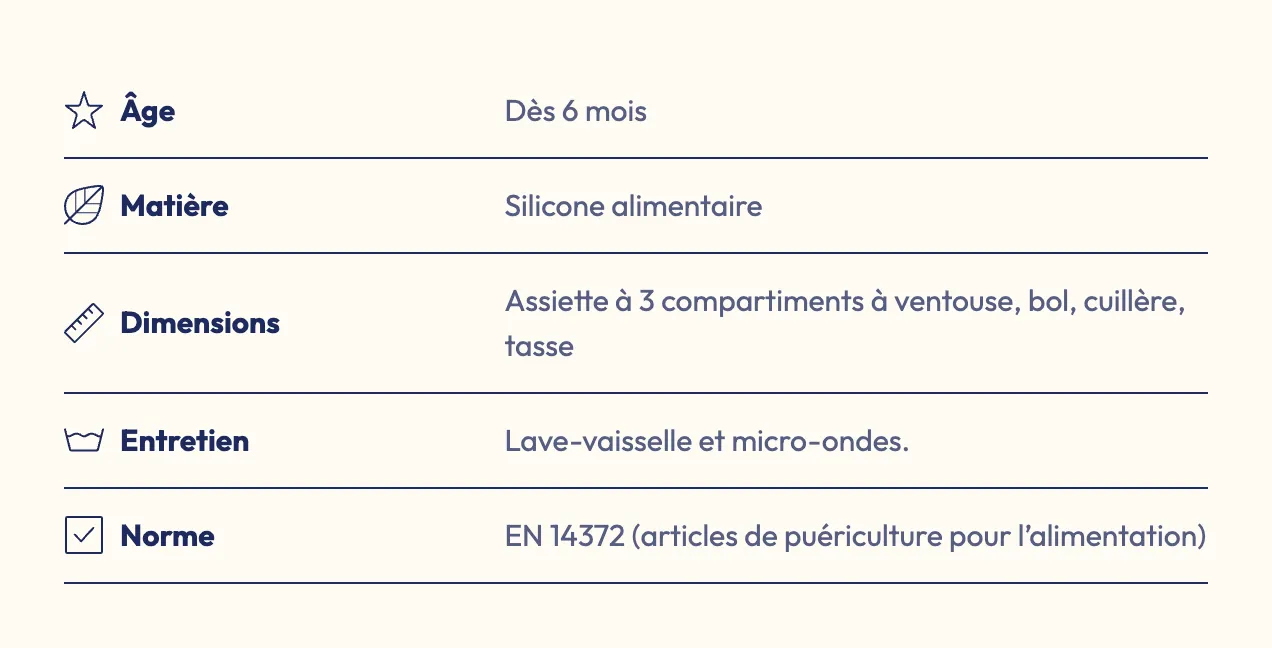
A specifications table (material, dimensions, age) with icons, in rows or in columns.
Spec sheet in the buy column
A specifications table (material, dimensions, age) with icons, in rows or in columns.
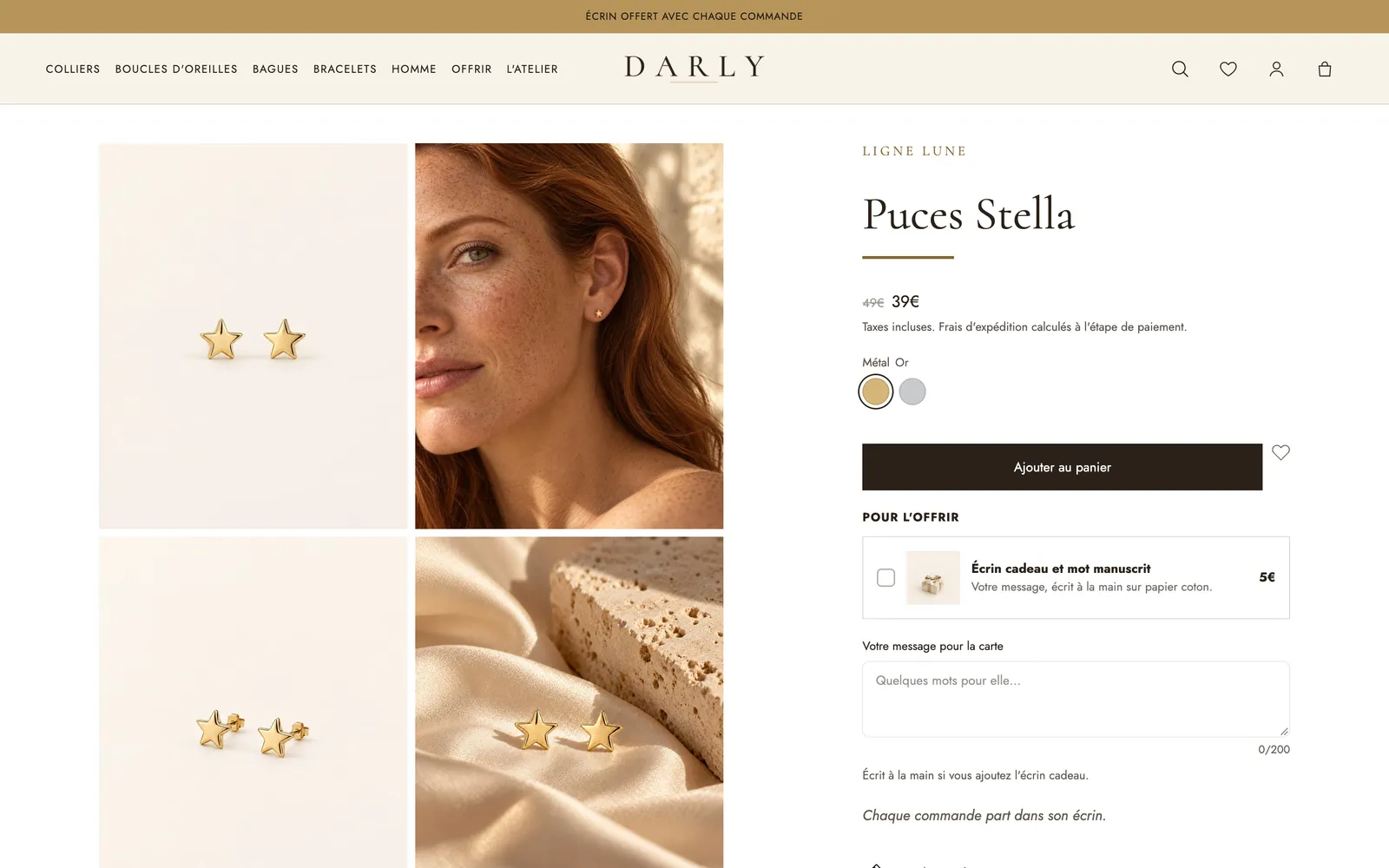
Carousel with thumbnails, grid, mosaic or stacked images, with a separate setting for mobile.
Product gallery in four layouts
Carousel with thumbnails, grid, mosaic or stacked images, with a separate setting for mobile.
The photos stay on screen while customers scroll through the buy column, with no scrolling past empty space.
Gallery that stays visible on scroll
The photos stay on screen while customers scroll through the buy column, with no scrolling past empty space.
A link opens a size chart in a drawer or a window, with a cm / inches conversion that is remembered.
Size guide in a drawer
A link opens a size chart in a drawer or a window, with a cm / inches conversion that is remembered.
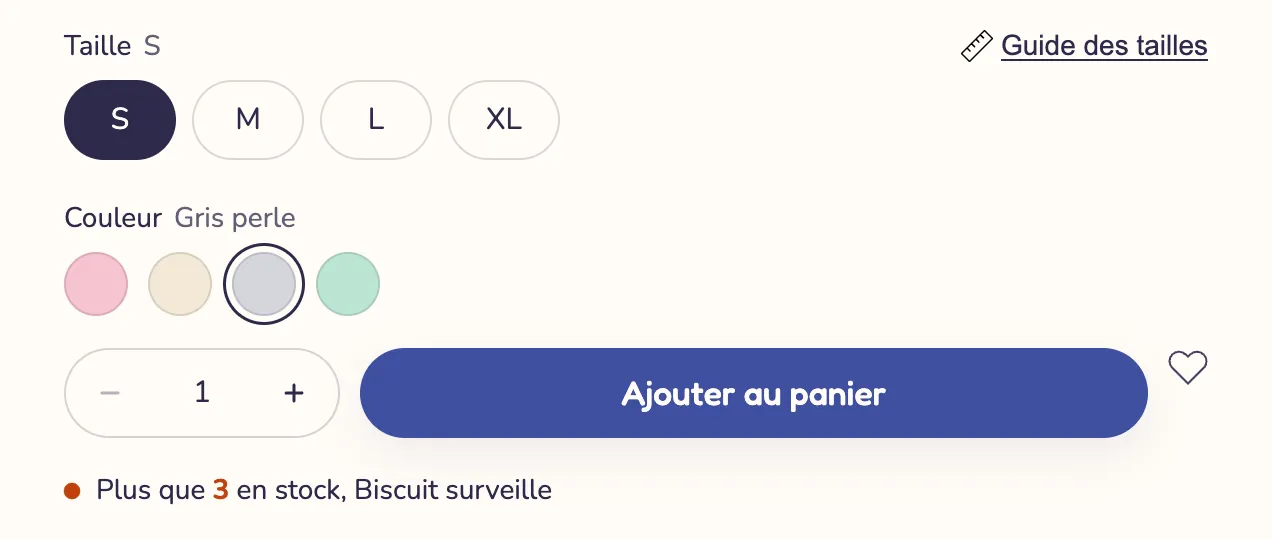
Low stock, in stock, on backorder or sold out, read from Shopify for the selected variant, shown as a dot or a bar.
Stock indicator
Low stock, in stock, on backorder or sold out, read from Shopify for the selected variant, shown as a dot or a bar.
Several short messages (returns, delivery, warranty) take turns, without making the page jump.
Rotating messages below the button
Several short messages (returns, delivery, warranty) take turns, without making the page jump.
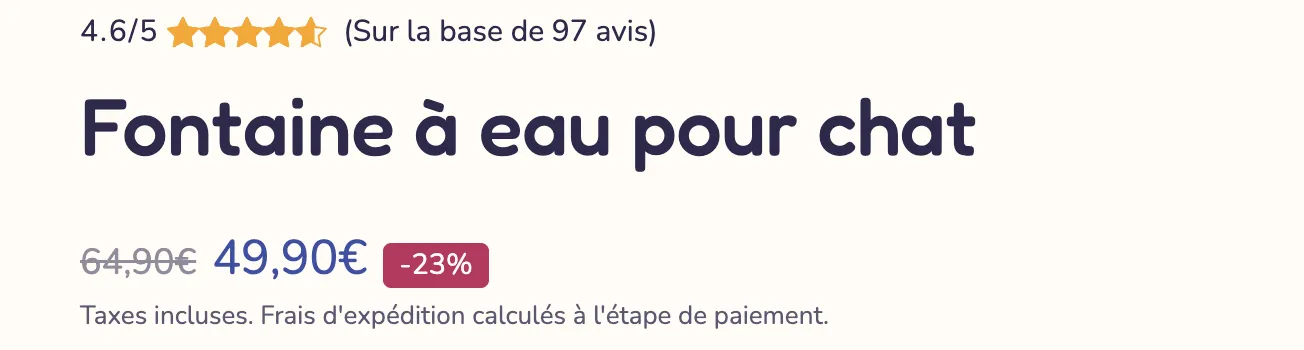
The rating and the number of reviews show below the title, read from your reviews app or entered by hand.
Star rating below the title
The rating and the number of reviews show below the title, read from your reviews app or entered by hand.
The field only appears for the relevant variants, for example “With engraving”.
≈ 11 €/monthReplaces Infinite Options (ShopPad)
Personalisation based on the selected option
The field only appears for the relevant variants, for example “With engraving”.
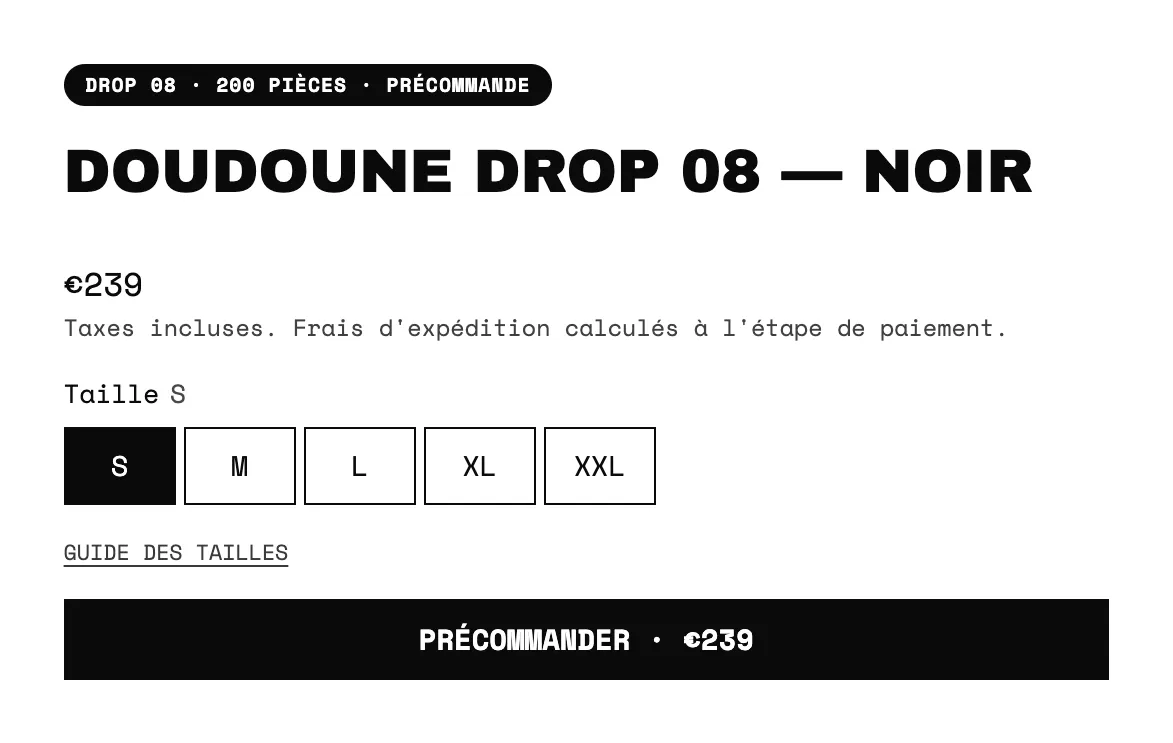
The button turns into “Pre-order” when the product is sold out, or always, with a message passed on with the order.
Pre-order
The button turns into “Pre-order” when the product is sold out, or always, with a message passed on with the order.

Compare-at price, calculated percentage or amount saved, unit price, tax notice and Shop Pay Installments.
Price, compare-at price and discount label
Compare-at price, calculated percentage or amount saved, unit price, tax notice and Shop Pay Installments.
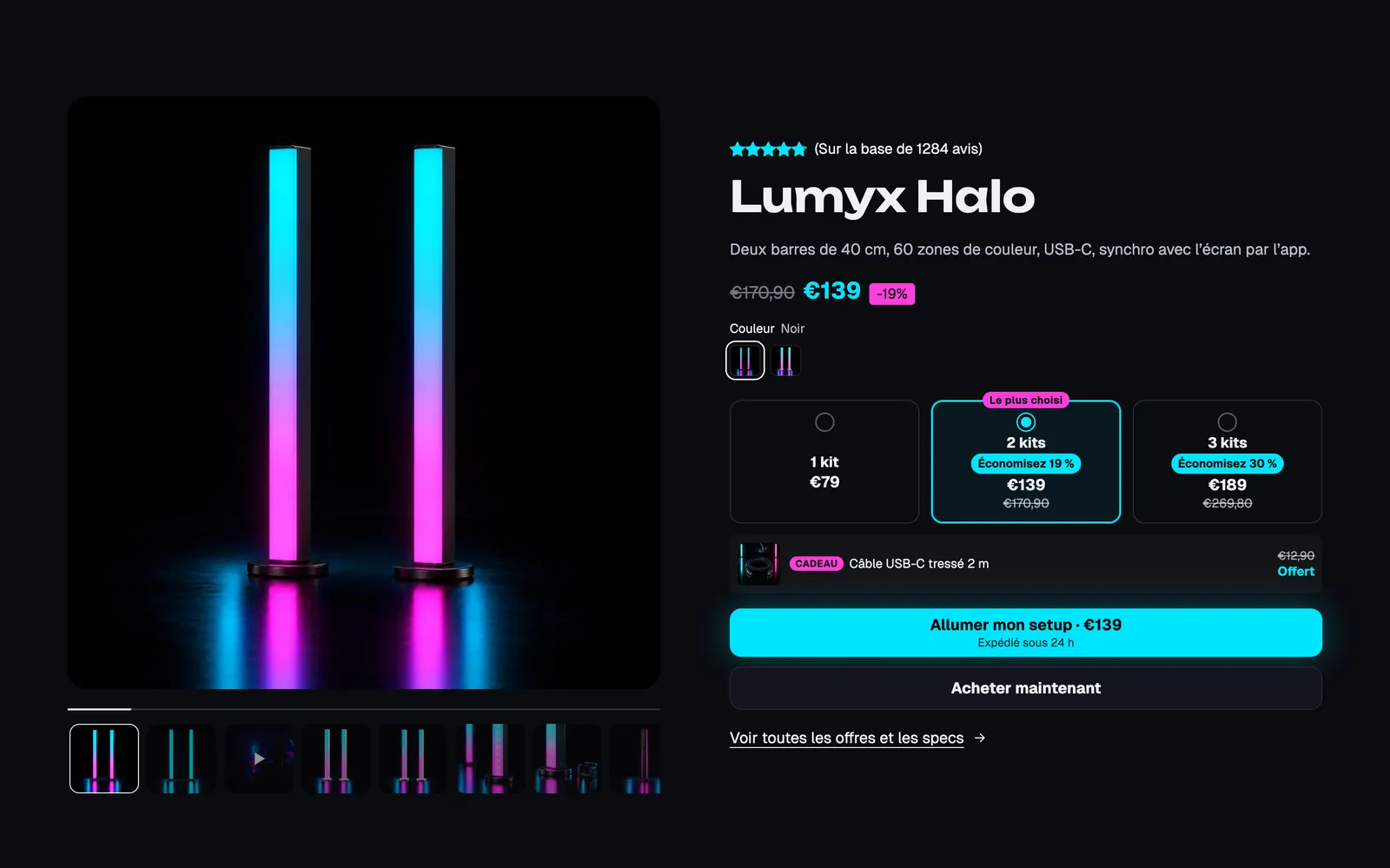
A complete product page, with gallery, offers and button, inserted on the homepage or a sales page.
Featured product
A complete product page, with gallery, offers and button, inserted on the homepage or a sales page.
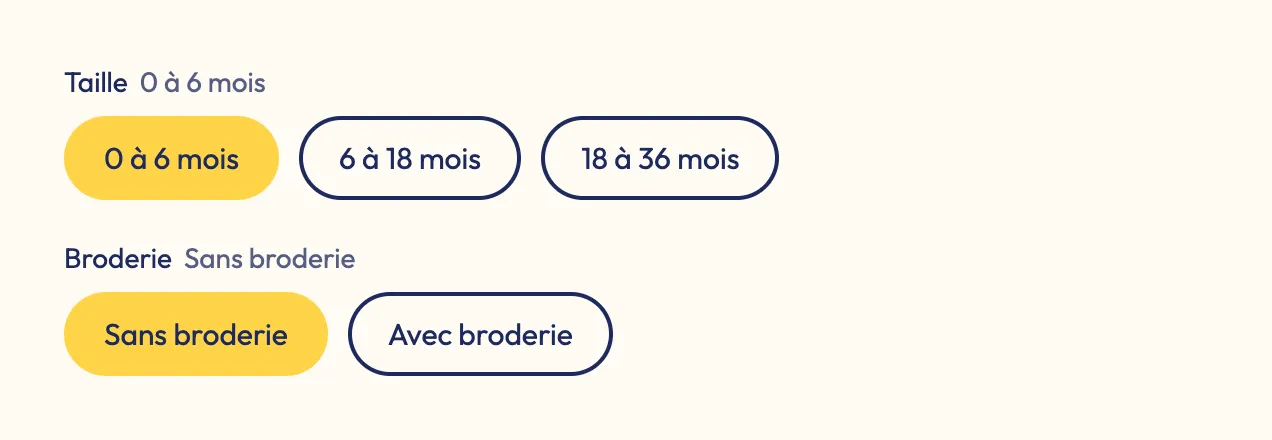
Buttons, pills, underlines, radio buttons or a dropdown, with unavailable combinations crossed out or hidden.
Customisable variant picker
Buttons, pills, underlines, radio buttons or a dropdown, with unavailable combinations crossed out or hidden.
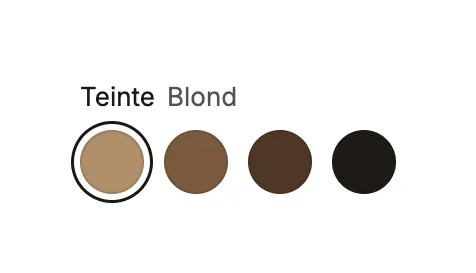
Colour options become clickable swatches, round or square, showing the name of the selected shade.
≈ 13 €/monthReplaces Color Swatch King (StarApps)
Colour swatches
Colour options become clickable swatches, round or square, showing the name of the selected shade.
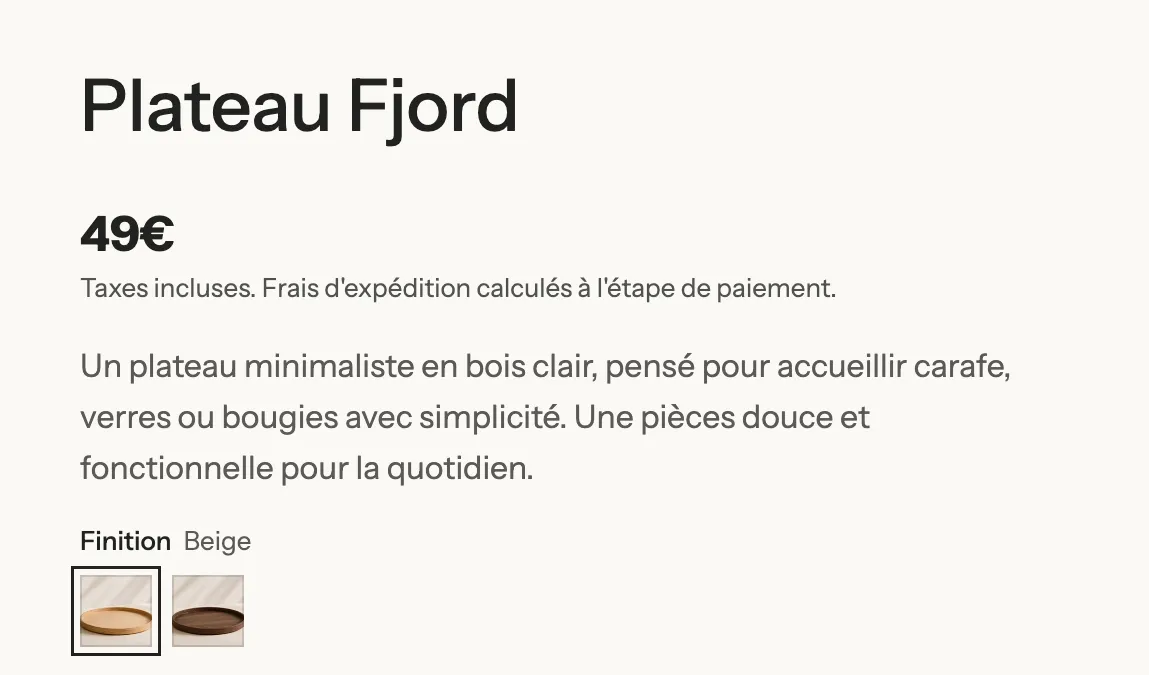
Each variant is represented by its own thumbnail in the picker.
≈ 13 €/monthReplaces Color Swatch King (StarApps)
Variants shown by their photo
Each variant is represented by its own thumbnail in the picker.
A click opens the photos full screen, with double-click zoom on desktop and pinch-to-zoom on mobile.
Product image zoom
A click opens the photos full screen, with double-click zoom on desktop and pinch-to-zoom on mobile.
Countdown to the cut-off time
“Order within 2 h 14 min to get it by Thursday”: a timer counting down to the day’s shipping cut-off time.
Gift card sent to someone special
On a gift card, customers enter the recipient, a message and the send date.
Countdown on the product page
An offer-ending timer in the buy column, set to a fixed date or restarting automatically.
≈ 6 €/monthReplaces Essential Countdown Timer Bar
In-store pickup availability
Below the button, customers see whether the product is available for pickup and at which location.
Gallery filtered by variant
Variant-specific images leave the carousel: only the image of the selected variant is shown.
Smart quantity selector
It respects quantity rules and stock, shows what is already in the cart and displays B2B volume pricing.
Limited stock that drops during the visit
A displayed stock level that gradually goes down during the visit, with an adjustable floor.
Customer file upload
Customers attach a photo or a PDF to their order, with preview, drag and drop and a size limit.
≈ 11 €/monthReplaces Infinite Options (ShopPad)
Videos and 3D models in the gallery
Product videos play in the gallery and 3D models are interactive, with an augmented reality view.
Performance & technical
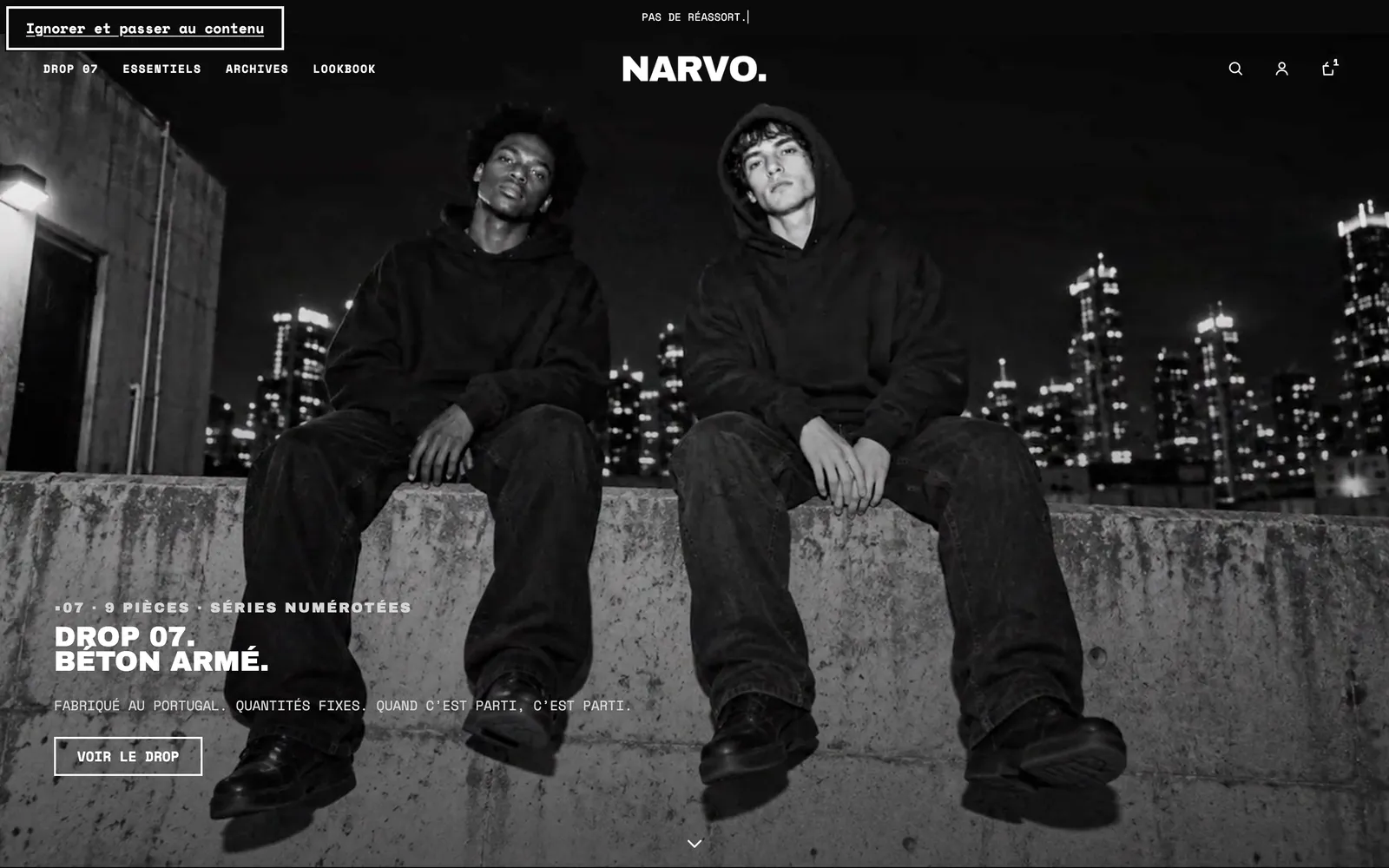
Keyboard skip link, sufficient contrast, 24 px touch targets, a pause button on everything that scrolls, and support for reduced motion.
Accessibility
Keyboard skip link, sufficient contrast, 24 px touch targets, a pause button on everything that scrolls, and support for reduced motion.
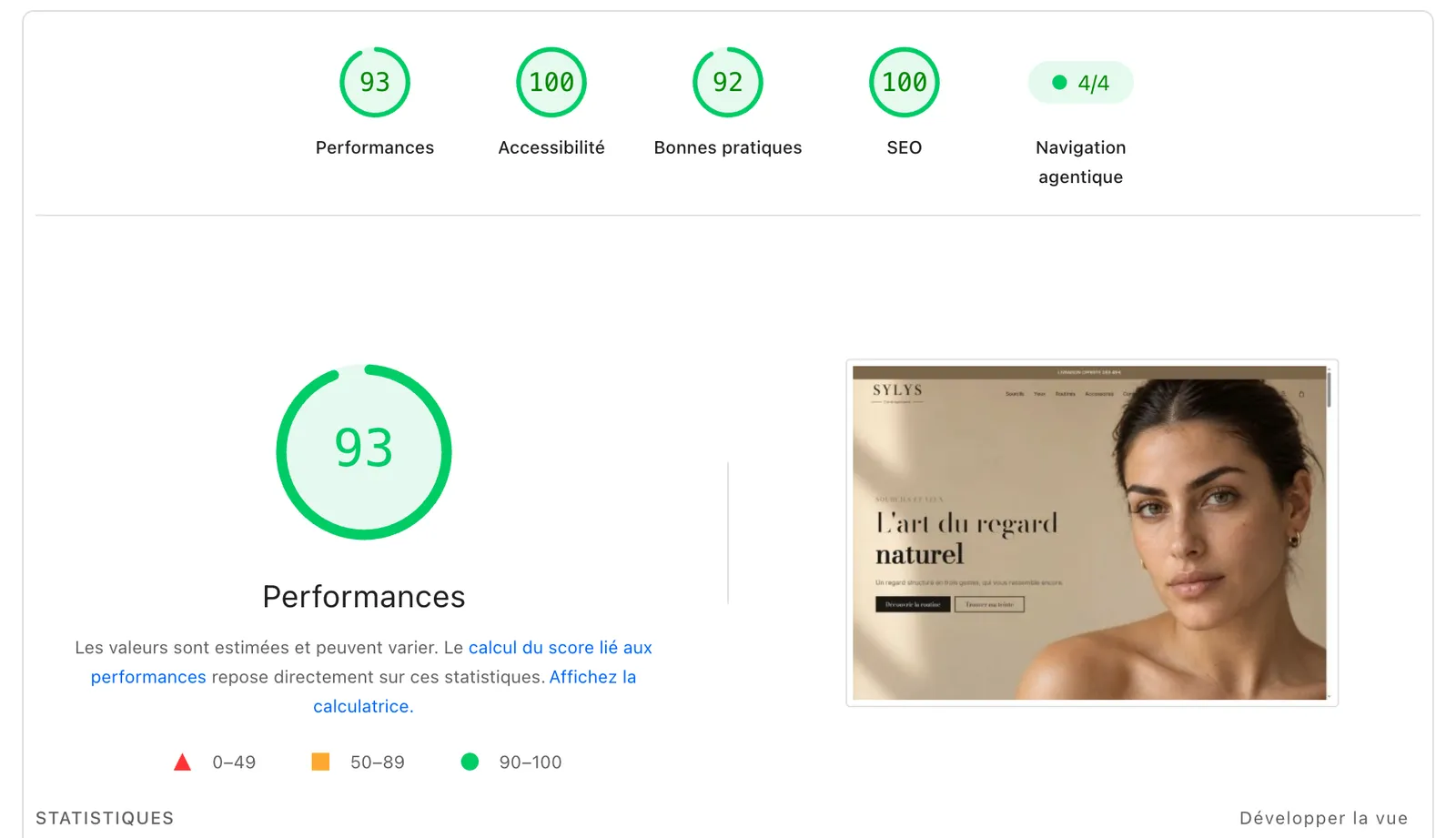
Styles and scripts load only on the pages that use them, with responsive images and videos that load only on click.
Load only what is needed
Styles and scripts load only on the pages that use them, with responsive images and videos that load only on click.
Stable preview in the editor
The preview stays in place every time you change a setting in the editor, instead of jumping back to the top of the page.
App blocks compatible
Every section accepts blocks from your Shopify apps, placed wherever you want without touching the code.
Image and text protection
Two checkboxes block right-click and text selection, making it harder to copy your photos and descriptions.
≈ 2 €/monthReplaces Disable Right Click Master
Built-in SEO
A single H1 per page, structured data for Google, polished previews on social media, canonical URLs and pages hidden from search engines.
≈ 9 €/monthReplaces JSON‑LD Express for SEO Schema
Theme translated into 14 languages
The store and editor text is already translated into 14 languages, including English, German, Spanish and Italian.
Conversion & cart
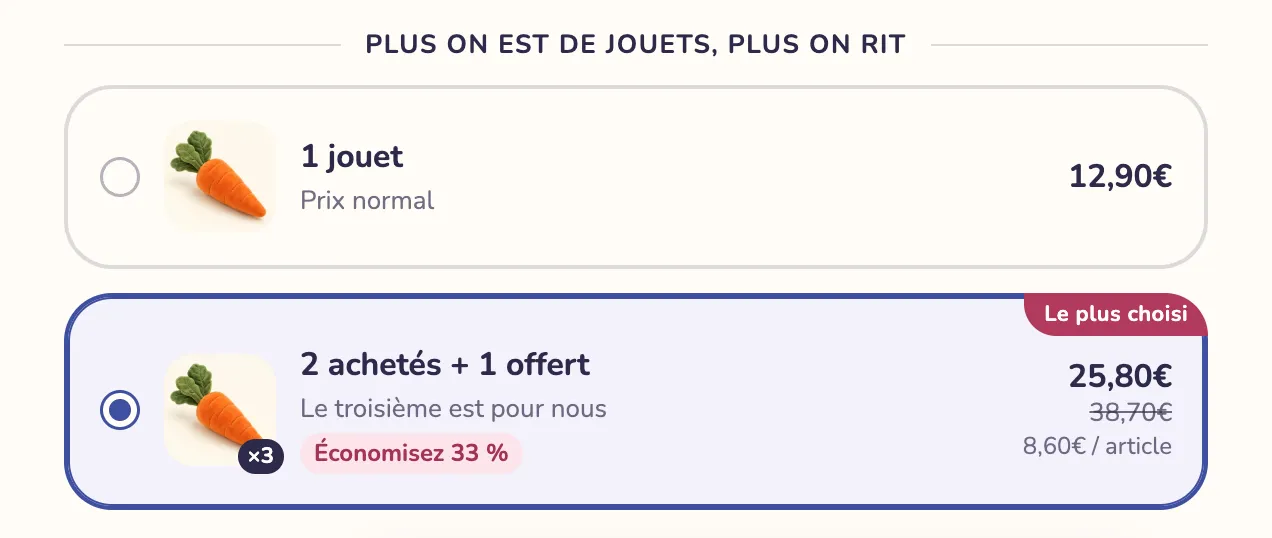
A “Buy X, get Y free” offer that calculates the free item and the real price per unit.
Buy 2, get the 3rd free
A “Buy X, get Y free” offer that calculates the free item and the real price per unit.
A button or icon on the card adds the product to the cart without leaving the collection, with variant selection.
Quick add from the card
A button or icon on the card adds the product to the cart without leaving the collection, with variant selection.
A window or a side panel shows the complete product page from a list, ready to buy.
Quick view
A window or a side panel shows the complete product page from a list, ready to buy.
Customers change an item’s size, colour or subscription without removing it, and undo a removal in one click.
Editable cart items
Customers change an item’s size, colour or subscription without removing it, and undo a removal in one click.
A bar with the photo, price, variant picker and button follows customers once they scroll past the main button.
≈ 6 €/monthReplaces STKY – Sticky Add To Cart Bar (ex BOOSTER PRO)
Sticky add to cart bar
A bar with the photo, price, variant picker and button follows customers once they scroll past the main button.
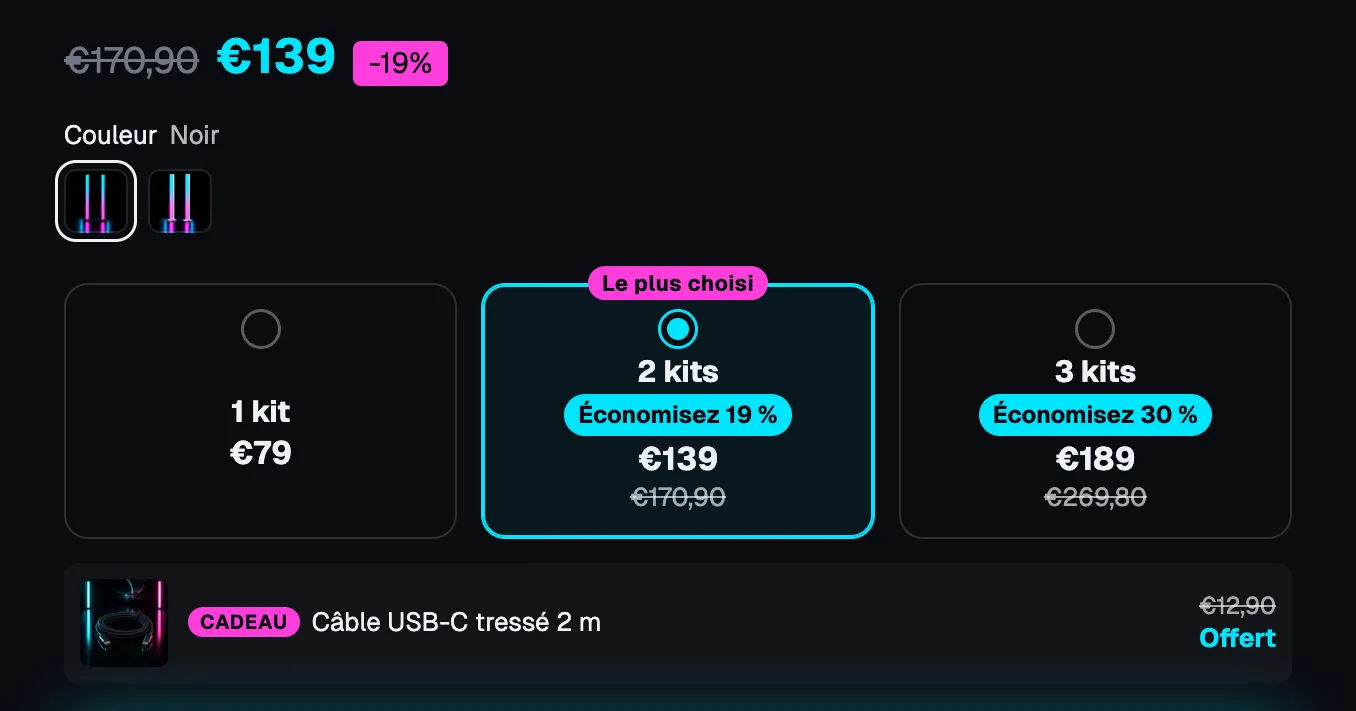
Above a set quantity, a gift product is added for free and shown in the offer.
Free gift from a set quantity
Above a set quantity, a gift product is added for free and shown in the offer.
Customers build their own bundle from a collection, variant by variant, with the total price and the savings updated with each add.
≈ 13 €/monthReplaces Kaching Bundles App & Upsells
Box builder
Customers build their own bundle from a collection, variant by variant, with the total price and the savings updated with each add.
A countdown to the day’s cut-off time (“order before 2 pm”) or to the end of an offer, in the store’s time zone.
Shipping cut-off time in the cart
A countdown to the day’s cut-off time (“order before 2 pm”) or to the end of an offer, in the store’s time zone.
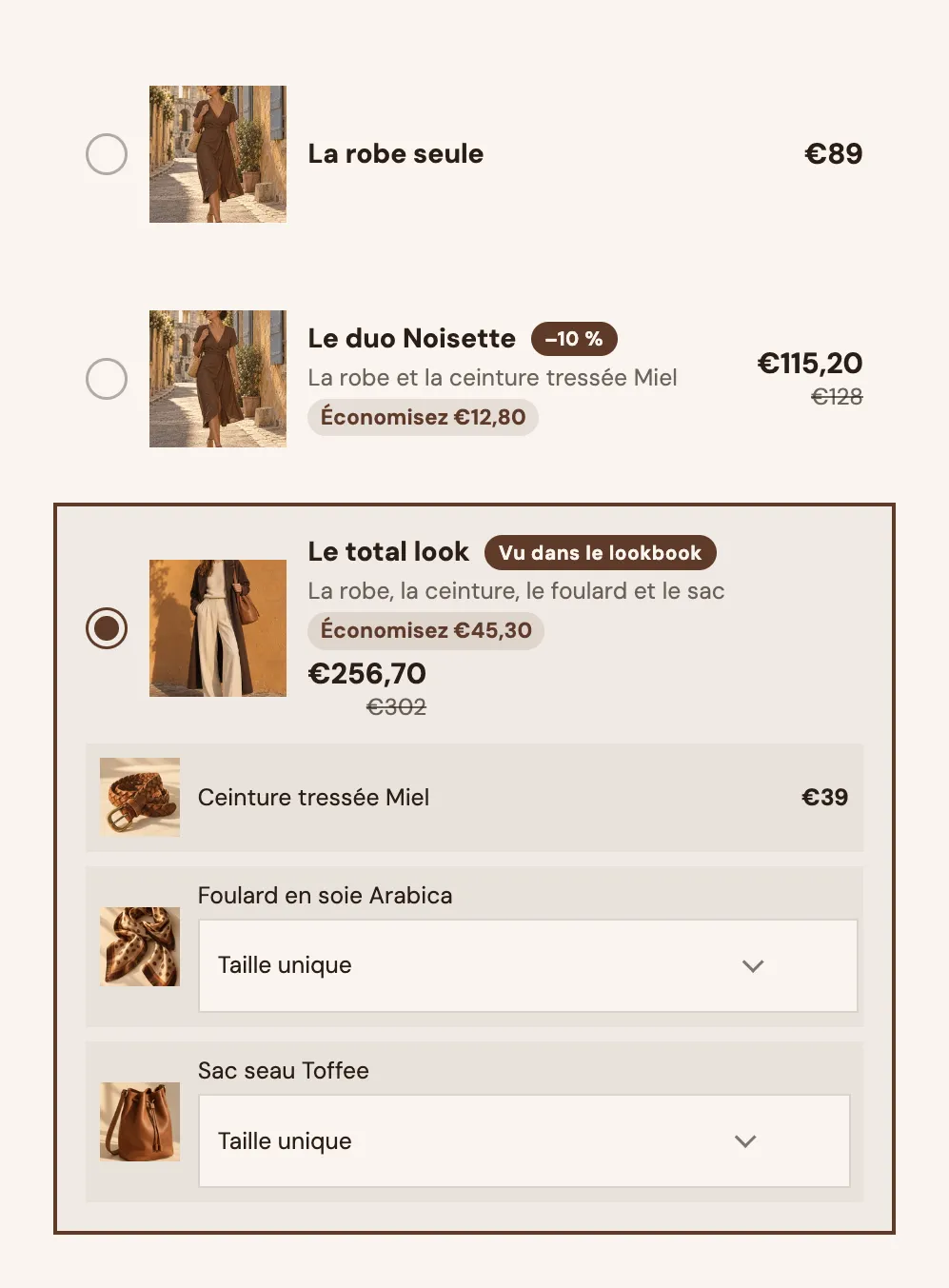
An offer that adds other products to the main one (the complete look, the routine), with its own discount.
≈ 13 €/monthReplaces Kaching Bundles App & Upsells
Bundle of different products in one offer
An offer that adds other products to the main one (the complete look, the routine), with its own discount.
A warranty, package protection or gift wrapping, added with a toggle or a checkbox, paid or free.
Checkbox option in the cart
A warranty, package protection or gift wrapping, added with a toggle or a checkbox, paid or free.
Up to four tiers on one bar: free shipping, a discount, a gift added automatically. An animation celebrates each tier reached.
≈ 26 €/monthReplaces BOGOS: Free Gift Bundle Upsell
Reward tiers in the cart
Up to four tiers on one bar: free shipping, a discount, a gift added automatically. An animation celebrates each tier reached.
The cart slides in from the edge of the screen, attached or floating, with the page blurred or dimmed behind it. Customers never leave the page.
Cart drawer
The cart slides in from the edge of the screen, attached or floating, with the page blurred or dimmed behind it. Customers never leave the page.
A pop-up offers a discount code in exchange for signing up, after a delay, on scroll or on exit intent, without showing again on every visit.
Welcome pop-up with discount code
A pop-up offers a discount code in exchange for signing up, after a delay, on scroll or on exit intent, without showing again on every visit.
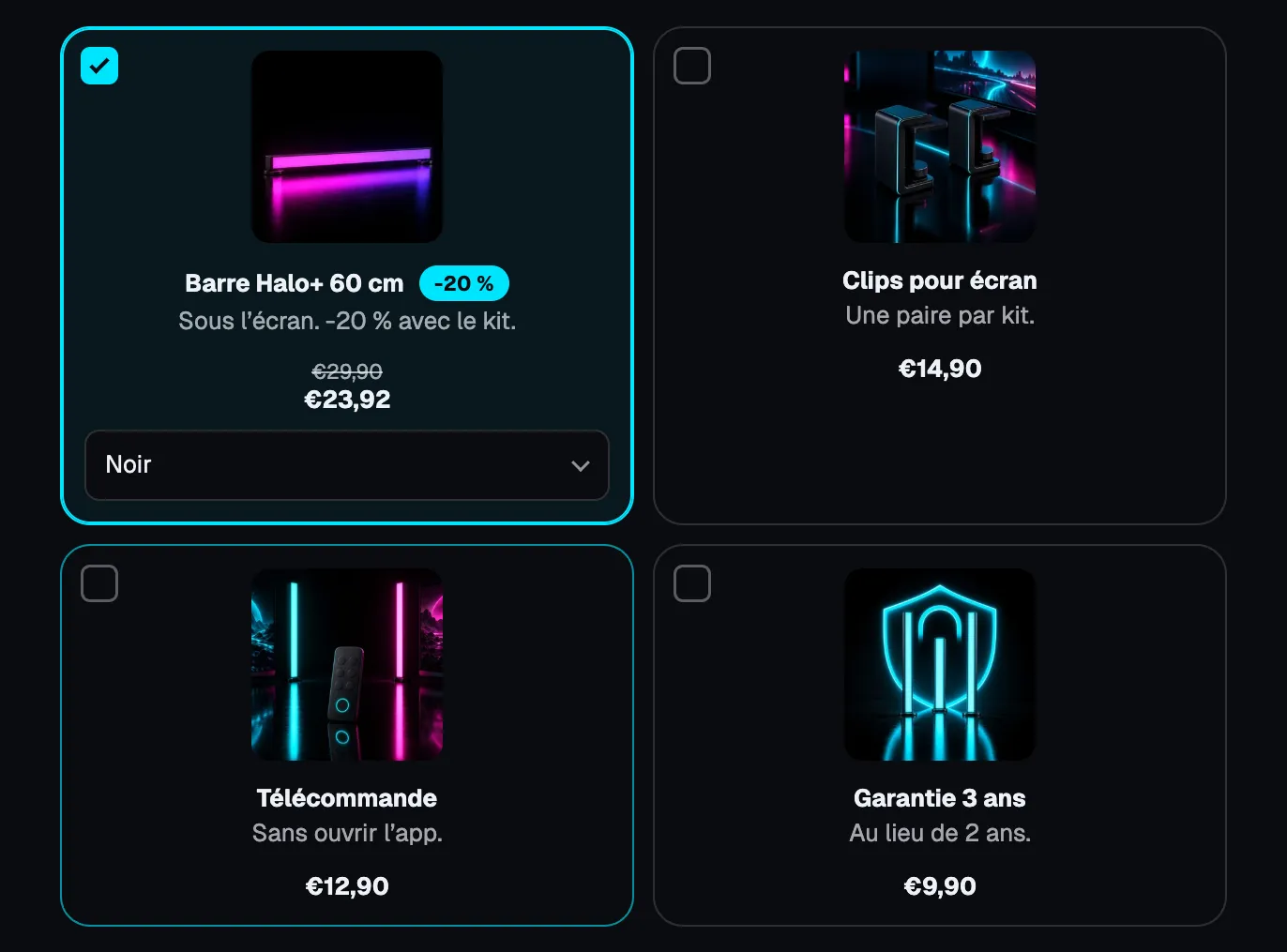
Accessories to tick below the button, added with the product, with a discount and variant selection.
≈ 13 €/monthReplaces Frequently Bought Together (Code Black Belt)
Checkbox add-on products
Accessories to tick below the button, added with the product, with a discount and variant selection.
Complementary products in a carousel, grid or list, with variant selection and one-click add without leaving the cart.
≈ 8 €/monthReplaces Upsell & Cross Sell — Selleasy (Logbase)
Cart recommendations
Complementary products in a carousel, grid or list, with variant selection and one-click add without leaving the cart.
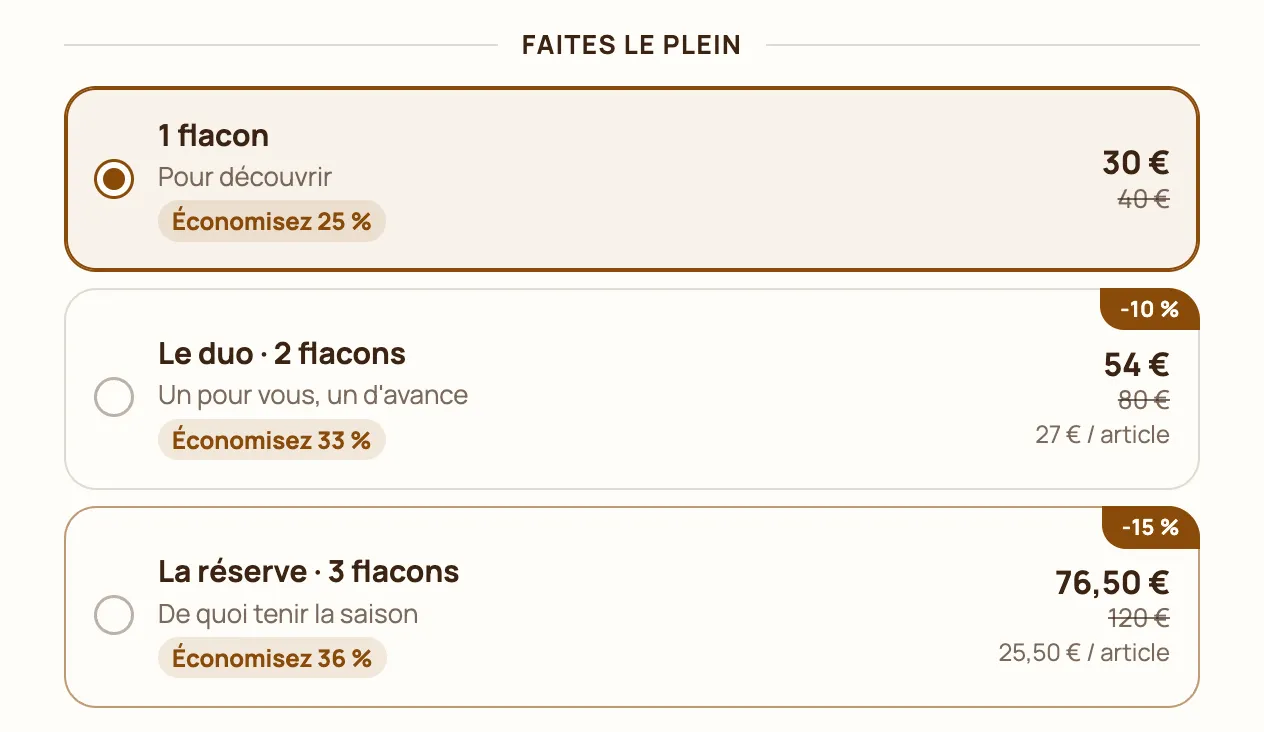
Cards for 1, 2 or 3 items with the percentage saved, the unit price and a badge on the recommended offer.
≈ 13 €/monthReplaces Kaching Bundles App & Upsells
Quantity breaks
Cards for 1, 2 or 3 items with the percentage saved, the unit price and a badge on the recommended offer.
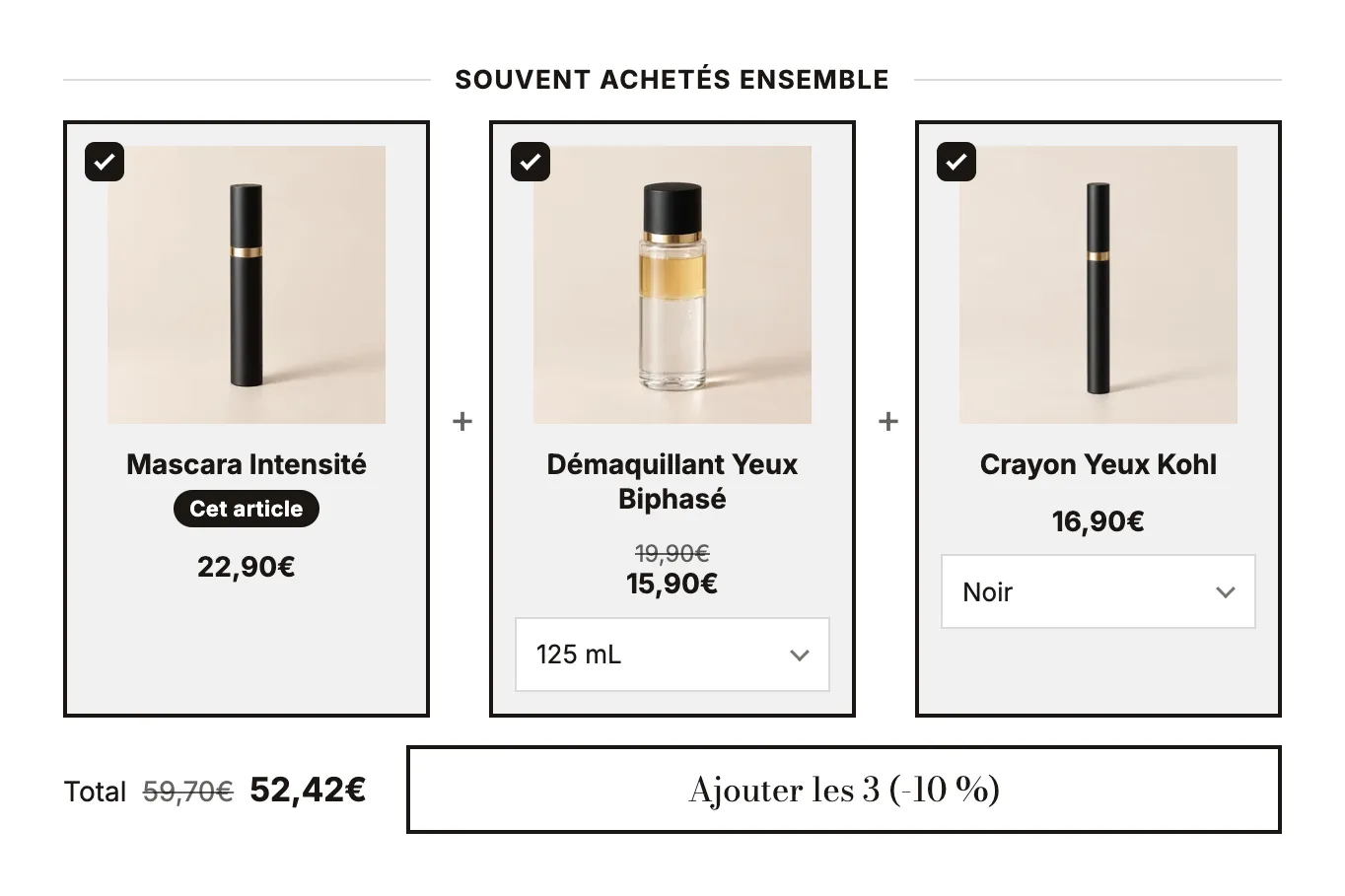
Several products presented as a set, with the total, a discount and a single button to add them all.
≈ 13 €/monthReplaces Frequently Bought Together (Code Black Belt)
Frequently bought together
Several products presented as a set, with the total, a discount and a single button to add them all.
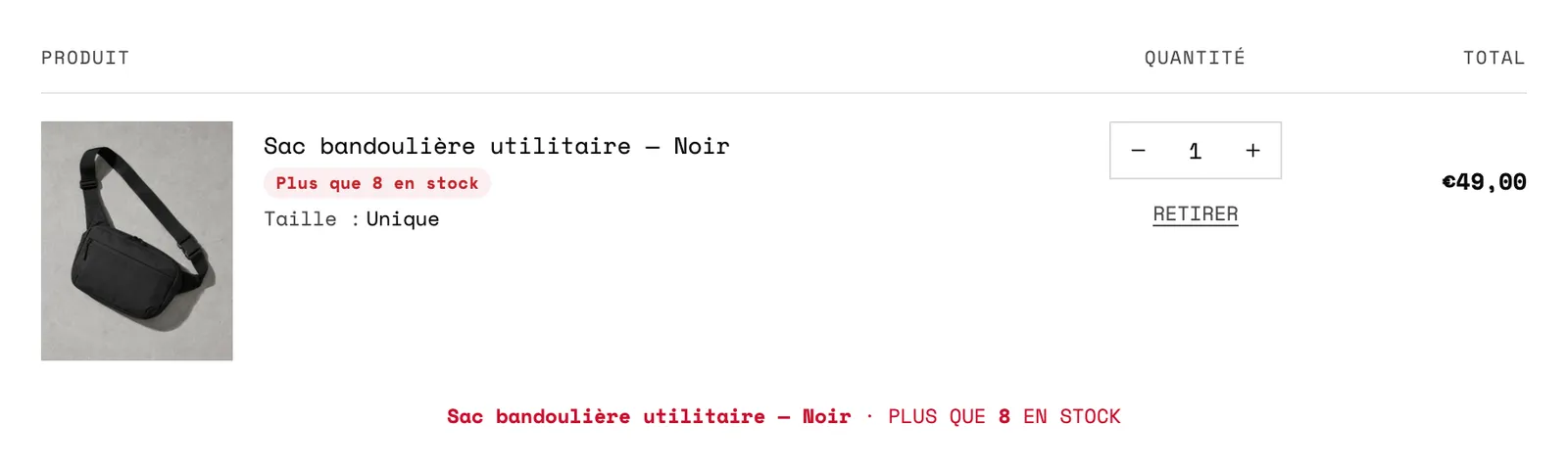
A message flags that an item in the cart is almost sold out, based on real stock or a metafield. No made-up numbers.
Stock alert in the cart
A message flags that an item in the cart is almost sold out, based on real stock or a metafield. No made-up numbers.
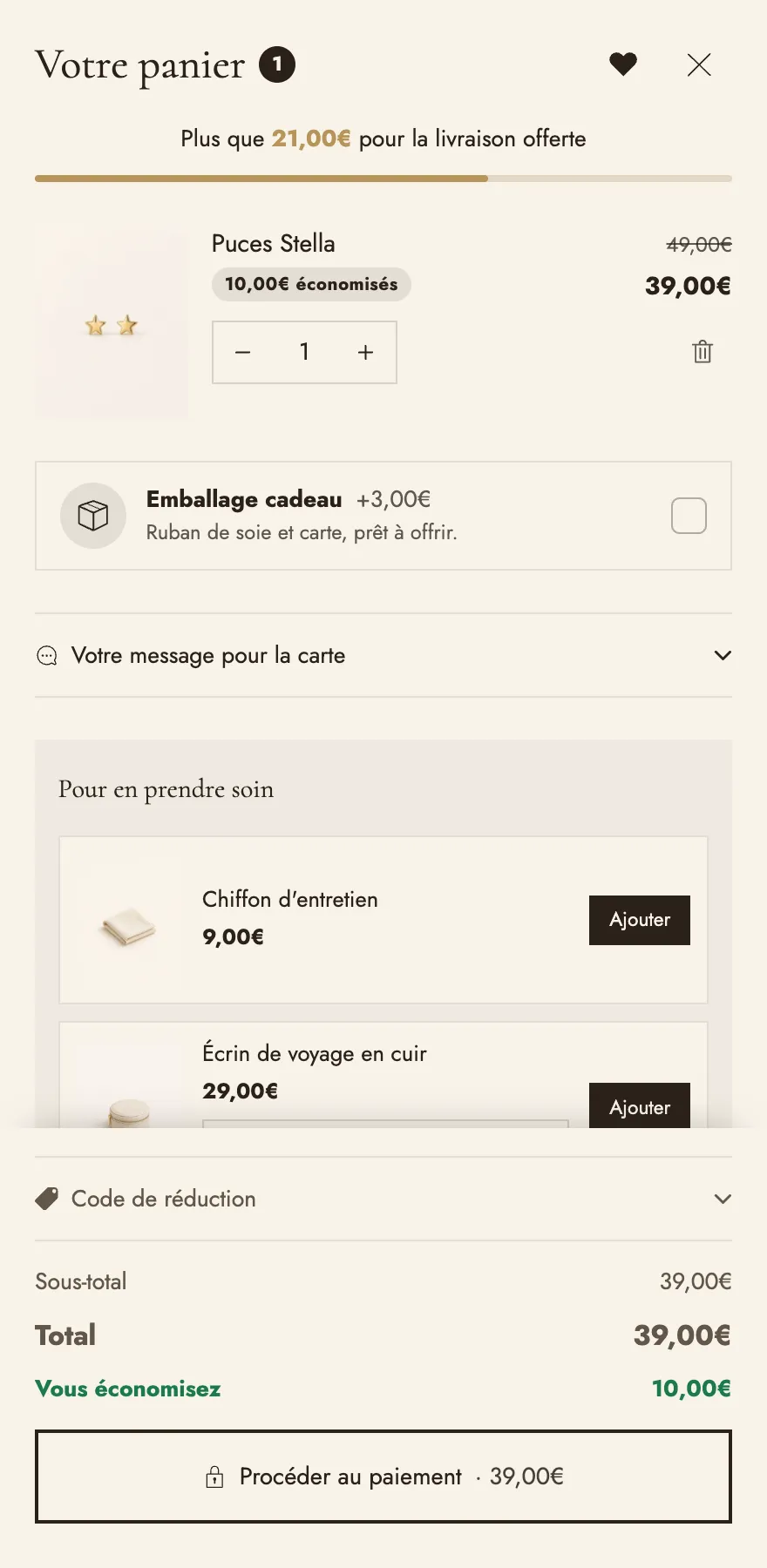
A discreet bar tells customers how much is left to unlock free shipping, as an amount or a number of items.
Free shipping bar
A discreet bar tells customers how much is left to unlock free shipping, as an amount or a number of items.
A progress bar shows how much is left to unlock free shipping, based on the customer’s cart and currency.
Free shipping bar on the product page
A progress bar shows how much is left to unlock free shipping, based on the customer’s cart and currency.
A floating button takes visitors back to the top of the page in one click on long pages.
Back to top button
A floating button takes visitors back to the top of the page in one click on long pages.
Customers enter their country and postcode to see the shipping rates before paying.
Shipping rate calculator
Customers enter their country and postcode to see the shipping rates before paying.
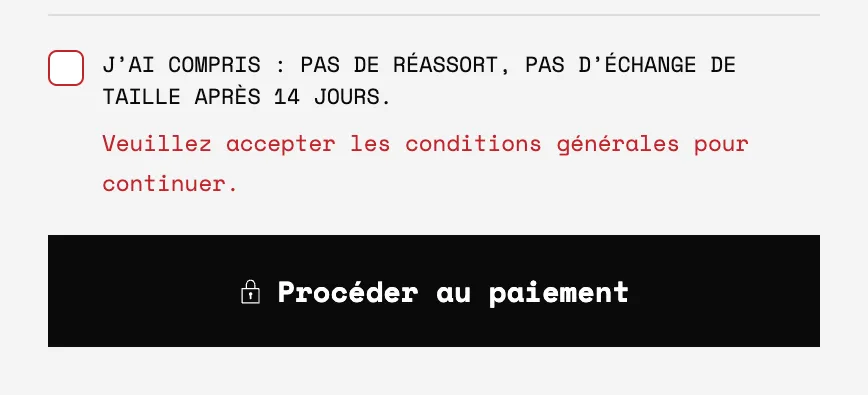
Customers tick your terms before paying. Without the tick, the checkout button shows your error message.
Terms checkbox before checkout
Customers tick your terms before paying. Without the tick, the checkout button shows your error message.
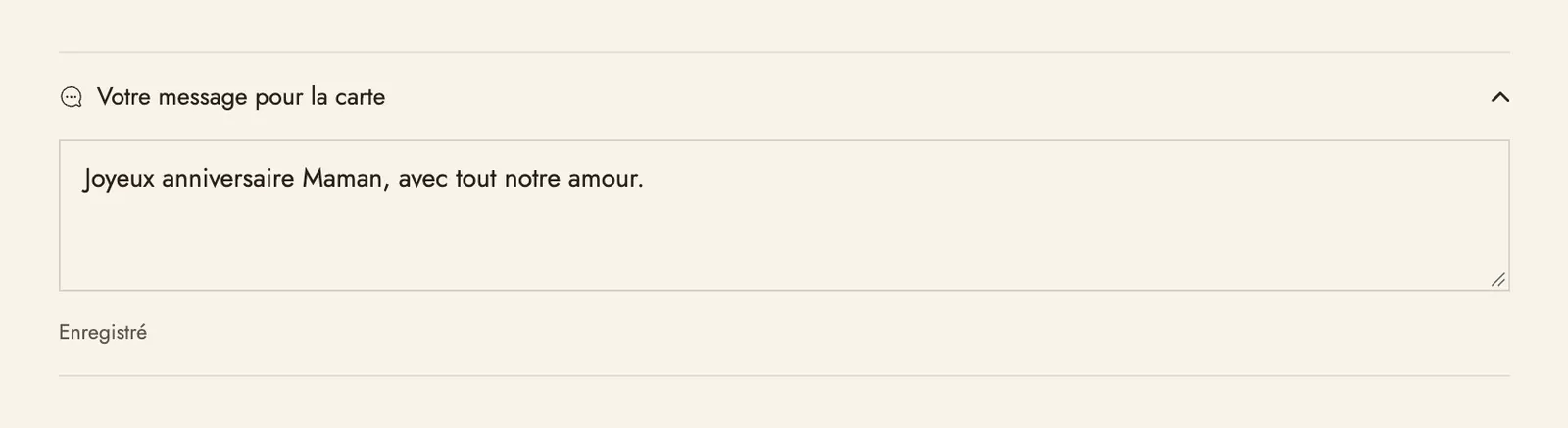
Text, list, date or checkbox: you collect a gift message or extra details, required if needed, before checkout.
Custom order fields
Text, list, date or checkbox: you collect a gift message or extra details, required if needed, before checkout.
The offer can carry a discount code that applies on its own after the add to cart, with nothing for customers to type.
Automatically applied discount code
The offer can carry a discount code that applies on its own after the add to cart, with nothing for customers to type.
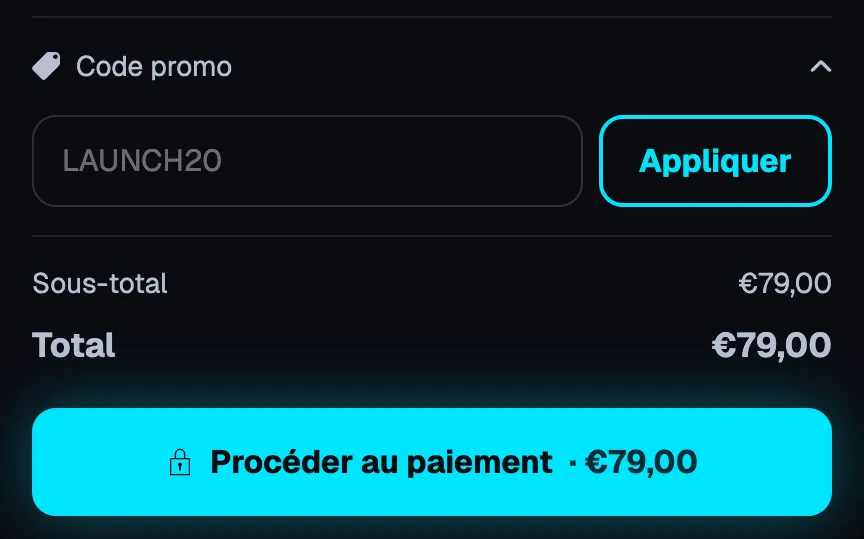
Customers enter their discount code in the cart and see the new total right away.
Discount code in the cart
Customers enter their discount code in the cart and see the new total right away.
After signup, the form shows the discount code, ready to copy, without reloading the page.
Discount code revealed after signup
After signup, the form shows the discount code, ready to copy, without reloading the page.
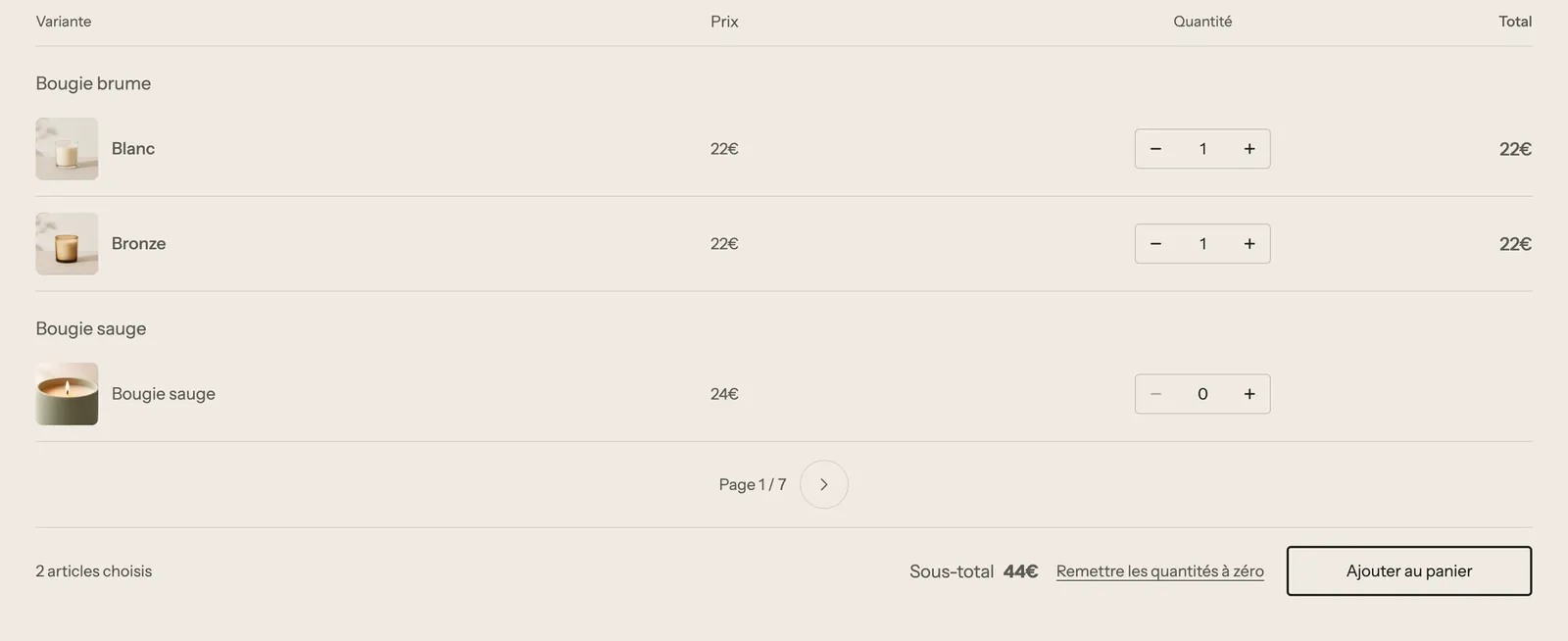
All the variants of a product or a collection in a table, with quantities and a single add to cart.
Quick order list
All the variants of a product or a collection in a table, with quantities and a single add to cart.
A message announces the end of an offer with a countdown in the store’s time zone, then a text of your choice once it is over.
≈ 6 €/monthReplaces Essential Countdown Timer Bar
Countdown in the announcement bar
A message announces the end of an offer with a countdown in the store’s time zone, then a text of your choice once it is over.

The cart shows the likely delivery date, with the day’s order cut-off time, calculated the same way as on the product page.
≈ 4 €/monthReplaces S Estimated Delivery Date Plus (Omega)
Estimated delivery date in the cart
The cart shows the likely delivery date, with the day’s order cut-off time, calculated the same way as on the product page.
Customers pick a date from a calendar, within the limits you set (minimum lead time, weekends excluded).
Preferred delivery date
Customers pick a date from a calendar, within the limits you set (minimum lead time, weekends excluded).
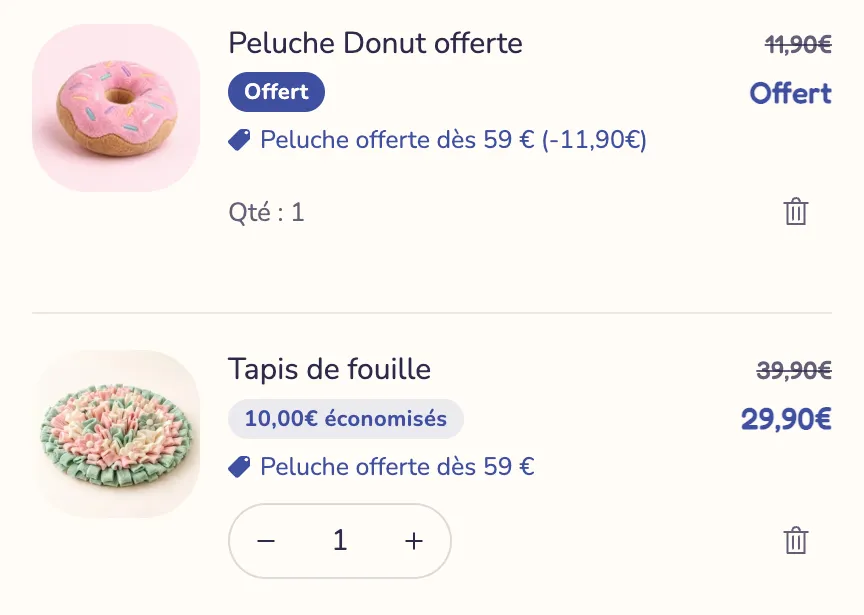
Each cart line shows the struck-through compare-at price and a savings badge, as a percentage or an amount.
Savings shown on every item
Each cart line shows the struck-through compare-at price and a savings badge, as a percentage or an amount.
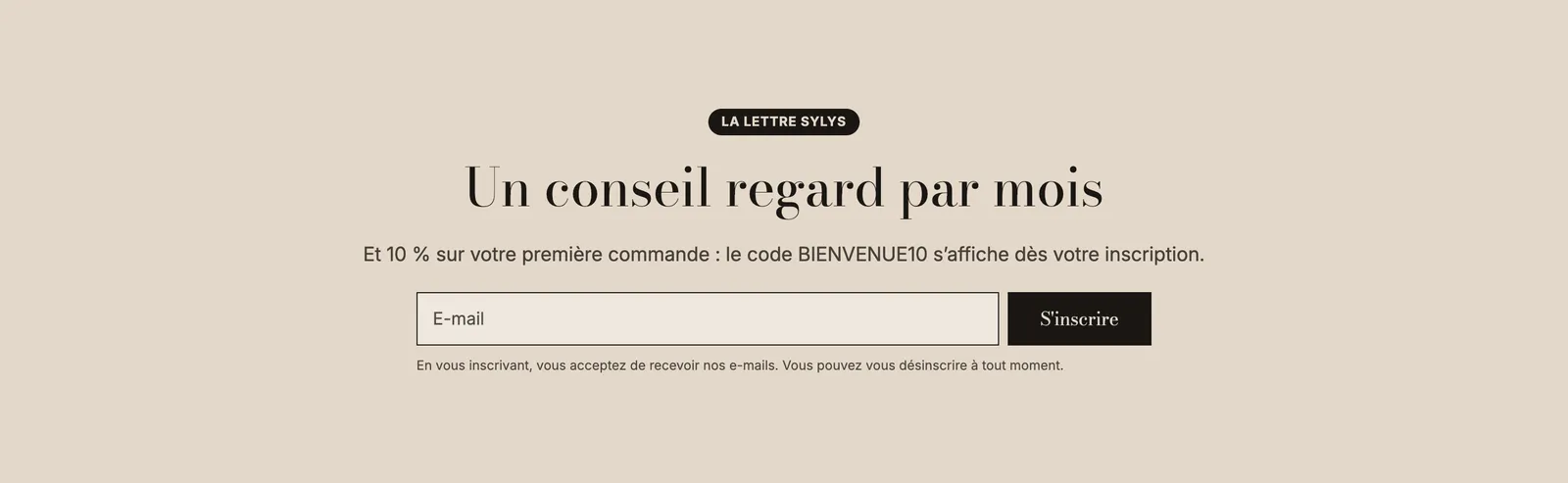
A signup form with first name, consent, a phone number for SMS and customer tags, submitted without leaving the page.
Newsletter signup
A signup form with first name, consent, a phone number for SMS and customer tags, submitted without leaving the page.
A timer in minutes that you can place in any section, which restarts on the next visit or after a delay you choose.
≈ 6 €/monthReplaces Essential Countdown Timer Bar
Timer that restarts for each visitor
A timer in minutes that you can place in any section, which restarts on the next visit or after a delay you choose.
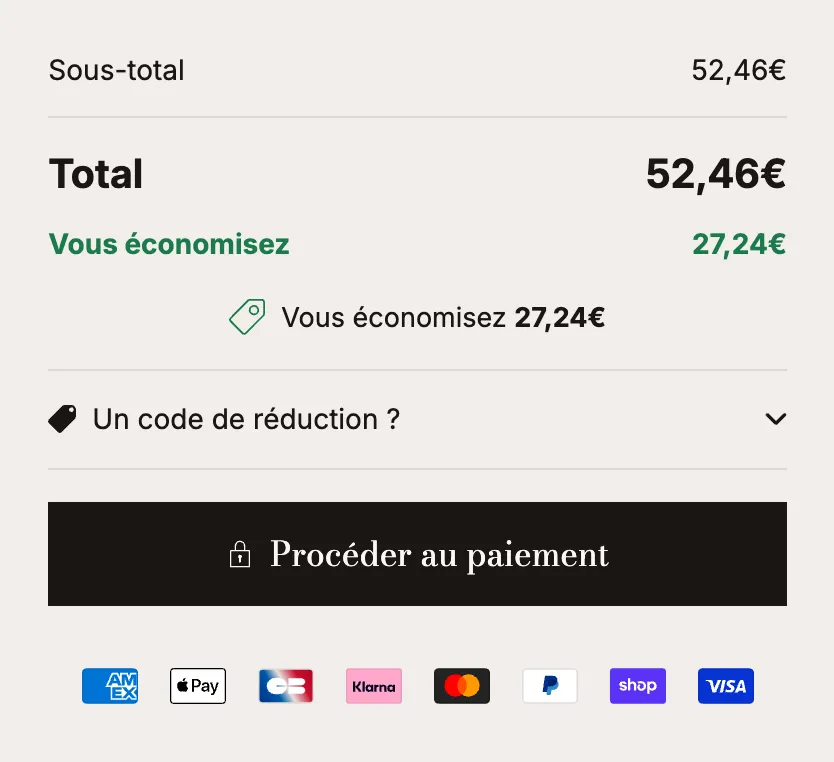
A banner and a line in the order summary show how much the customer saves, as an amount or a percentage.
Savings in the spotlight
A banner and a line in the order summary show how much the customer saves, as an amount or a percentage.
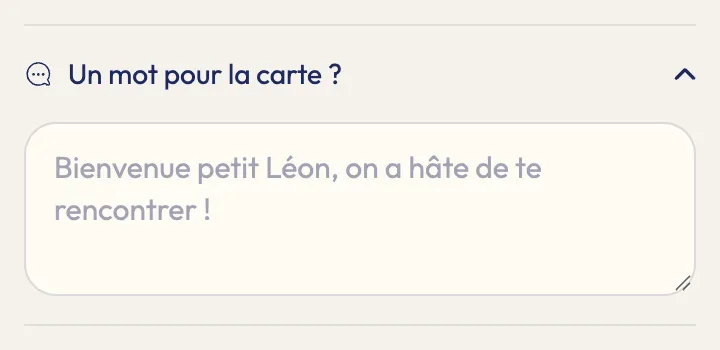
Customers leave a note for the merchant from the cart, in a collapsed or always-visible field.
Order note
Customers leave a note for the merchant from the cart, in a collapsed or always-visible field.
Choosing an offer selects the matching variant (colour, pack) and updates the gallery.
Offer linked to a variant
Choosing an offer selects the matching variant (colour, pack) and updates the gallery.
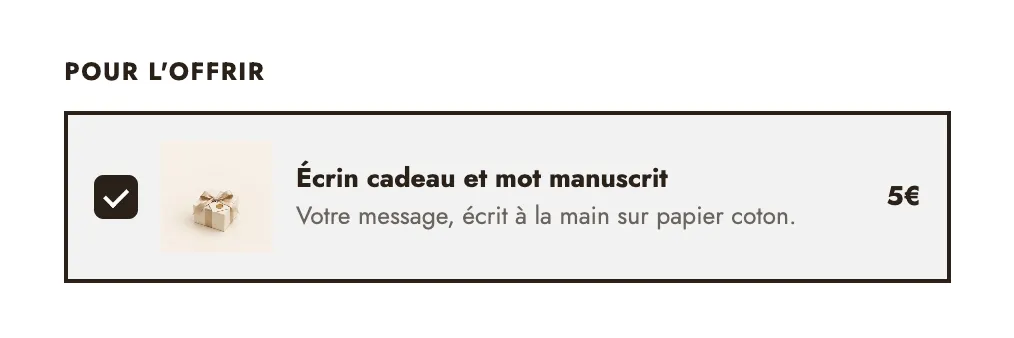
Gift box, wrapping or handwritten note added to the product and removed from the cart along with it.
Gift option attached to the product
Gift box, wrapping or handwritten note added to the product and removed from the cart along with it.
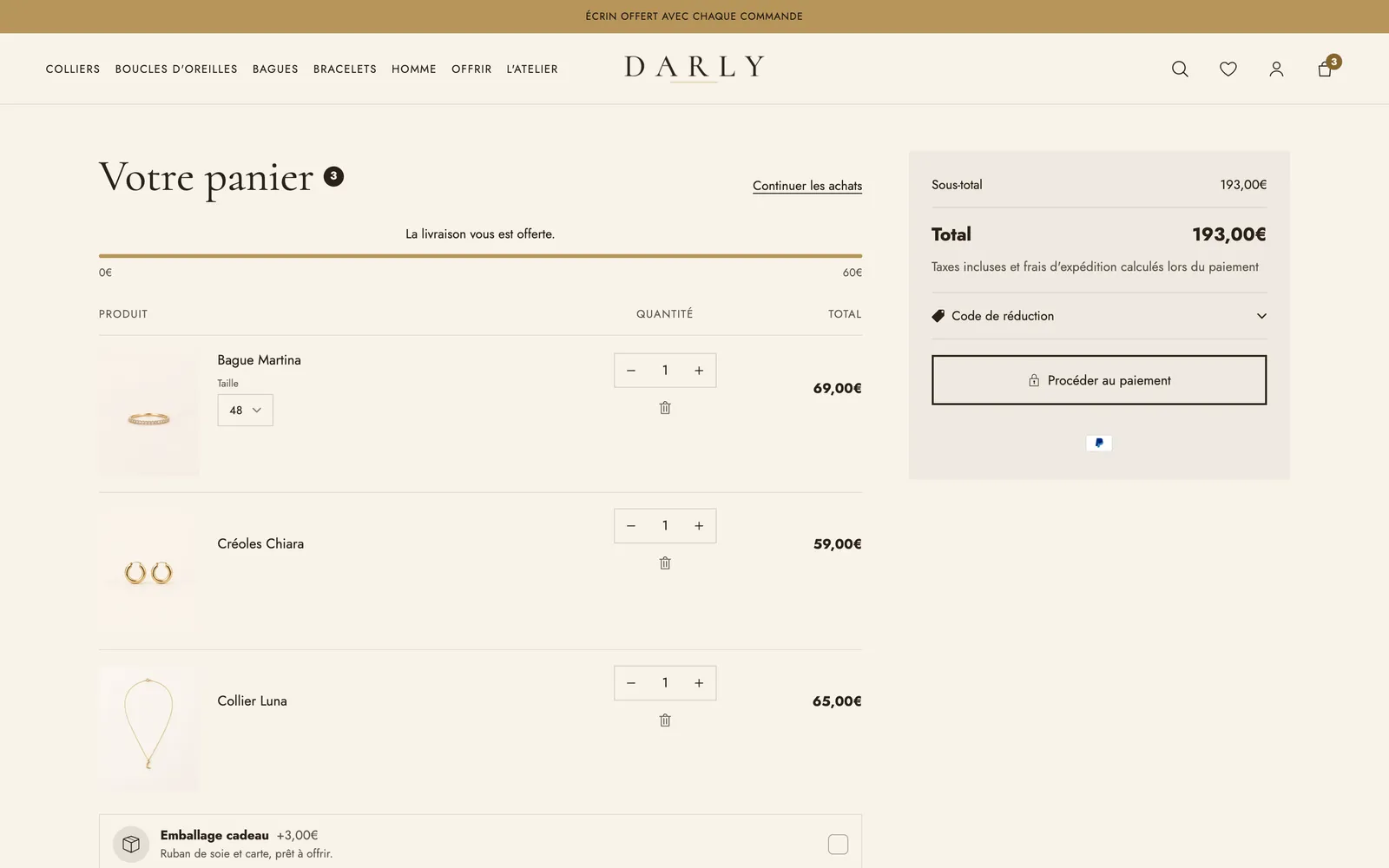
The items on one side, a summary that stays visible on the other. On mobile, the summary can come first.
Two-column cart page
The items on one side, a summary that stays visible on the other. On mobile, the summary can come first.
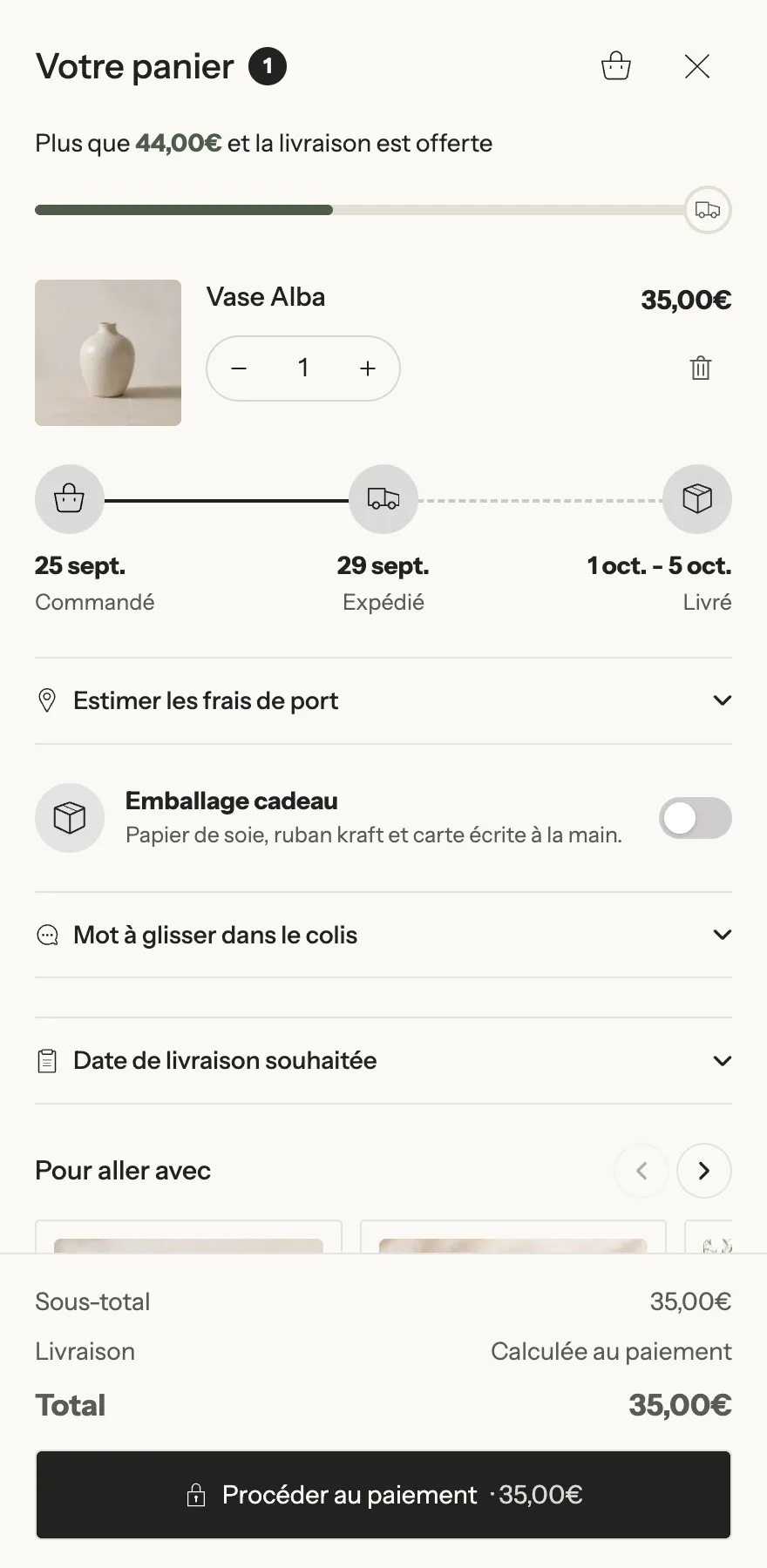
Drawer, cart page and pop-up are built from the same blocks, which you add, move or remove in the editor, with no code and no app.
Cart built block by block
Drawer, cart page and pop-up are built from the same blocks, which you add, move or remove in the editor, with no code and no app.
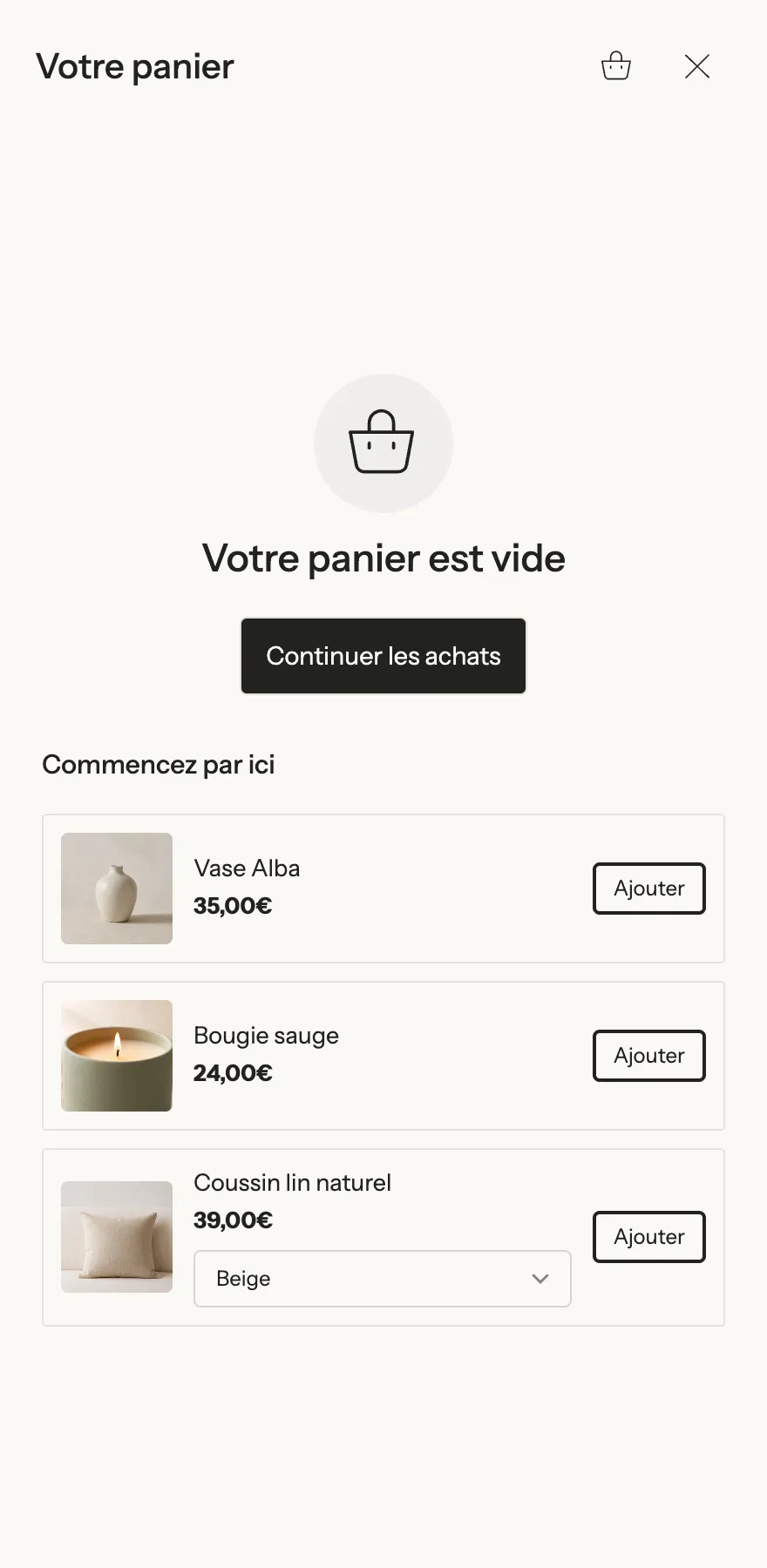
An empty cart shows a message in your own tone, a button and a selection of products instead of a blank page.
Empty cart that re-engages
An empty cart shows a message in your own tone, a button and a selection of products instead of a blank page.
The price, the compare-at price and the button label update as soon as customers switch offers.
Price and button that follow the offer
The price, the compare-at price and the button label update as soon as customers switch offers.
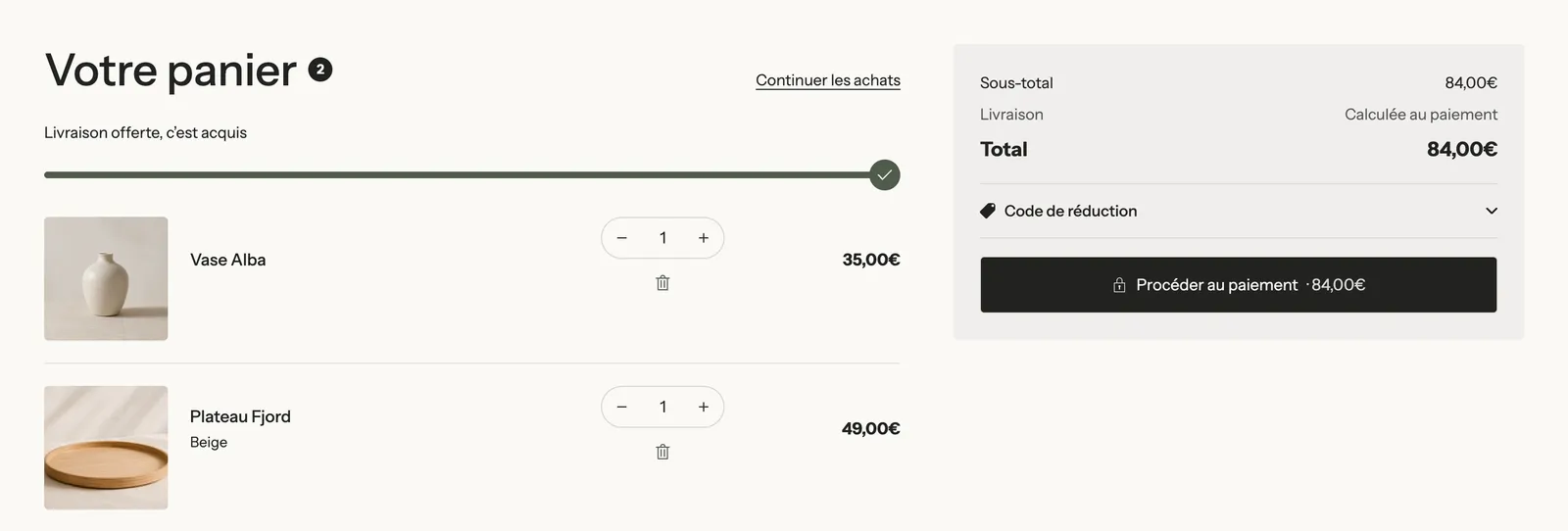
Subtotal, shipping, discounts, taxes, savings, pay in instalments: you choose the lines, and the checkout button can show the total.
Custom order summary
Subtotal, shipping, discounts, taxes, savings, pay in instalments: you choose the lines, and the checkout button can show the total.
On phones, a fixed bar recaps the selected items, the total and the button while customers browse the products.
Sticky bundle summary on mobile
On phones, a fixed bar recaps the selected items, the total and the button while customers browse the products.
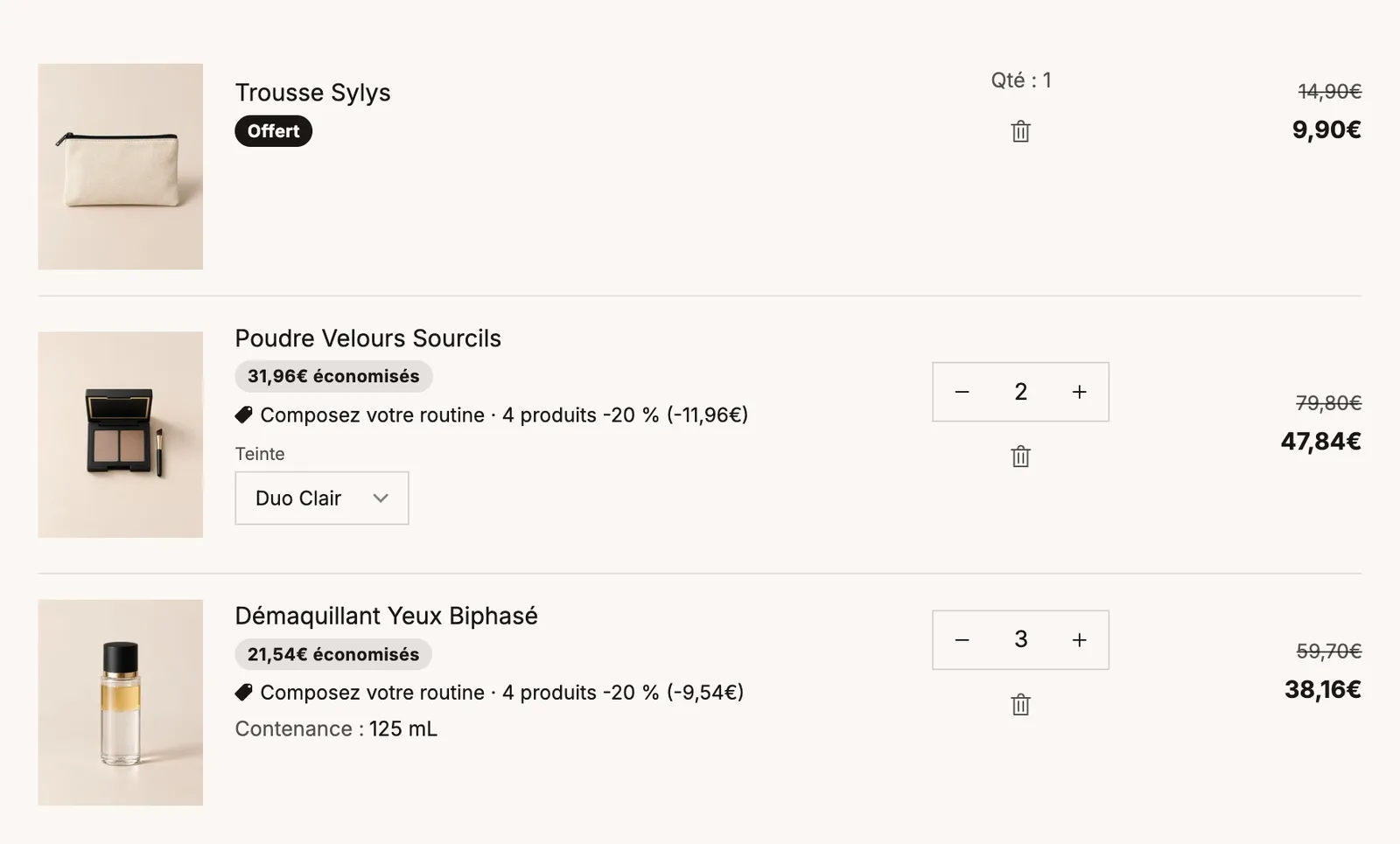
Applied discounts are named on the line they apply to and in the summary, so customers see what they are saving.
Detailed discounts in the cart
Applied discounts are named on the line they apply to and in the summary, so customers see what they are saving.
A bar shows the discount growing with the number of items in the bundle: 2 items, 3 items, and so on.
Progressive bundle discount
A bar shows the discount growing with the number of items in the bundle: 2 items, 3 items, and so on.
A countdown strip with a heading, text and a button, to place on any page for a sale or a launch.
≈ 6 €/monthReplaces Essential Countdown Timer Bar
Countdown section
A countdown strip with a heading, text and a button, to place on any page for a sale or a launch.
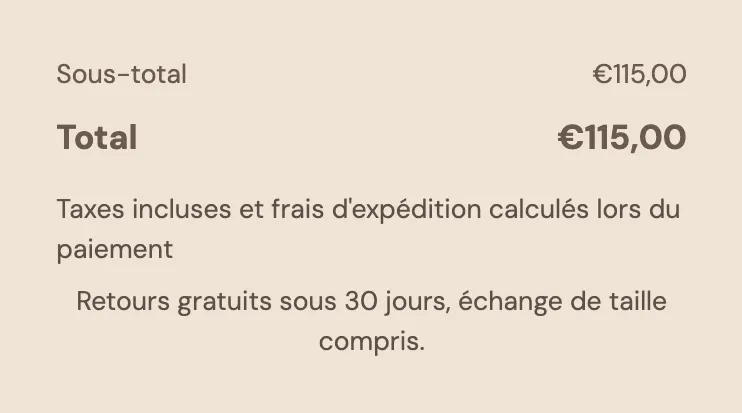
A free line of text below the total, to remind customers about free returns or size exchanges right when they pay.
Reassurance text in the cart
A free line of text below the total, to remind customers about free returns or size exchanges right when they pay.
You choose what follows an add to cart: a drawer, the cart page or a confirmation pop-up, which can show tiers, recommendations and urgency.
Drawer, page or pop-up after adding, your choice
You choose what follows an add to cart: a drawer, the cart page or a confirmation pop-up, which can show tiers, recommendations and urgency.
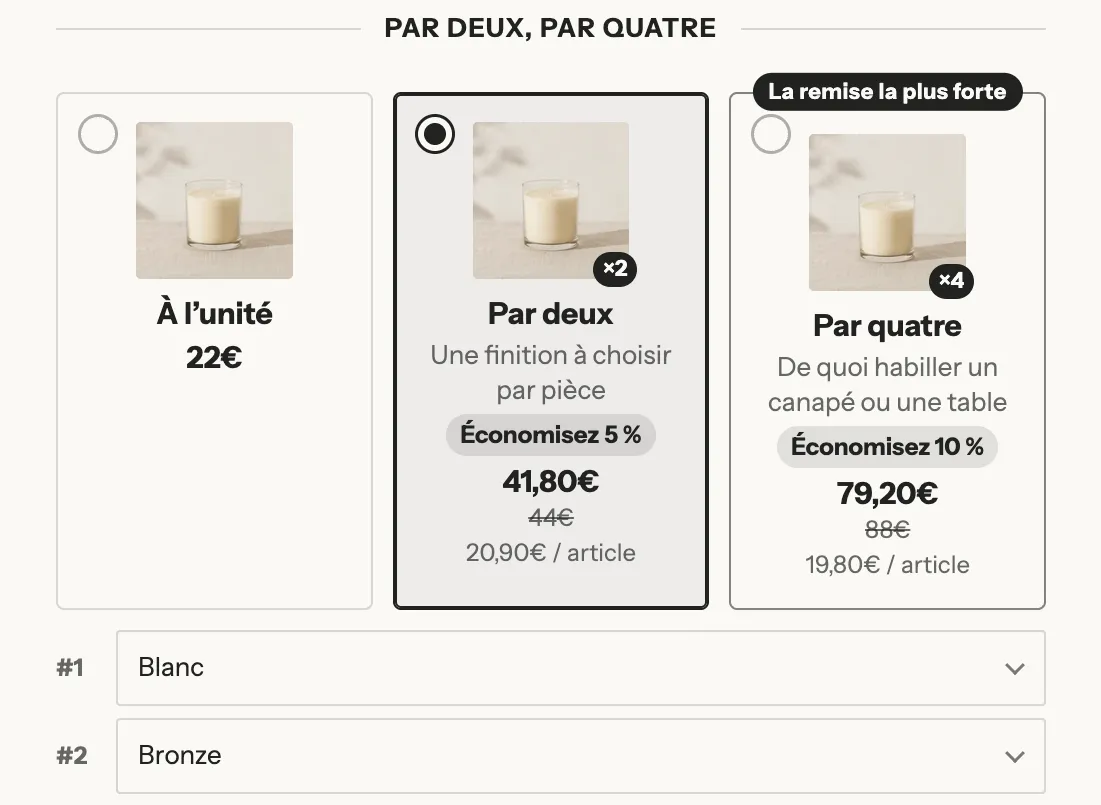
In a bundle, customers choose the size or shade of each item separately.
≈ 13 €/monthReplaces Kaching Bundles App & Upsells
One variant per bundle item
In a bundle, customers choose the size or shade of each item separately.
A video bubble stays in a corner of the screen. On click, it expands with sound and a button to the product.
≈ 11 €/monthReplaces Tolstoy: Shoppable Video & UGC
Floating video
A video bubble stays in a corner of the screen. On click, it expands with sound and a button to the product.
Subscription or one-time purchase
Customers choose between a one-time purchase and a subscription with its frequency, as cards, a toggle or a list.
Cart reservation timer
A timer shows that the cart is reserved for a few minutes. It can restart with each add and show a message when it ends.
≈ 9 €/monthReplaces Essential Countdown Timer Bar
Targeted cart blocks
Each cart block shows based on the amount, the number of items, the country, a logged-in customer or a product in the cart.
Gift of choice with the offer
Customers choose a gift from several options, added for free with the product.
Gift of choice in the cart
When a tier offers several gifts or variants, customers pick theirs right in the cart.
≈ 26 €/monthReplaces BOGOS: Free Gift Bundle Upsell
Image that flies to the cart
On add to cart, the product image flies to the cart icon when the drawer does not open.
Pre-launch page
While the store is closed, a full-screen page with an image or video, a countdown and a signup form collects your first contacts.
Bottom sheet cart on mobile
On phones, the cart can open from the bottom like a sheet and close with a simple swipe.
Storytelling & layout
Dots placed on a photo reveal each product with its price and a direct add to cart, without leaving the page.
Shop the look
Dots placed on a photo reveal each product with its price and a direct add to cart, without leaving the page.
A slider visitors drag to compare two images, horizontally or vertically, with labels.
≈ 5 €/monthReplaces Before and After Slider by ES (Elfsight)
Before / after
A slider visitors drag to compare two images, horizontally or vertically, with labels.
Customers move a slider and see what they save: against the competition, with a subscription or in cost per use.
Savings calculator
Customers move a slider and see what they save: against the competition, with a subscription or in cost per use.
Cards that stack up and shrink as visitors scroll, to reveal your selling points one by one.
Stacking cards on scroll
Cards that stack up and shrink as visitors scroll, to reveal your selling points one by one.
Visitors scroll down and the section moves sideways: ideal for a lookbook or a series of visuals.
Horizontal scroll
Visitors scroll down and the section moves sideways: ideal for a lookbook or a series of visuals.
An image or a video starts in a small frame and expands to full screen while the text appears.
Image that expands on scroll
An image or a video starts in a small frame and expands to full screen while the text appears.
The visual stays fixed on one side and changes with each text step, with a counter or a progress bar.
Scrollytelling
The visual stays fixed on one side and changes with each text step, with a counter or a progress bar.
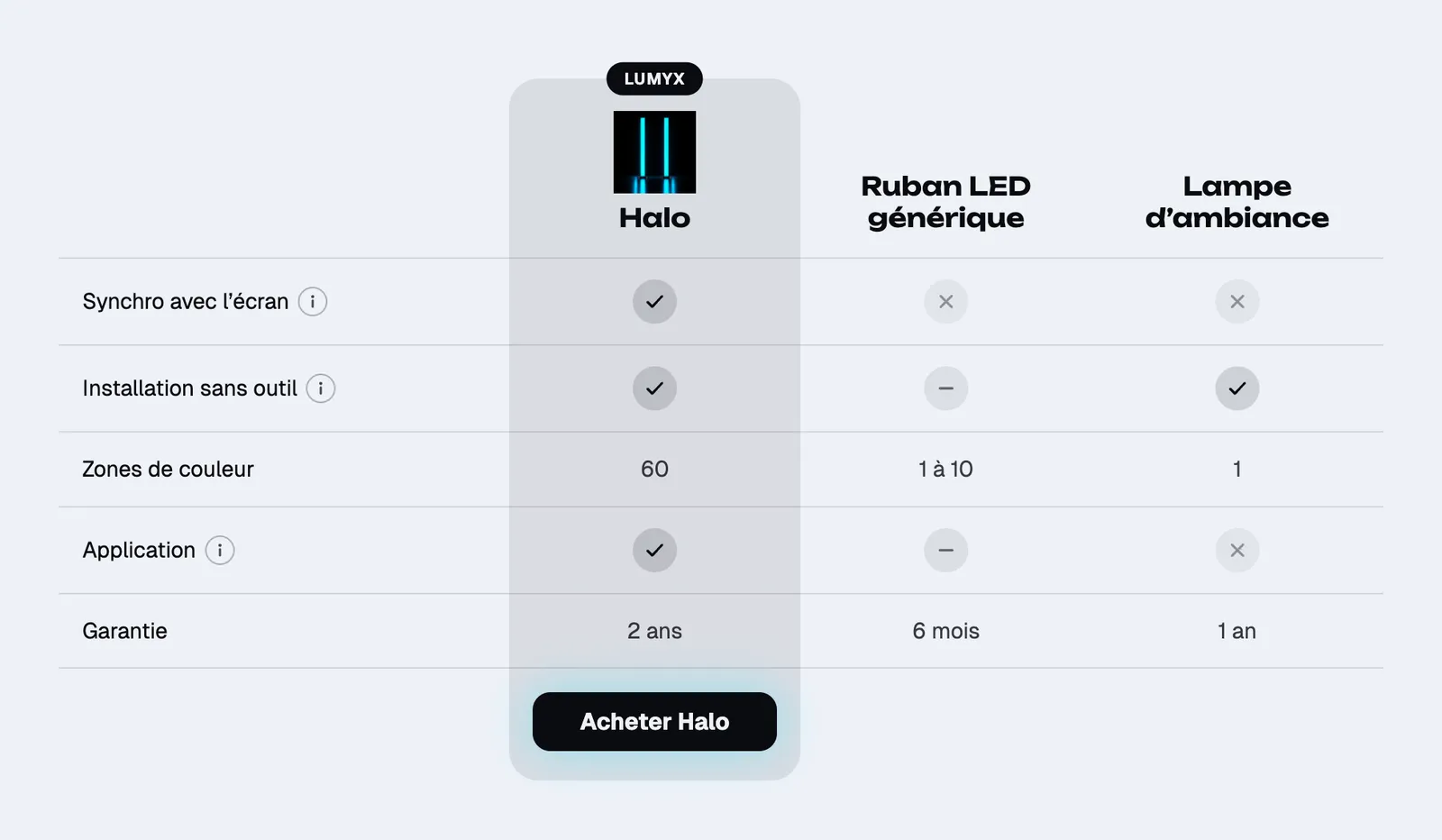
Your product against the others, row by row, with checkmarks, a highlighted column, tooltips and a sticky header.
Comparison table
Your product against the others, row by row, with checkmarks, a highlighted column, tooltips and a sticky header.
A strong sentence lights up word by word as visitors scroll, to set out your manifesto.
Text revealed on scroll
A strong sentence lights up word by word as visitors scroll, to set out your manifesto.
Sections and blocks appear on scroll with a fade, slide or zoom, adjustable one by one.
Reveal animations
Sections and blocks appear on scroll with a fade, slide or zoom, adjustable one by one.

A full-screen visual, image or video, with a heading, text and buttons on top, overlaid or side by side, and separate media on mobile.
Banner
A full-screen visual, image or video, with a heading, text and buttons on top, overlaid or side by side, and separate media on mobile.
A looping video as the banner background, with an optional different file on mobile and a pause button.
Video banner
A looping video as the banner background, with an optional different file on mobile and a pause button.
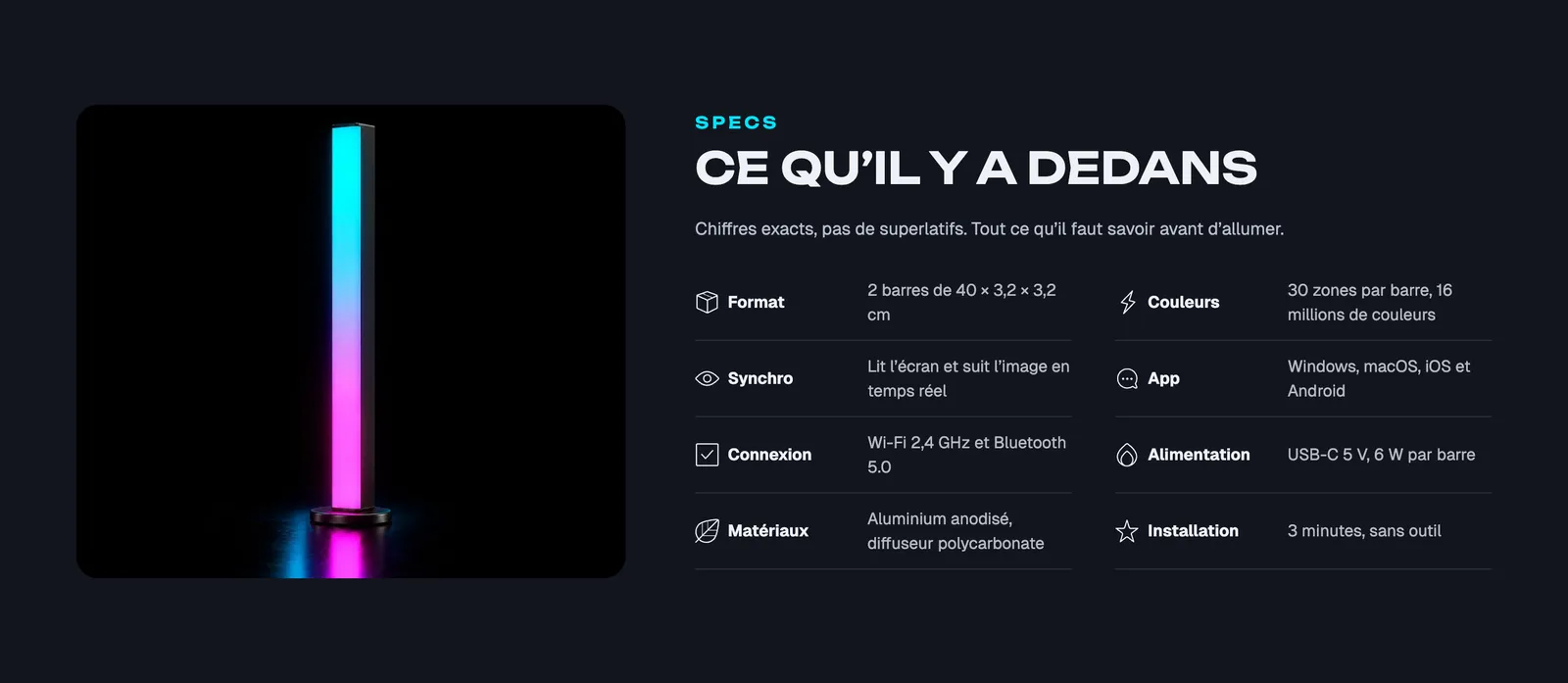
A spec sheet as a table or in columns, with icons, next to a product photo.
Specifications
A spec sheet as a table or in columns, with icons, next to a product photo.

Selling points side by side: icons with text, benefits with images or numbered steps, to sum up your strengths at a glance.
Selling point columns
Selling points side by side: icons with text, benefits with images or numbered steps, to sum up your strengths at a glance.
Several full-screen slides that transition with a fade, zoom or curtain effect, with pagination as lines, numbers or clickable titles.
Slideshow
Several full-screen slides that transition with a fade, zoom or curtain effect, with pagination as lines, numbers or clickable titles.
The banner visual slowly zooms in, moves in parallax or grows on scroll, to add depth to the first screen.
Motion effects on visuals
The banner visual slowly zooms in, moves in parallax or grows on scroll, to add depth to the first screen.
Collapsible questions and answers, with an optional sticky contact column and FAQ markup for Google.
FAQ
Collapsible questions and answers, with an optional sticky contact column and FAQ markup for Google.
Questions organised in tabs (shipping, product, returns) so customers find the answer without reading everything.
FAQ by topic
Questions organised in tabs (shipping, product, returns) so customers find the answer without reading everything.
Your brand or product milestones in a column, alternating or in a row, with a line that fills in as visitors scroll.
Timeline
Your brand or product milestones in a column, alternating or in a row, with a line that fills in as visitors scroll.
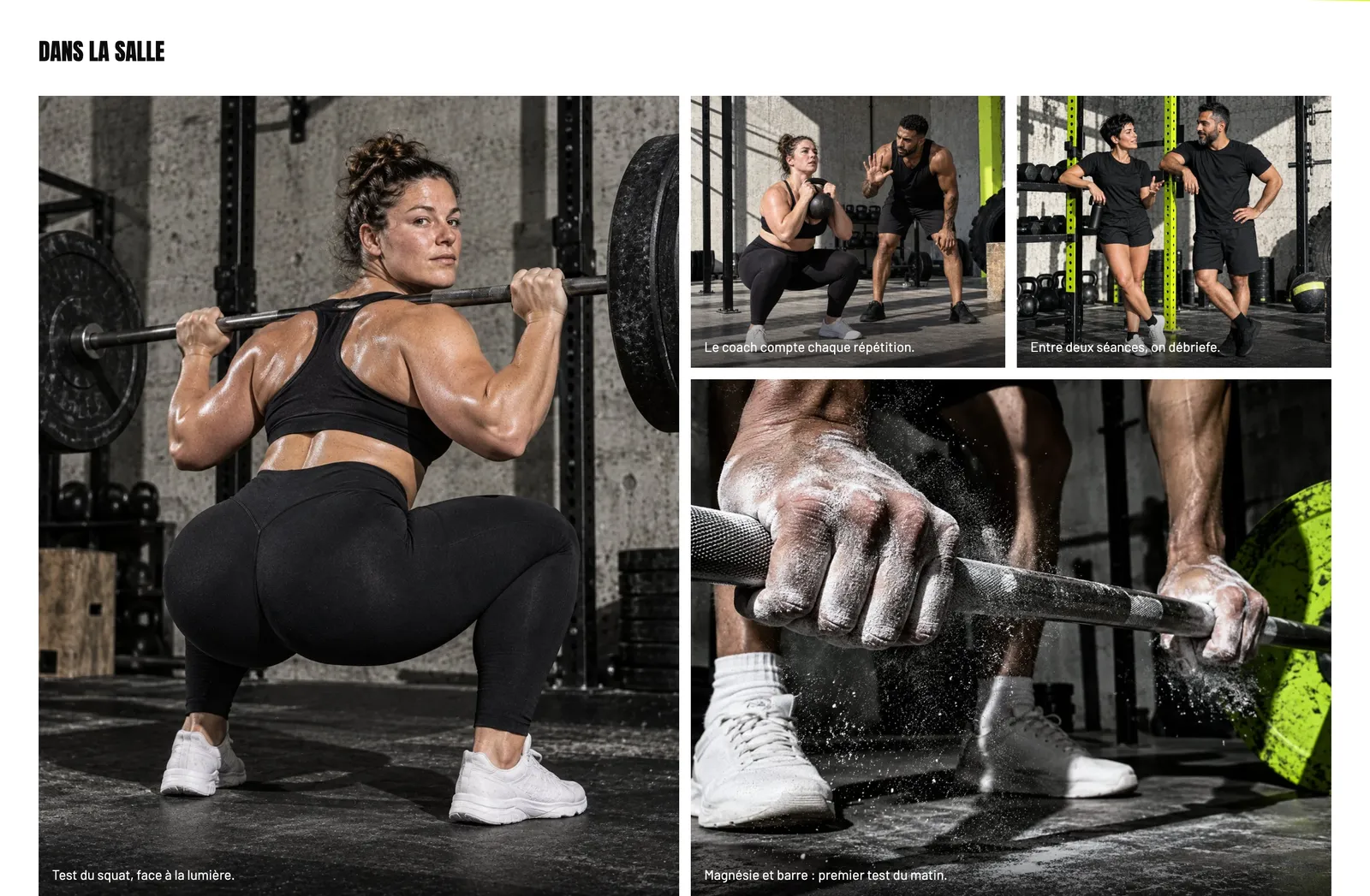
Your photos in a grid, mosaic, bento or carousel, with captions and a full-screen view on click, on their own or as a lookbook.
Image gallery
Your photos in a grid, mosaic, bento or carousel, with captions and a full-screen view on click, on their own or as a lookbook.

An image and a text block side by side, with a badge, a list of selling points, accordions or a testimonial depending on the preset you pick.
Image with text
An image and a text block side by side, with a badge, a list of selling points, accordions or a testimonial depending on the preset you pick.
A strip of photos that scrolls continuously, with pause on hover and links to your products.
Scrolling images
A strip of photos that scrolls continuously, with pause on hover and links to your products.
One word in the heading changes on a loop, sliding, fading or typewriter-style, to play out your promise in several ways.
Animated words in headings
One word in the heading changes on a loop, sliding, fading or typewriter-style, to play out your promise in several ways.
Your brand name in very large type, edge to edge, rising into view, as a signature at the bottom of the page.
Wordmark
Your brand name in very large type, edge to edge, rising into view, as a signature at the bottom of the page.
Illustrations or Lottie animations placed freely on a section, which float, spin or follow the scroll and the mouse.
Animated pictograms
Illustrations or Lottie animations placed freely on a section, which float, spin or follow the scroll and the mouse.
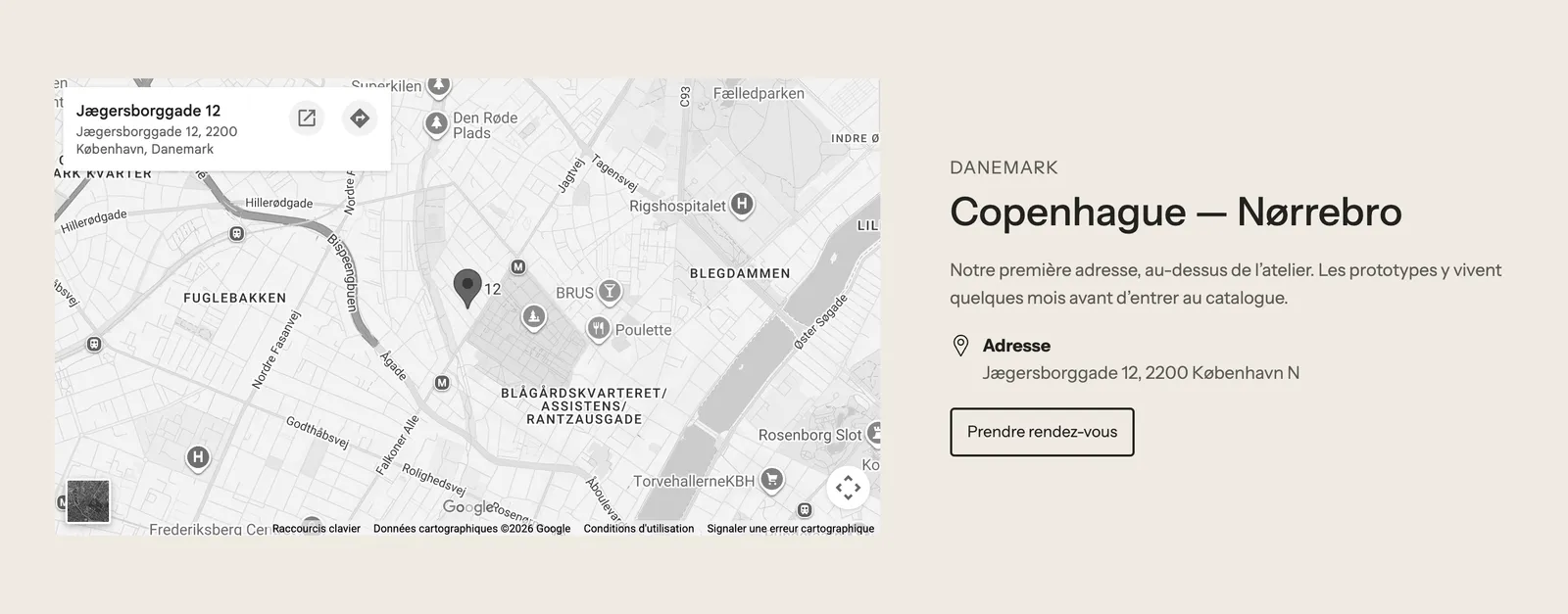
A Google Maps map with address, opening hours and a directions button, for one or more locations.
Map
A Google Maps map with address, opening hours and a directions button, for one or more locations.
A photo annotated with numbered hotspots that walk through your product point by point.
Explained product
A photo annotated with numbered hotspots that walk through your product point by point.
Shapes between two sections (waves, clouds, slants, drops), with an optional animation: ripple, swell or parallax.
Animated section dividers
Shapes between two sections (waves, clouds, slants, drops), with an optional animation: ripple, swell or parallax.
A strip of phrases that scrolls on a loop, solid or outlined, with icon separators.
Scrolling text
A strip of phrases that scrolls on a loop, solid or outlined, with icon separators.

A centred message, a quote with an image or a large hook heading, to give the page room to breathe between two product sections.
Rich text and quote
A centred message, a quote with an image or a large hook heading, to give the page room to breathe between two product sections.
A hosted, YouTube or Vimeo video, as a player or as a background with text on top, which you can insert in any section.
Video
A hosted, YouTube or Vimeo video, as a player or as a background with text on top, which you can insert in any section.
Two-tone background
A section’s background splits into two colours, horizontally or vertically, so a visual can overlap both areas.
Coloured bold words
Words in bold in a text take on your palette’s accent colour, with no code.
Sticky video
A video stays on screen while the selling points and questions scroll beside it.
Social proof
A wall of customer posts that open large with the product being worn and its price, to turn inspiration into a purchase.
≈ 11 €/monthReplaces Tolstoy: Shoppable Video & UGC
Customer photos & videos
A wall of customer posts that open large with the product being worn and its price, to turn inspiration into a purchase.

The average rating, the number of reviews and the star breakdown, entered by hand or read from your reviews app.
Rating summary
The average rating, the number of reviews and the star breakdown, entered by hand or read from your reviews app.
Instagram-style bubbles that open full screen, featuring the product and a link to buy it.
≈ 22 €/monthReplaces Smart Stories | Video Story
Photo and video stories
Instagram-style bubbles that open full screen, featuring the product and a link to buy it.
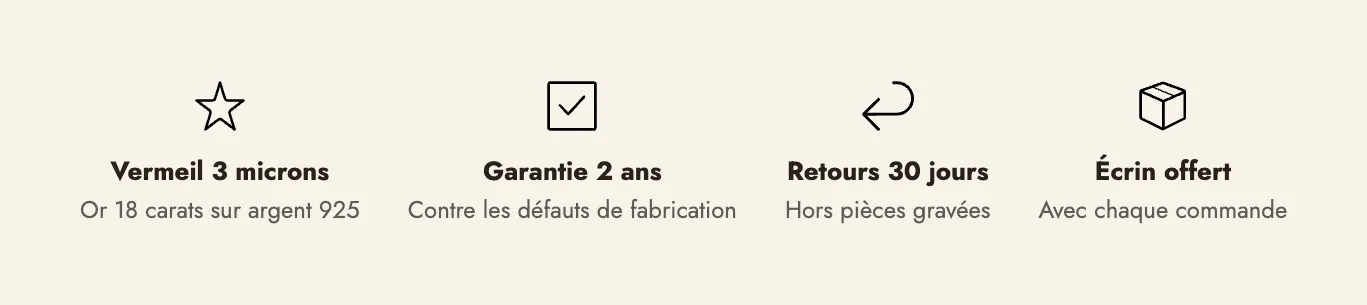
Shipping, returns, secure payment: your guarantees as icons, in a row or a grid, on the product page and everywhere else.
Trust badges
Shipping, returns, secure payment: your guarantees as icons, in a row or a grid, on the product page and everywhere else.

A rating out of 5 with free text such as “4.9 from 1,200 reviews”, which you can place above a heading or a button.
Star rating
A rating out of 5 with free text such as “4.9 from 1,200 reviews”, which you can place above a heading or a button.
A carousel of customer videos below the product page, playing on a loop and opening large on click.
≈ 11 €/monthReplaces Tolstoy: Shoppable Video & UGC
Customer videos on the product page
A carousel of customer videos below the product page, playing on a loop and opening large on click.
Customer reviews
A reviews section filled in from the editor, with rating, text, author and photo, in a grid or a carousel.
Trustpilot reviews
Your Trustpilot rating with its logo and your reviews in a carousel, or the official widget if you have an account.
Testimonial carousel
Customer reviews as cards with stars, photo and name, in a carousel, a grid or a mosaic mixed with customer photos.
Animated key figures
Counters that climb to their value and circular gauges, to prove your results.
Press and partner logos
Logos of the media or partners talking about you, in a row, a grid or scrolling, with a quote if needed.
Featured testimonial
A review shown as a large quote with photo, name, a “verified purchase” mention and the linked product, which you can place in any section.
Navigation & catalogue
Filters in a sticky column, a bar or a drawer, with colour swatches, counts and button filters, without reloading the page.
Customers save products to their favourites with one click on the heart and find them on a dedicated page, without creating an account.
≈ 25 €/monthReplaces Swish (Wishlist King)
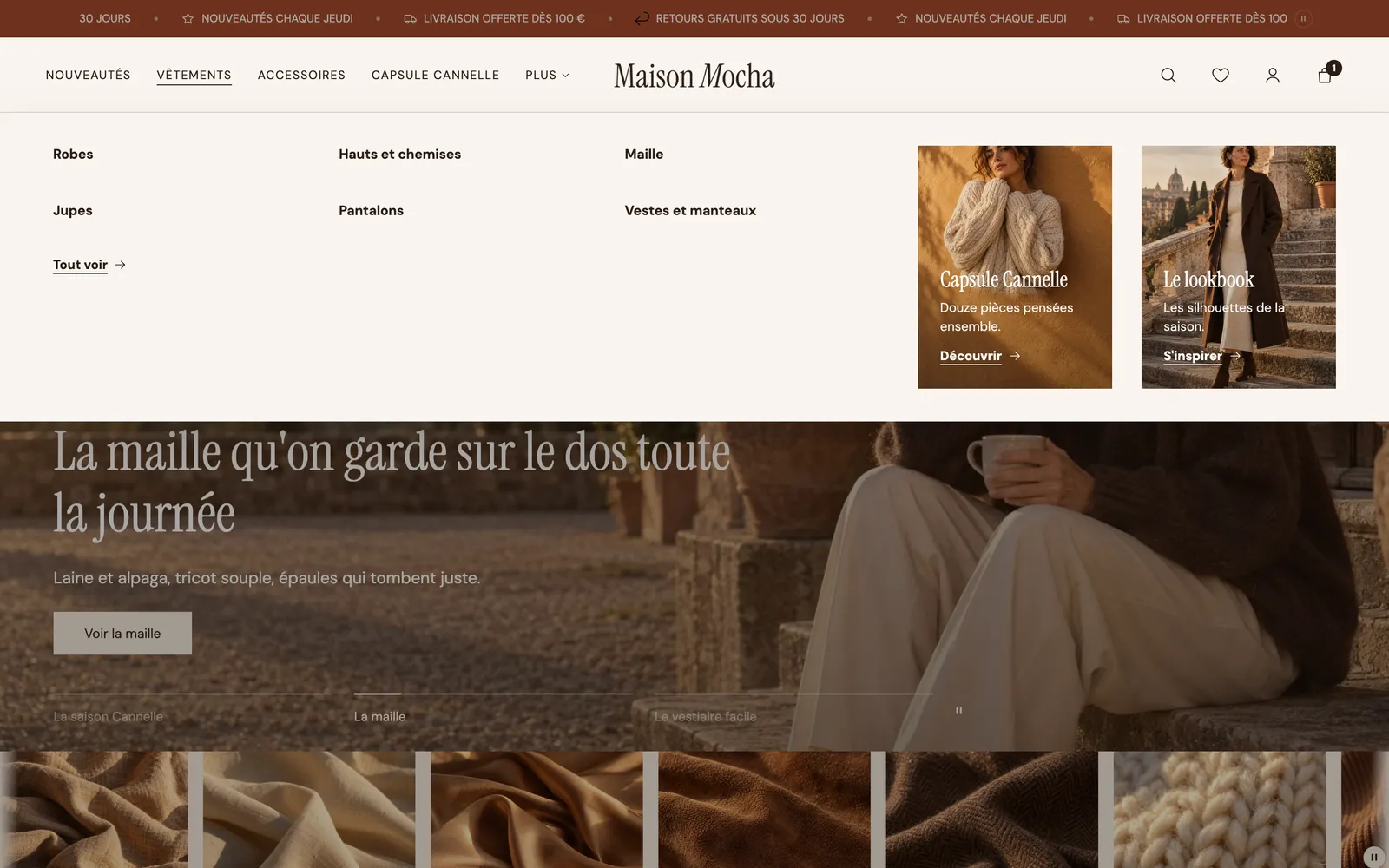
A full-width panel that arranges your subcategories in columns, next to promo cards with an image, text and a button.
Mega menu with visuals
A full-width panel that arranges your subcategories in columns, next to promo cards with an image, text and a button.
Results from the very first letters: products, collections, pages and articles, with popular searches and animated placeholder text.
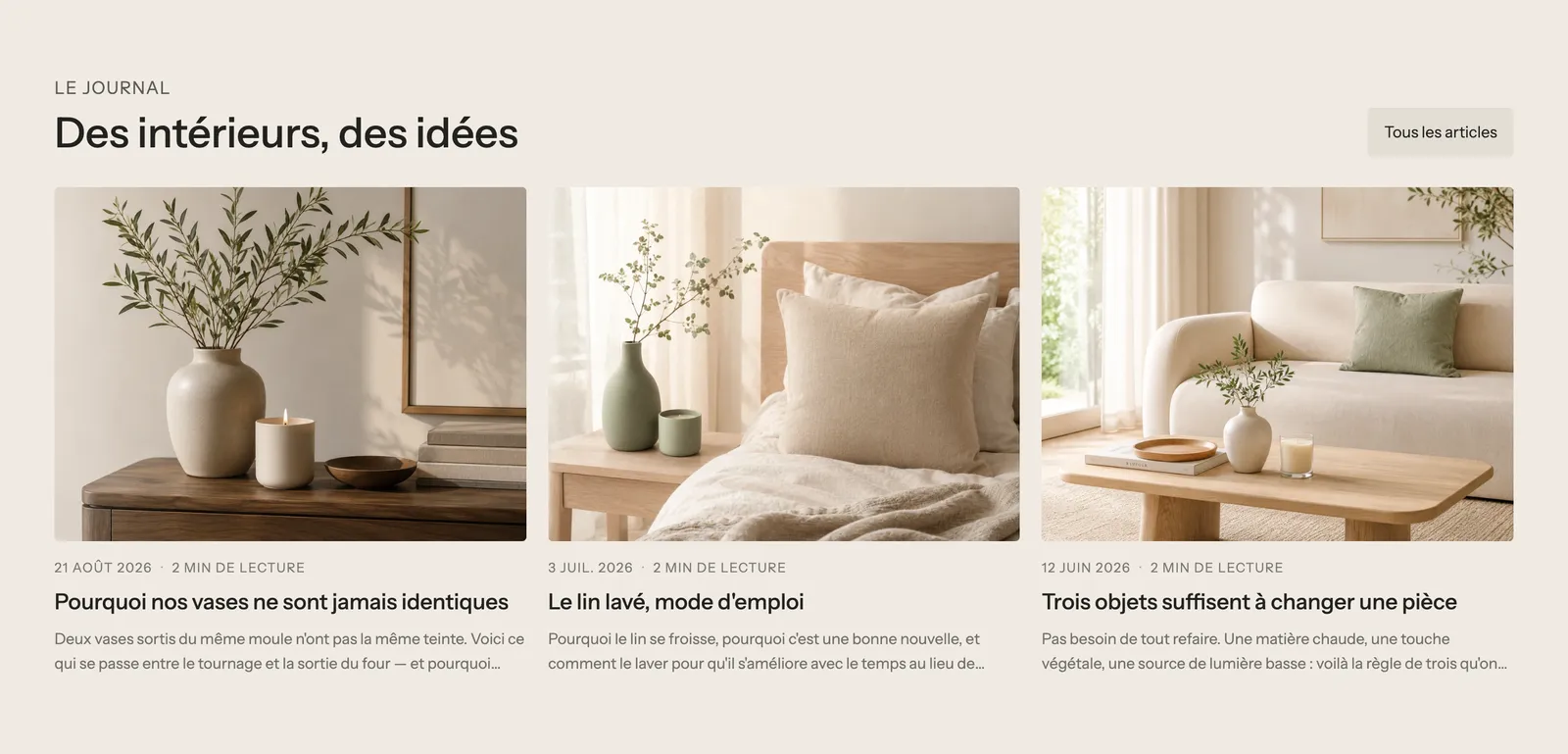
The latest posts in a grid, a carousel, as a featured post or as a journal, to feed your homepage.
Blog posts
The latest posts in a grid, a carousel, as a featured post or as a journal, to feed your homepage.
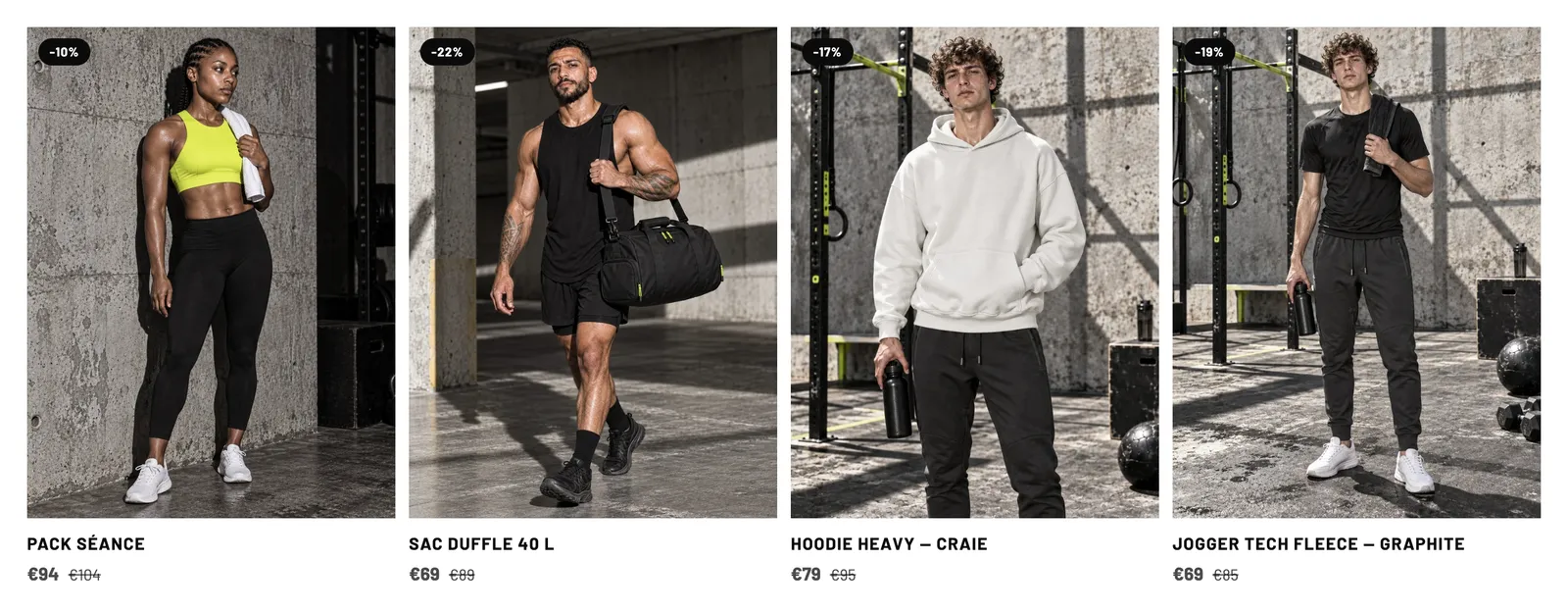
Sale as a percentage or amount, sold out, labels by product tag, stock left: the cards flag themselves.
Automatic badges on cards
Sale as a percentage or amount, sold out, labels by product tag, stock left: the cards flag themselves.
Your messages rotate with a fade, scroll as a continuous strip or type out letter by letter, with icons, links and a pause button.
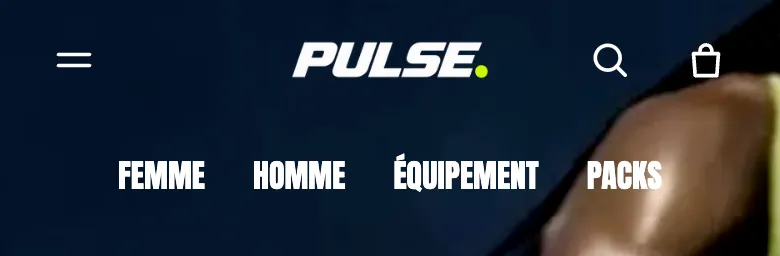
A row of links below the logo, on mobile only, for direct access to your main categories.
Mobile shortcut bar
A row of links below the logo, on mobile only, for direct access to your main categories.
Each card is built block by block: price, stars, brand, stock, text or icon, with a second image or a video on hover.
Classic pagination, a “See more” button or automatic loading on scroll: you choose how customers browse your collections.
Customers choose the number of products per row themselves, to see more items or larger photos.
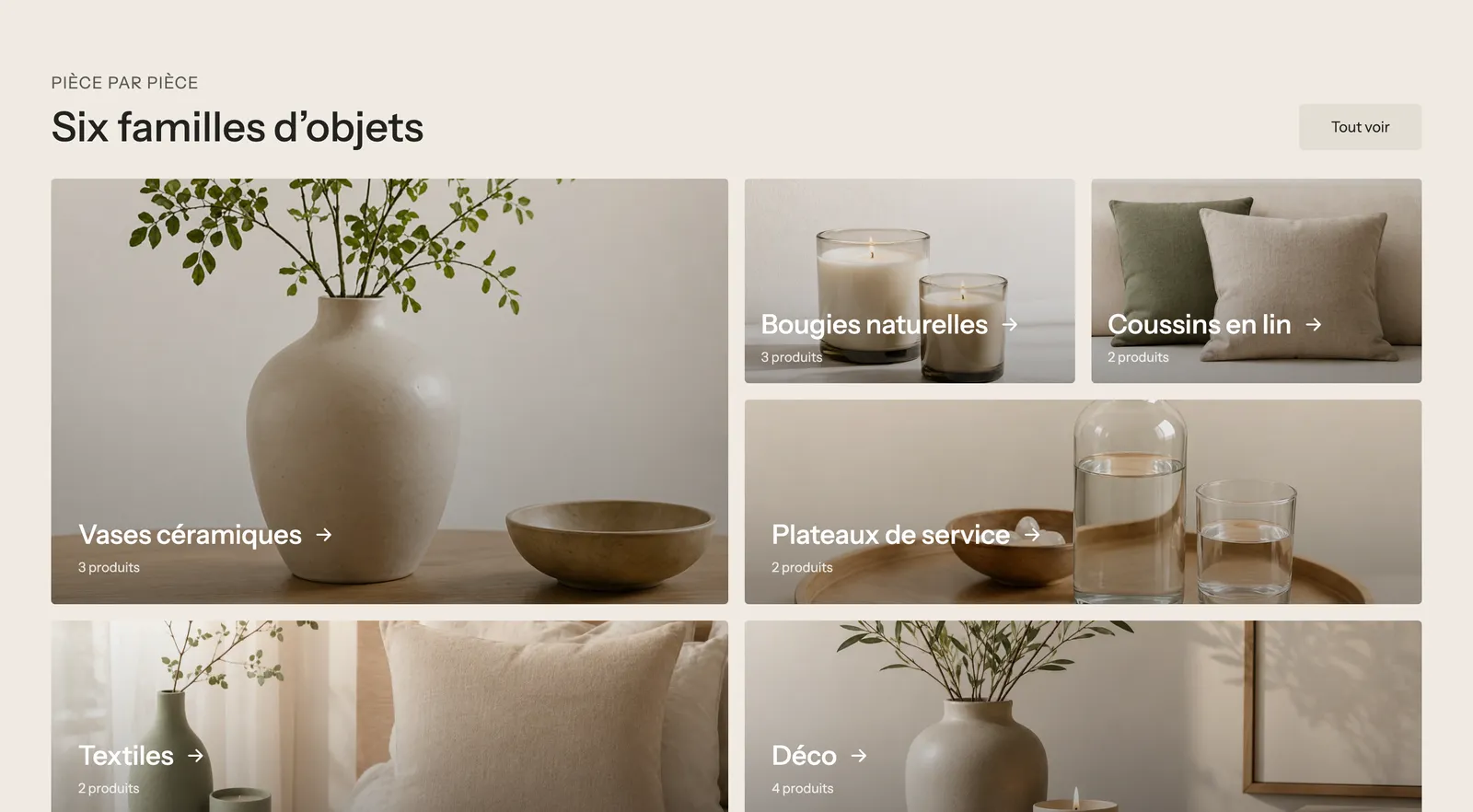
Your collections as clickable cards, in a grid, a carousel or a bento mosaic, with the number of products and a “View all” card.
Collections in a grid, carousel or bento
Your collections as clickable cards, in a grid, a carousel or a bento mosaic, with the number of products and a “View all” card.
The header stays visible or reappears when customers scroll back up, shrinks on scroll and can take on a frosted background.

Up to three rows and three zones per row: you place the logo, menu, search, links and icons wherever you want, with a layout of its own on mobile.
Modular header in rows
Up to three rows and three zones per row: you place the logo, menu, search, links and icons wherever you want, with a layout of its own on mobile.
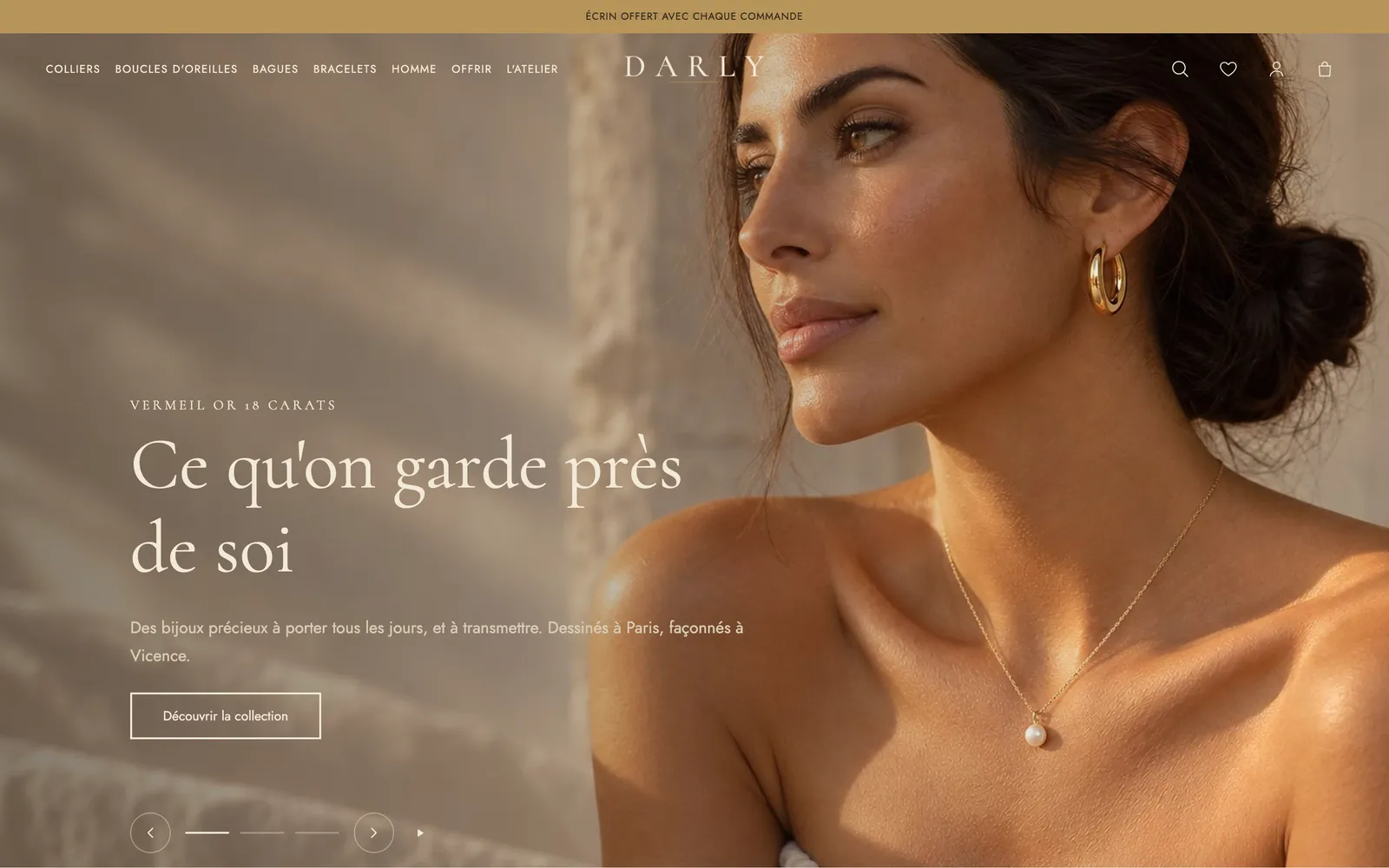
The header sits over your first image with a dedicated light logo, then gets its colours back on scroll.
Transparent header
The header sits over your first image with a dedicated light logo, then gets its colours back on scroll.
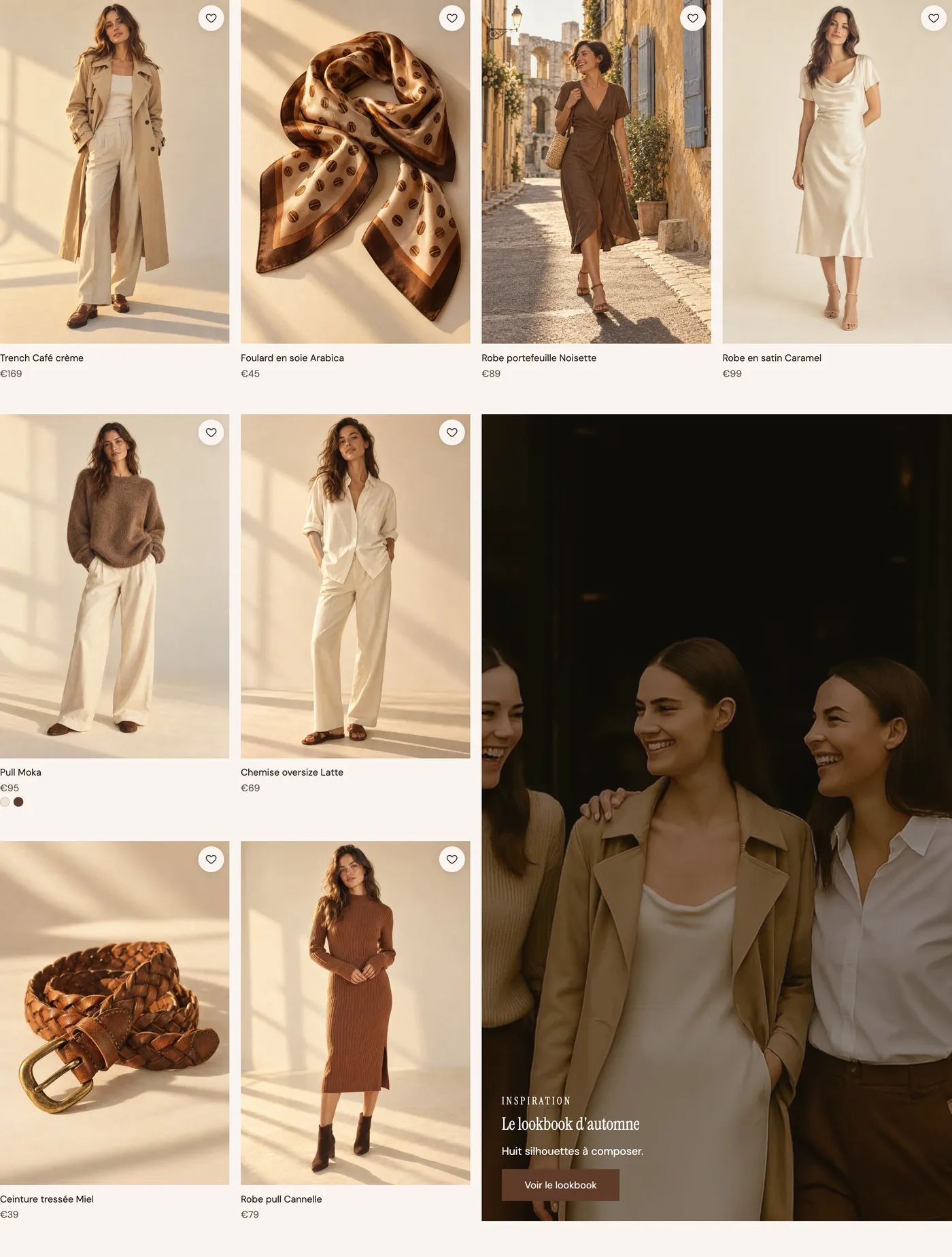
A visual with a heading and a button slots in between the products, across one or two columns and one or two rows, to highlight an offer.
Promo tile in the grid
A visual with a heading and a button slots in between the products, across one or two columns and one or two rows, to highlight an offer.
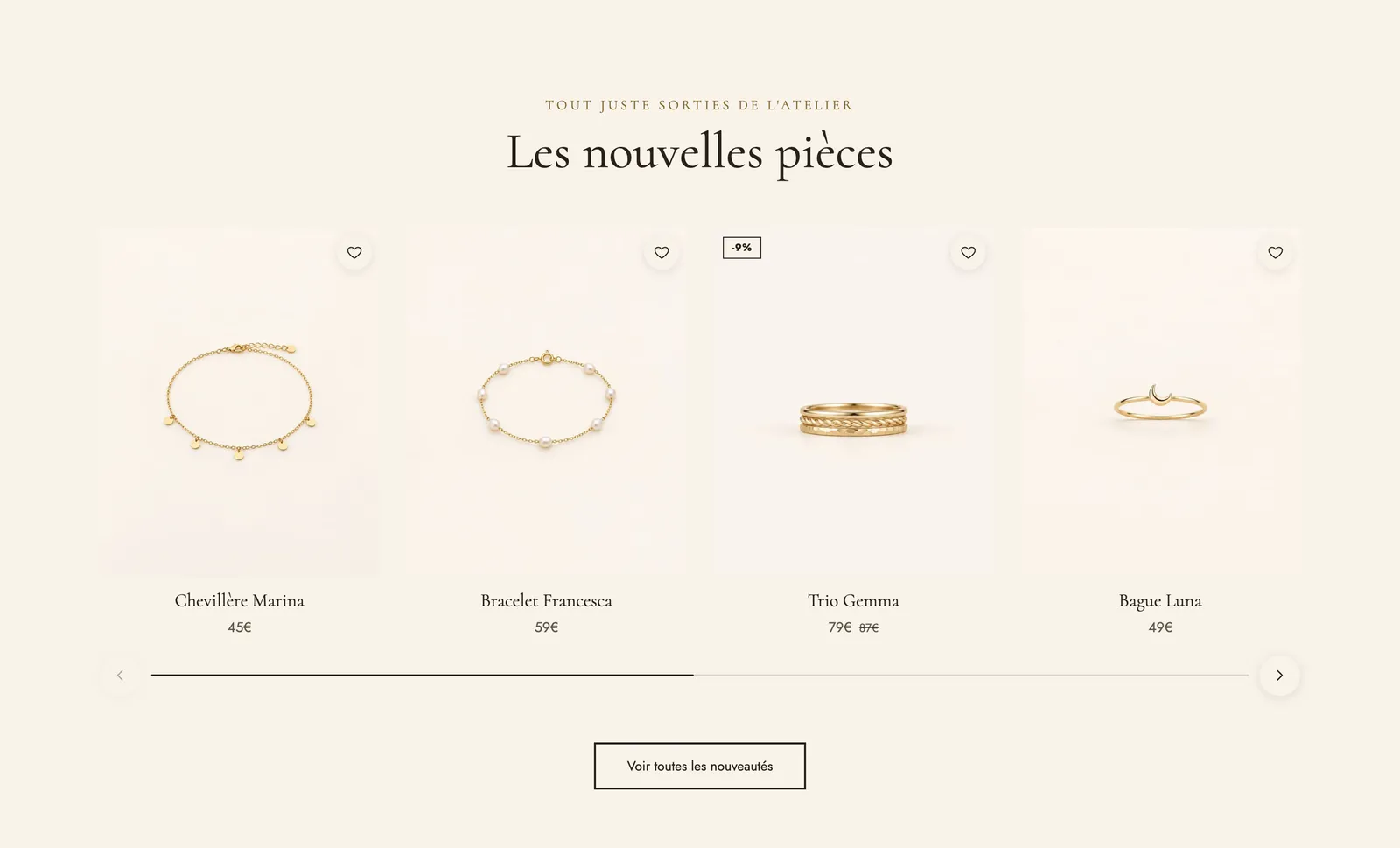
A selection in a grid, carousel or bento, fed by a collection, your own picks, Shopify recommendations, recently viewed products or favourites.
Smart product lists
A selection in a grid, carousel or bento, fed by a collection, your own picks, Shopify recommendations, recently viewed products or favourites.
A drawer that slides in from the side, with accordion or cascading submenus, category thumbnails, a promo card and social media.
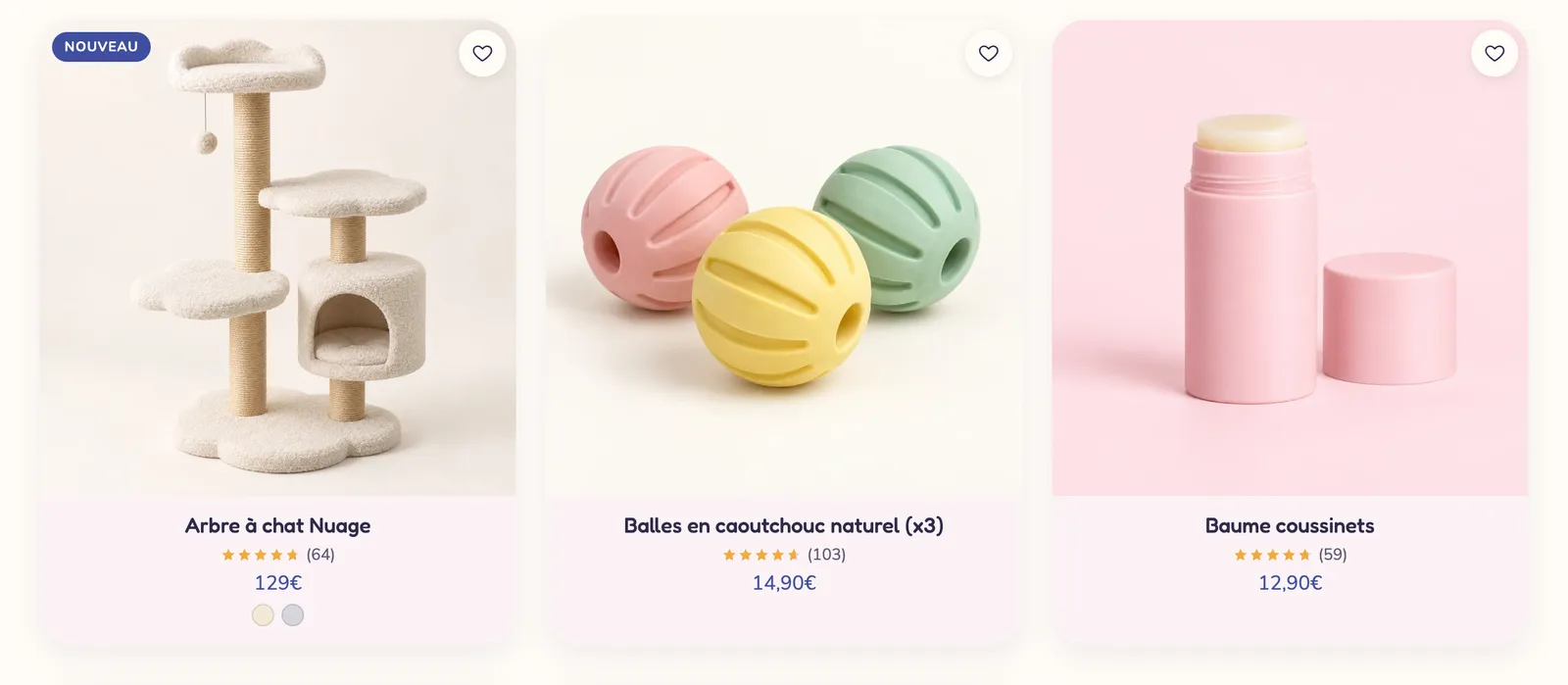
The star rating and the number of reviews appear on collection and list cards.
Rating and reviews on product cards
The star rating and the number of reviews appear on collection and list cards.
Several product selections organised in tabs within a single section; customers switch from one to another without leaving the page.
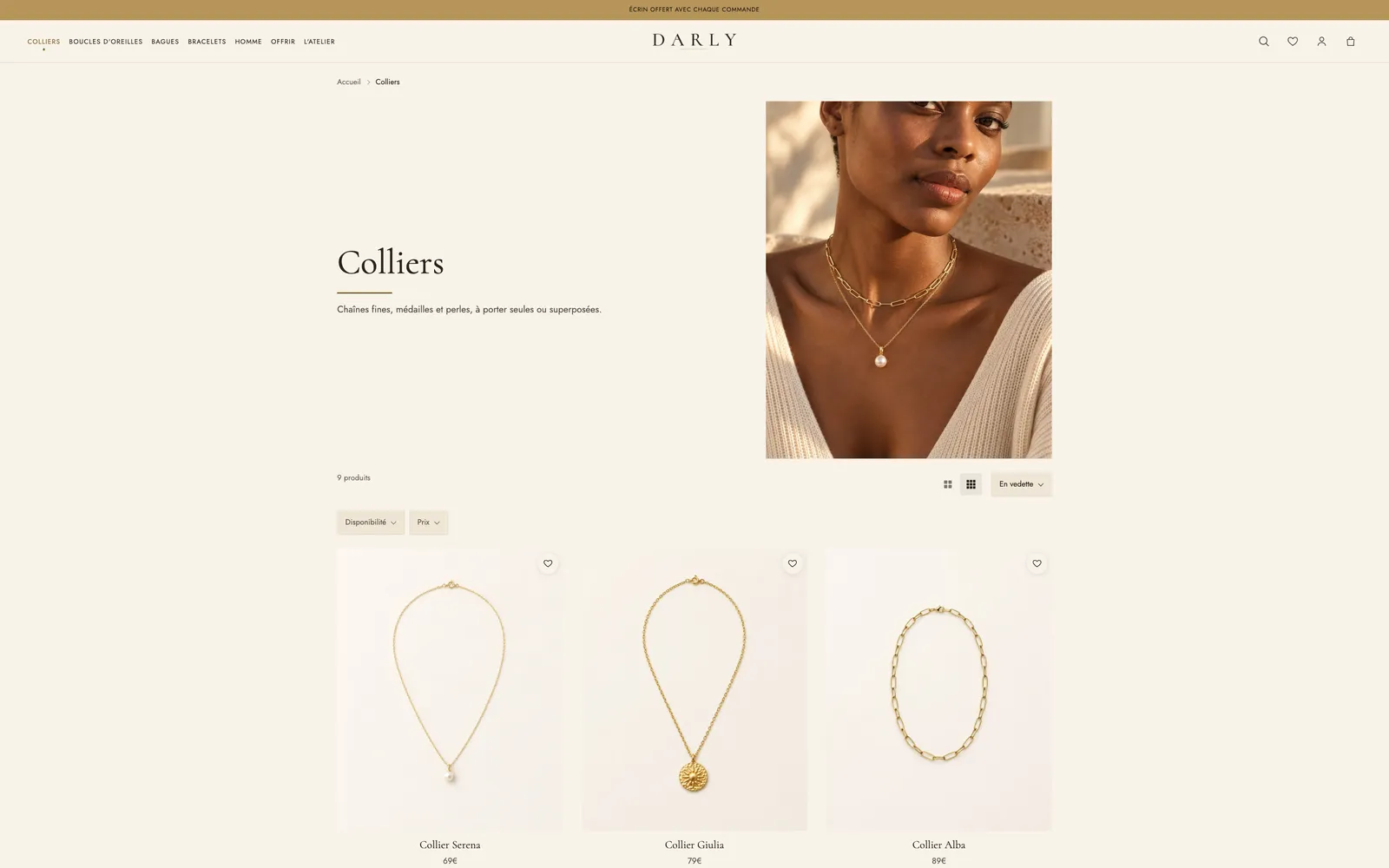
Banner, breadcrumb, subcollection shortcuts, filters, sorting and grid: each element is a block you place freely.
Modular collection page
Banner, breadcrumb, subcollection shortcuts, filters, sorting and grid: each element is a block you place freely.
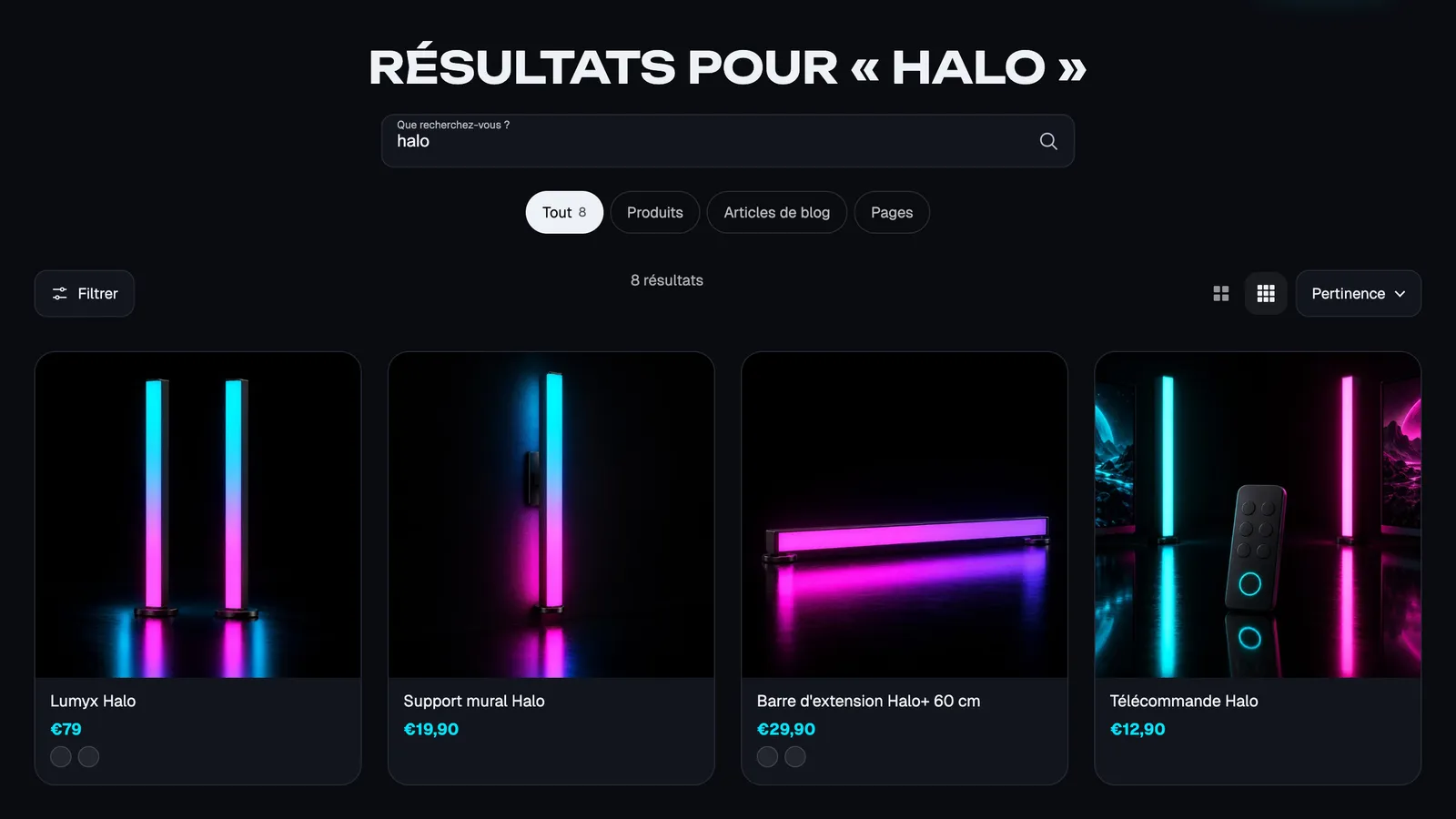
Results are organised into product, article and page tabs with their count, and products keep their filters and sorting.
Tabbed search page
Results are organised into product, article and page tabs with their count, and products keep their filters and sorting.
Colour variants show as swatches below each product, and the card image changes when customers hover over one.
≈ 13 €/monthReplaces Color Swatch King (StarApps)
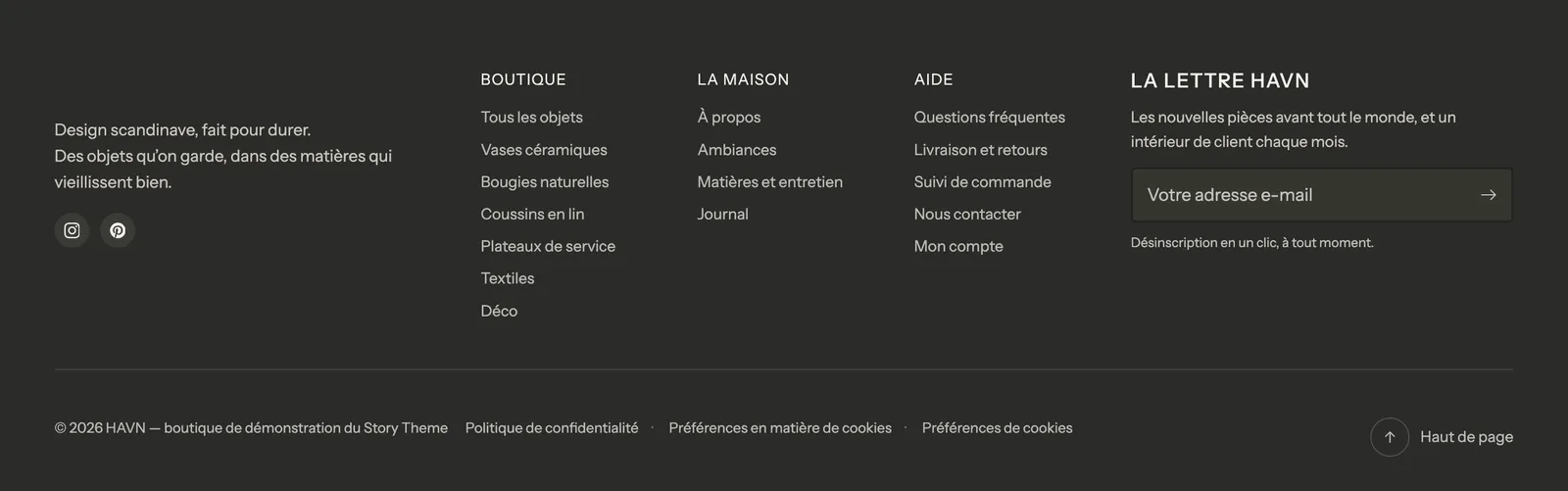
Menus, logo, newsletter, contact details, social media, payments and country selector, arranged freely and collapsed into accordions on mobile.
Modular footer
Menus, logo, newsletter, contact details, social media, payments and country selector, arranged freely and collapsed into accordions on mobile.
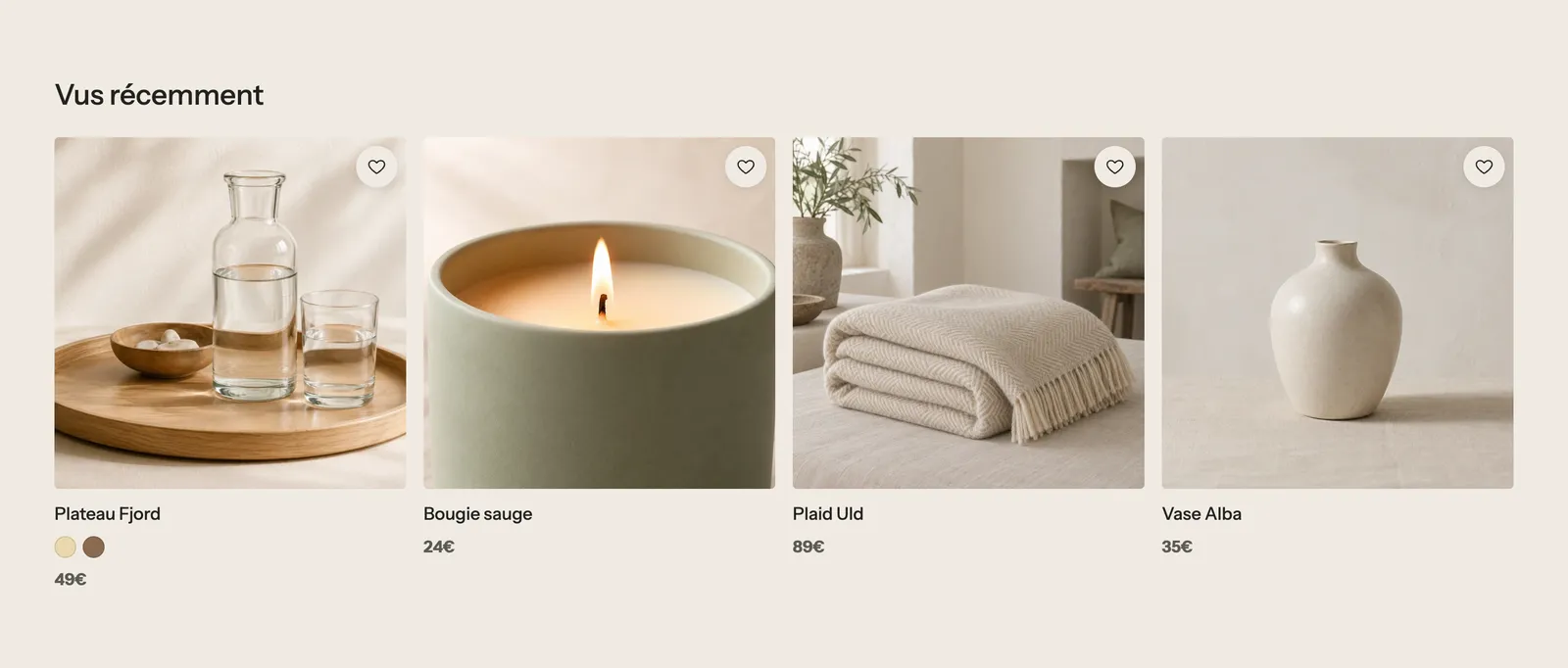
Customers find the products they have just viewed, with no app.
Recently viewed products
Customers find the products they have just viewed, with no app.
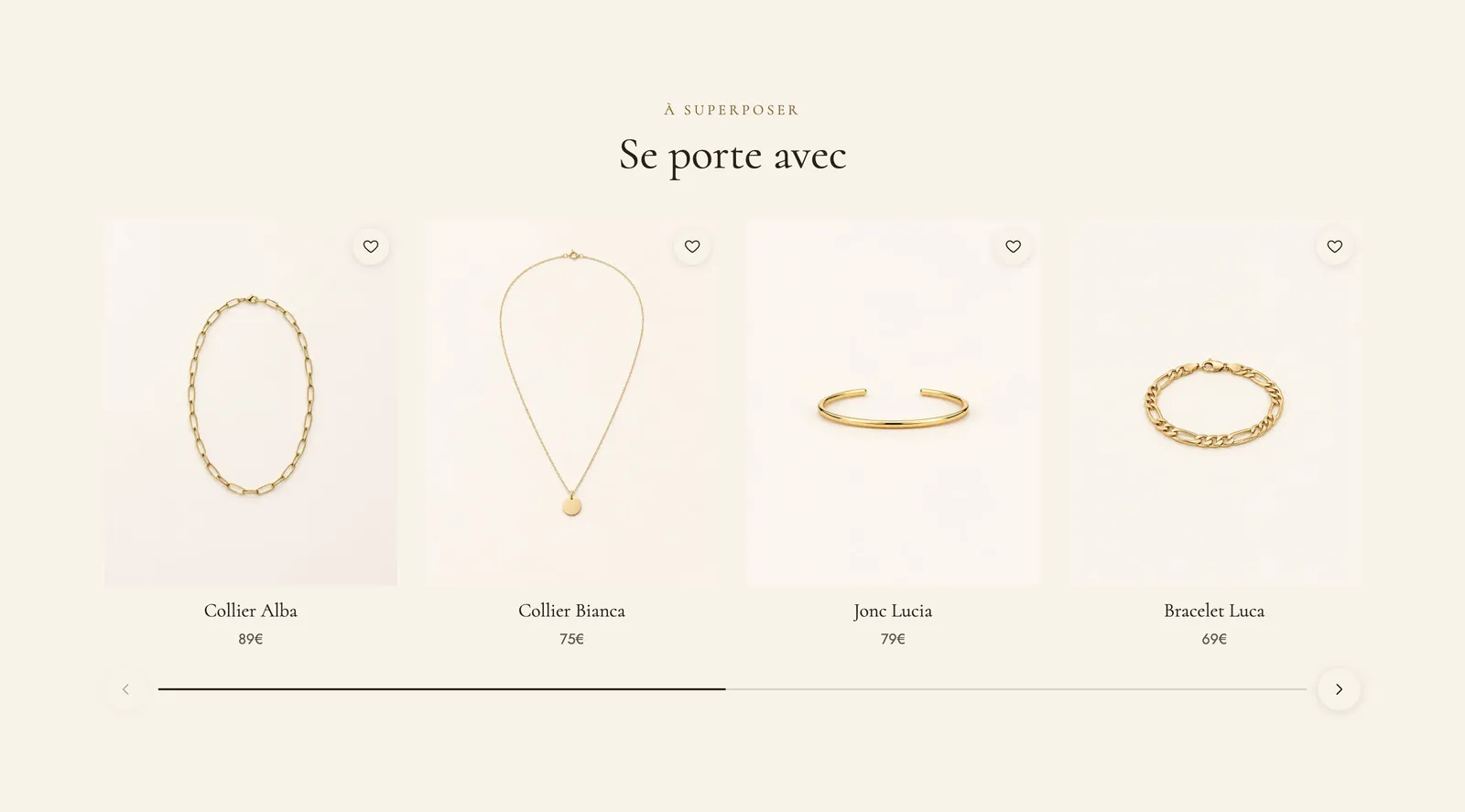
Below the product page: related, complementary or recently viewed products, loaded without slowing the page down.
Recommendations and viewed products
Below the product page: related, complementary or recently viewed products, loaded without slowing the page down.
The card reveals a second photo on hover, loaded only at that moment.
Product and collection mega menu
The mega menu shows selected products and collection thumbnails directly, so customers can shop straight from the navigation.
Country and language selector
A menu with flags and currency in the header, the mobile drawer or the footer, for stores that sell in several countries.
Video and gallery in the card
The card plays the product video on hover or scrolls through its photos, without opening the product page.
Design & identity
Cards lift, zoom, tilt or follow the mouse with a glow, and buttons shine or are drawn towards the cursor.
Hover effects on cards and buttons
Cards lift, zoom, tilt or follow the mouse with a glow, and buttons shine or are drawn towards the cursor.
Eleven transitions between pages (fade, curtain, circle, mosaic), with your colour or logo instead of a white flash.
Page transitions
Eleven transitions between pages (fade, curtain, circle, mosaic), with your colour or logo instead of a white flash.
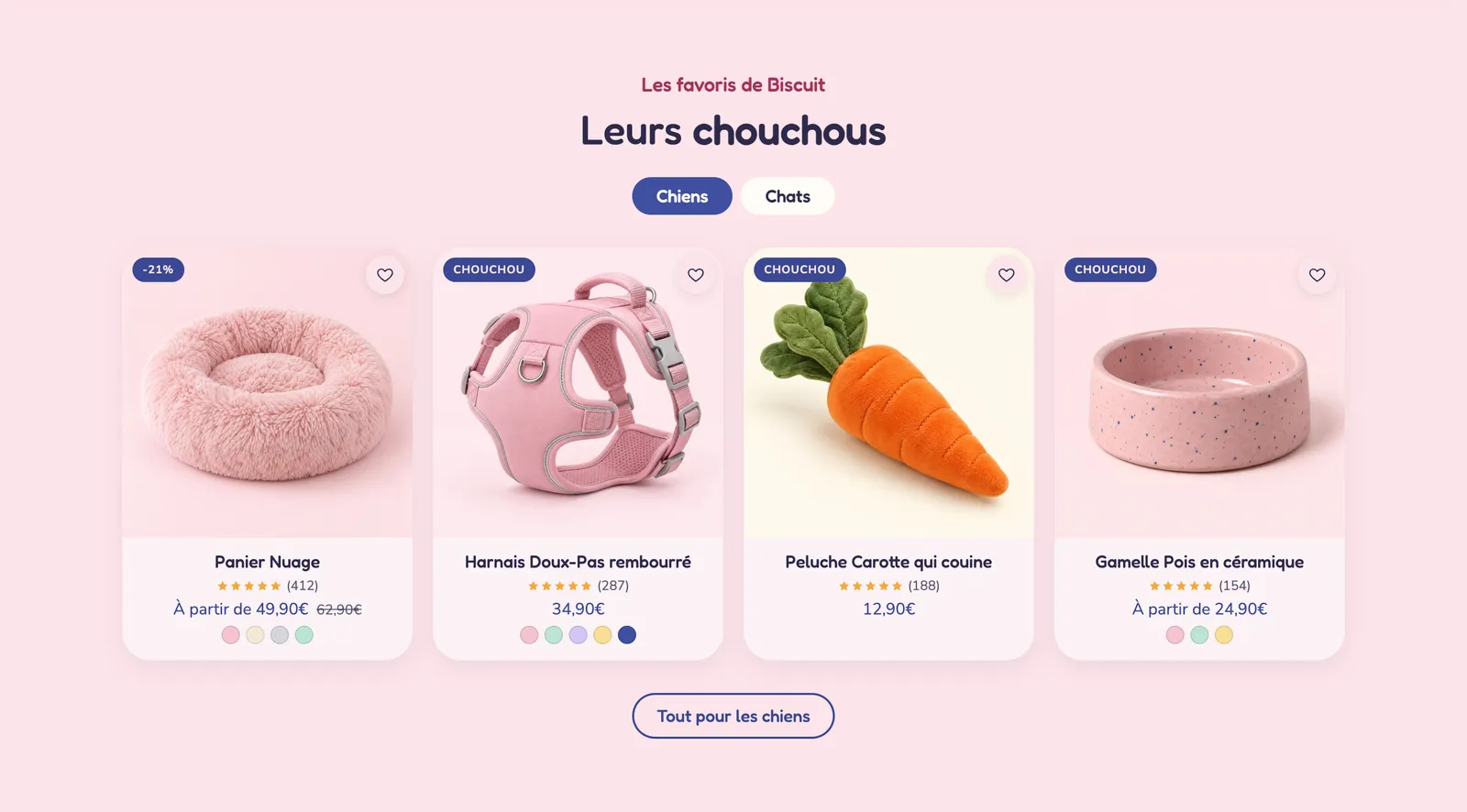
Square or rounded corners in one setting, and three border and shadow styles for cards, fields and containers.
Corners, borders and shadows
Square or rounded corners in one setting, and three border and shadow styles for cards, fields and containers.

Over forty icons included with the theme for your selling points, with no image to upload.
Built-in icon library
Over forty icons included with the theme for your selling points, with no image to upload.
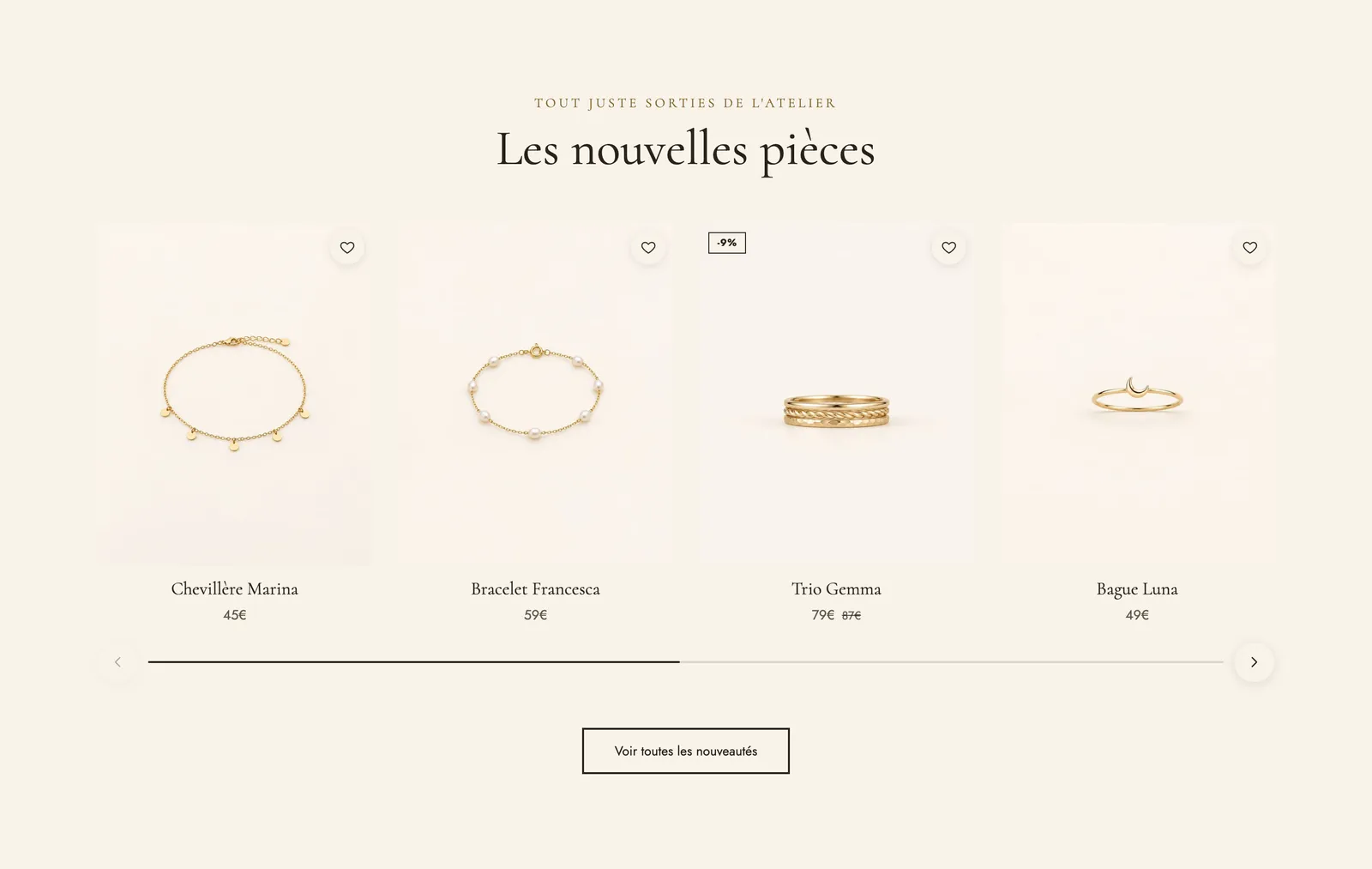
Arrows, dots, bar or counter, autoplay, and scrolling by page or by product: every carousel follows your style.
Adjustable carousels
Arrows, dots, bar or counter, autoplay, and scrolling by page or by product: every carousel follows your style.
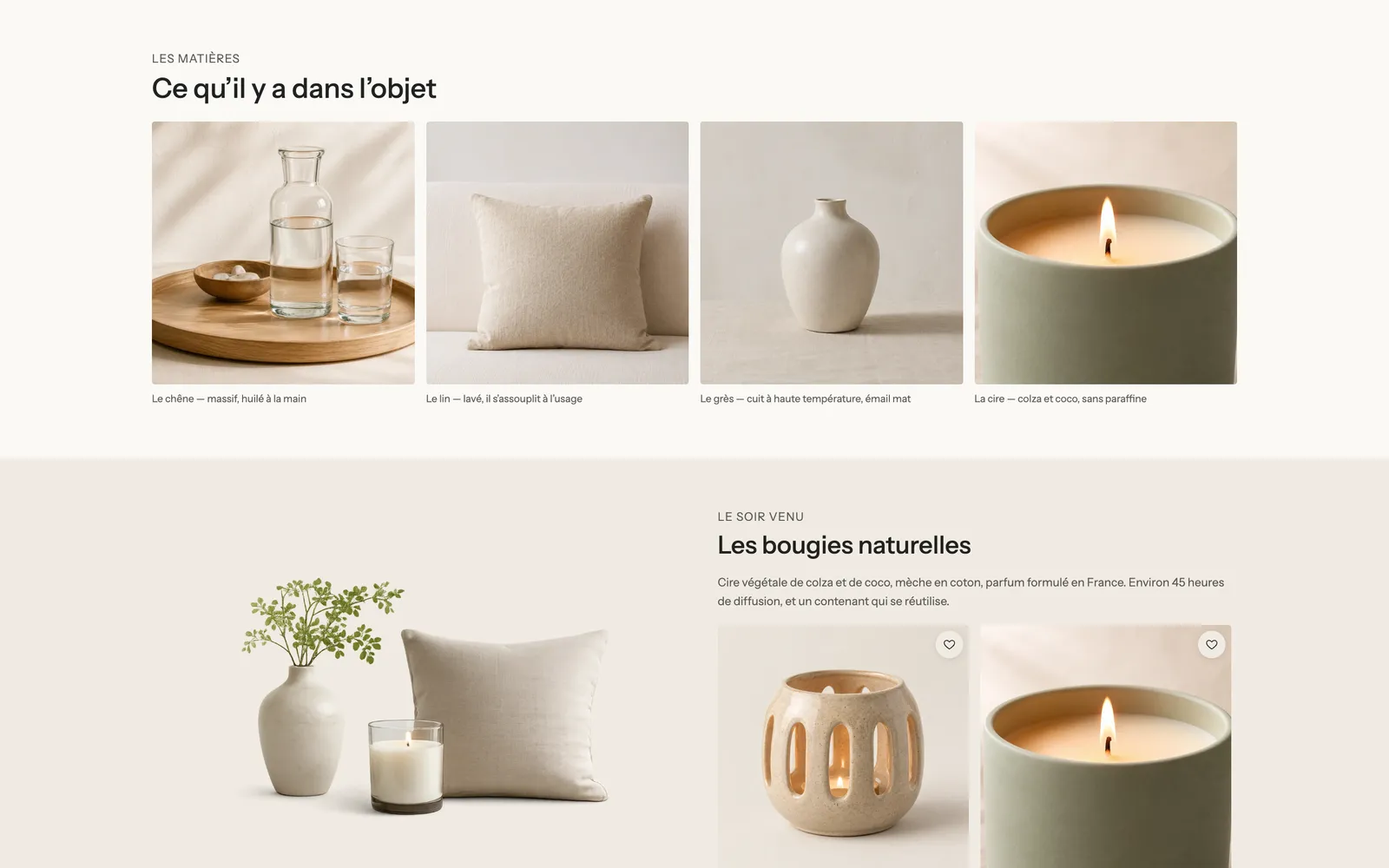
You set the content width and its limit on large screens, and each section can switch to full width.
Page width
You set the content width and its limit on large screens, and each section can switch to full width.
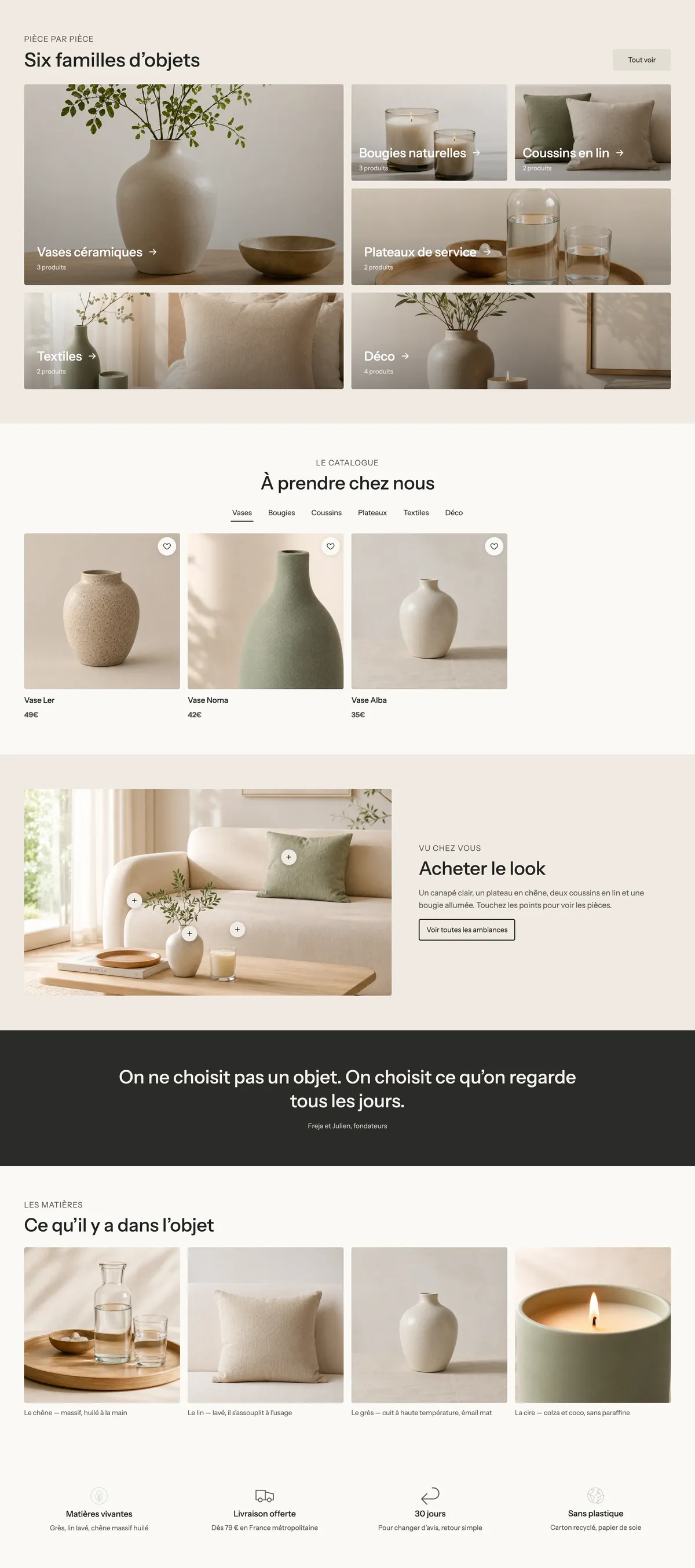
You define your colours once, including the star colour, then apply a palette to each section and each block.
Colour palettes
You define your colours once, including the star colour, then apply a palette to each section and each block.

Seventeen social networks entered once and reused wherever icons appear, in the theme’s colours or the brands’ own.
Centralised social media
Seventeen social networks entered once and reused wherever icons appear, in the theme’s colours or the brands’ own.
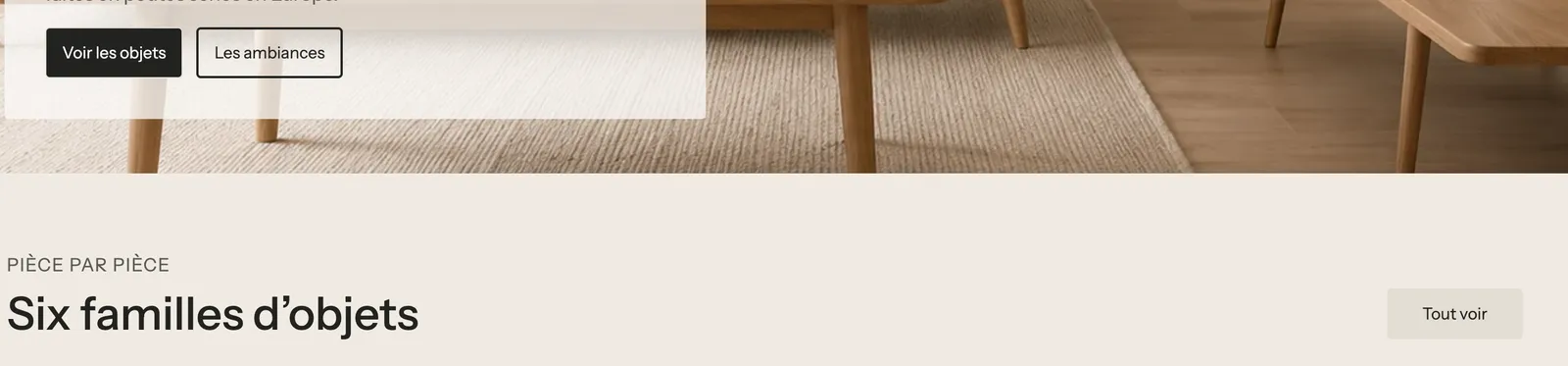
Three button styles defined globally with colours, border, shadow and hover effect, reusable everywhere.
Three button styles
Three button styles defined globally with colours, border, shadow and hover effect, reusable everywhere.
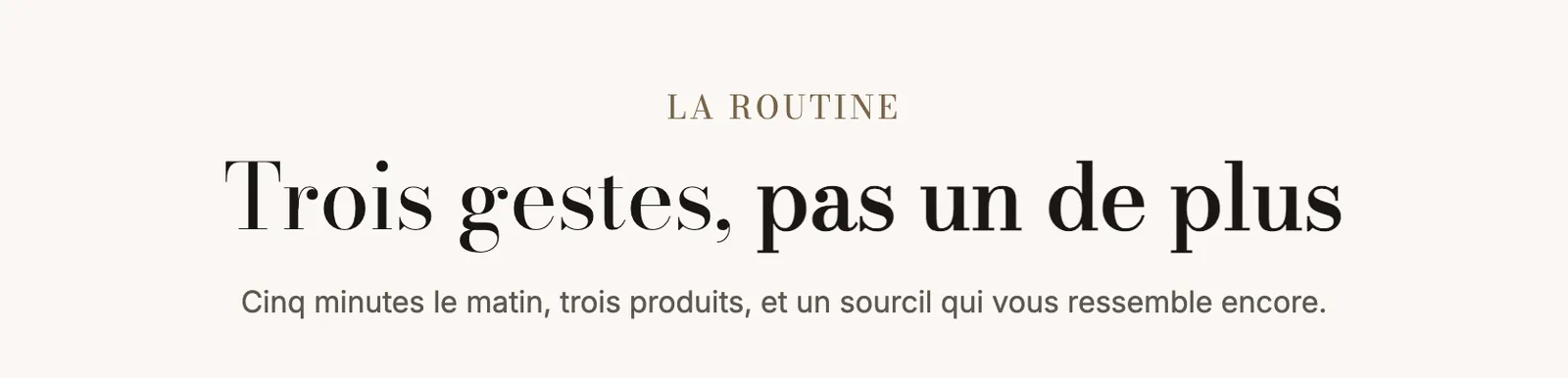
Three sizes of headings, subheadings and decorative dividers set once, then picked in each section.
Three heading styles
Three sizes of headings, subheadings and decorative dividers set once, then picked in each section.

Heading and body fonts chosen in one place for the whole site, or your own brand font files.
Global typography
Heading and body fonts chosen in one place for the whole site, or your own brand font files.
Modular builder
Collapsible panels in three styles, with an icon, that hold text, an image or any other block.
Accordions
Collapsible panels in three styles, with an icon, that hold text, an image or any other block.

A pill with an icon to flag something new, a signature craft or a limited edition.
Badge
A pill with an icon to flag something new, a signature craft or a limited edition.

A button in one of the theme’s three styles or in custom colours, which you can place in any section.
Button
A button in one of the theme’s three styles or in custom colours, which you can place in any section.
Any set of blocks can become a carousel or a grid, with adjustable arrows, pagination and autoplay.
Carousel for any blocks
Any set of blocks can become a carousel or a grid, with adjustable arrows, pagination and autoplay.
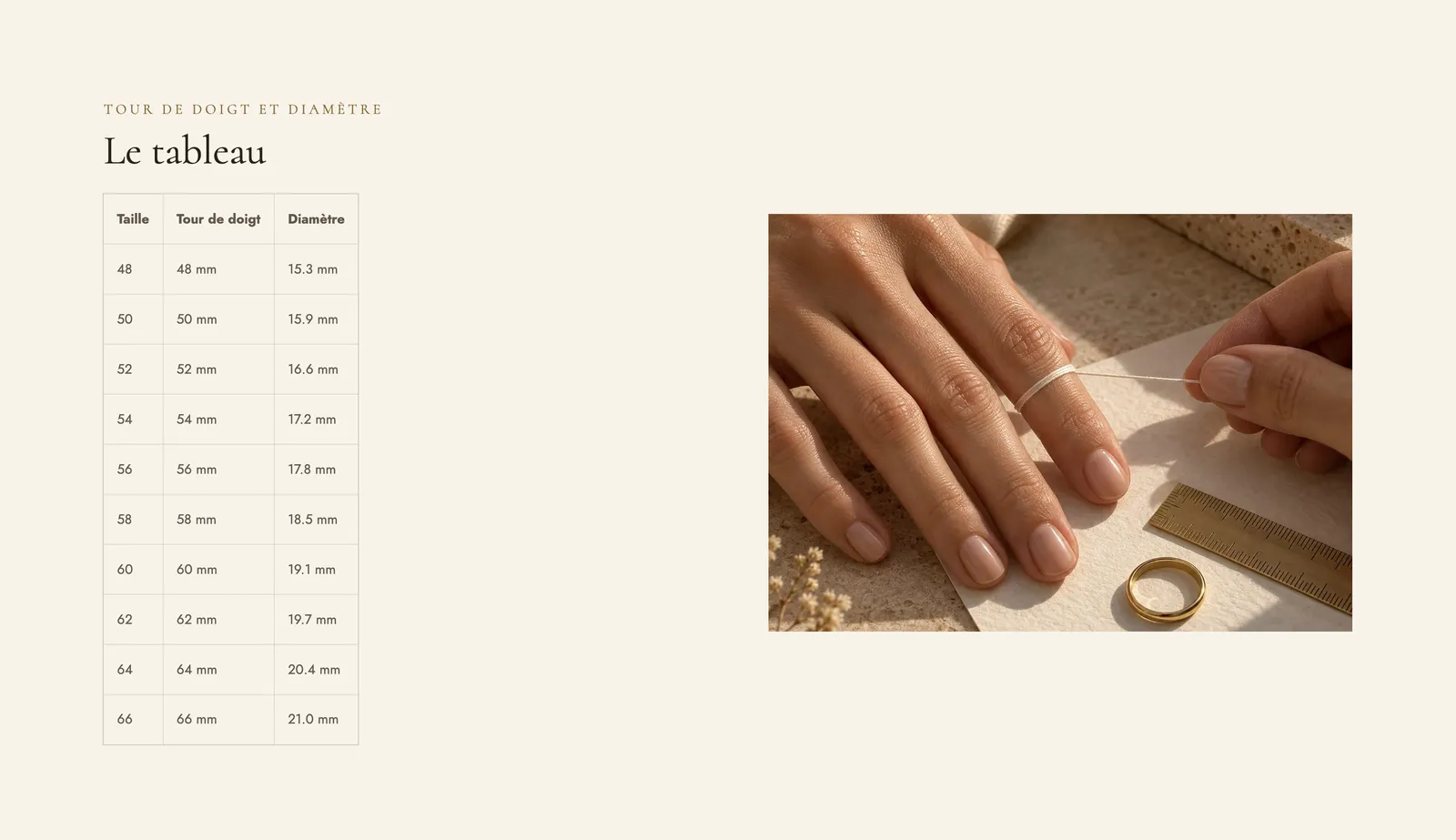
Liquid or HTML code inserted like any regular block or section, for a widget or a custom table.
Custom Liquid code
Liquid or HTML code inserted like any regular block or section, for a widget or a custom table.
One content group stays in place while the other column scrolls: FAQ heading, lookbook text or product information.
Sticky column on scroll
One content group stays in place while the other column scrolls: FAQ heading, lookbook text or product information.
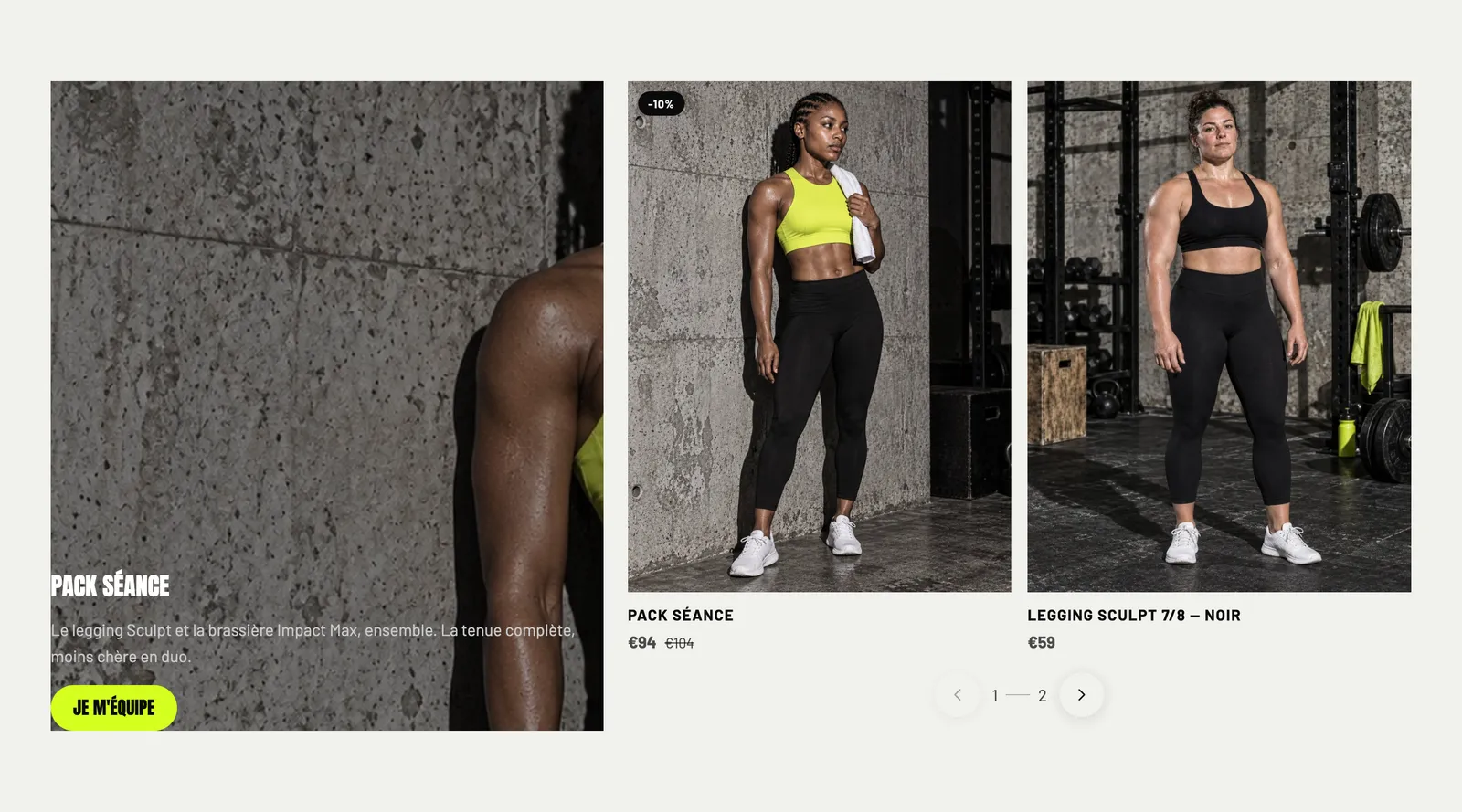
A clickable image card with text and a button on top, to slip into a grid or next to a carousel.
Content over image
A clickable image card with text and a button on top, to slip into a grid or next to a carousel.

A space or a solid, dotted or dashed line between two blocks, with a different height on mobile.
Spacer and divider
A space or a solid, dotted or dashed line between two blocks, with a different height on mobile.
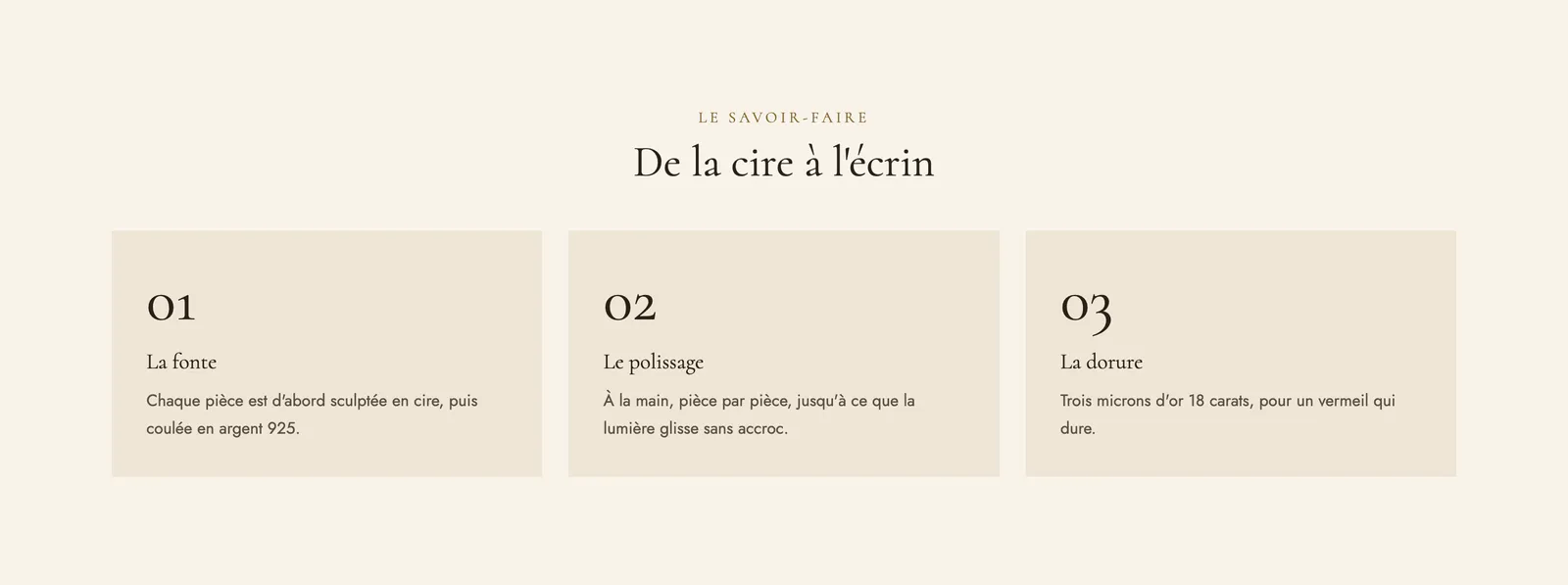
A container that arranges blocks in a row or a column, nests inside itself, takes a background image and becomes clickable like a card.
Nestable group
A container that arranges blocks in a row or a column, nests inside itself, takes a background image and becomes clickable like a card.
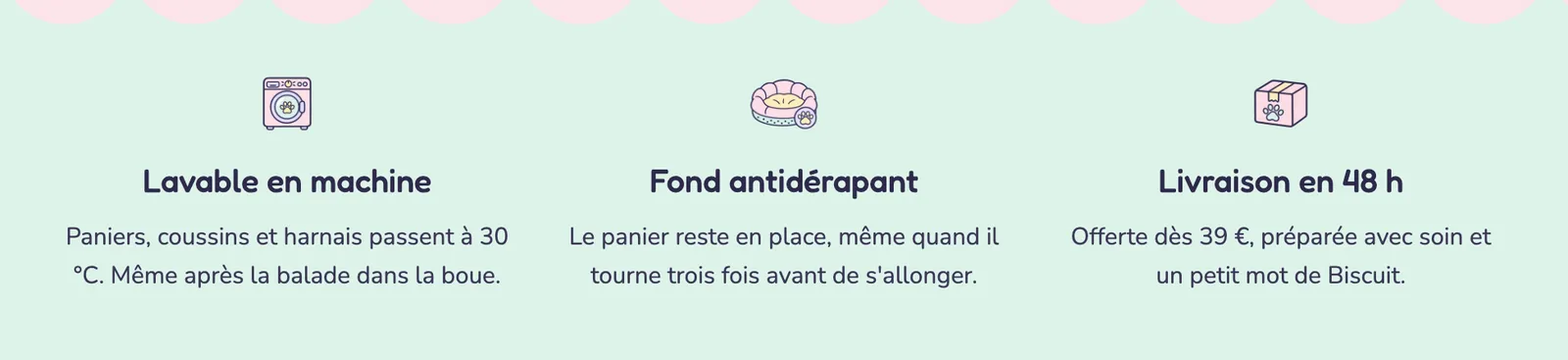
An icon chosen from some forty built-in icons, or your own image.
Icon
An icon chosen from some forty built-in icons, or your own image.
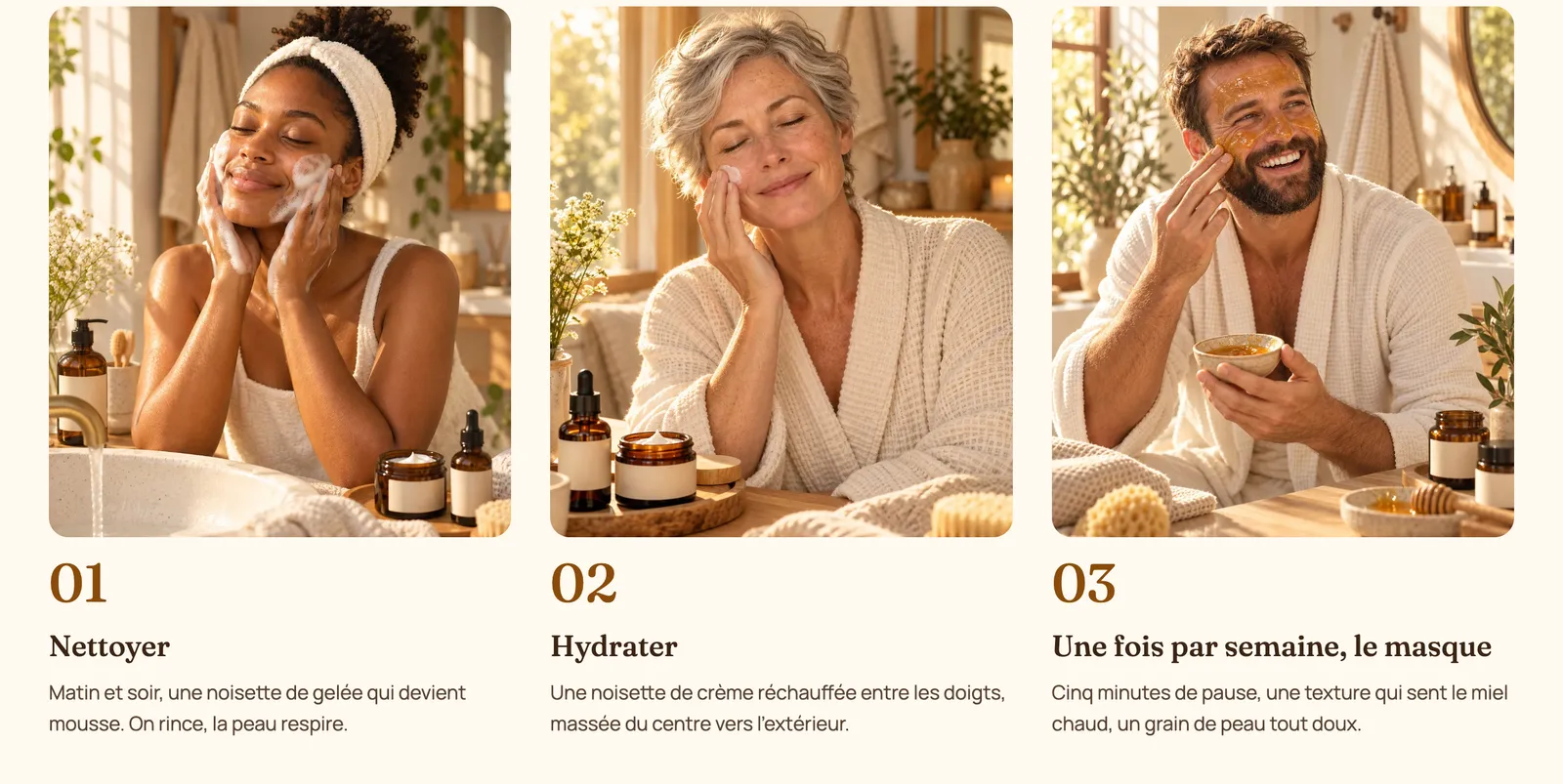
An image with aspect ratio, rounded corners, a link and an edge-to-edge mode on mobile, placed wherever you want.
Image
An image with aspect ratio, rounded corners, a link and an edge-to-edge mode on mobile, placed wherever you want.

A list of selling points with the icon of your choice in front of each line.
Checklist
A list of selling points with the icon of your choice in front of each line.
Pill or underlined tabs, at the top or on the side, with each panel built block by block.
Tabs
Pill or underlined tabs, at the top or on the side, with each panel built block by block.

A heading with a subheading, a divider and an adjustable SEO level, plus a rich text block, each styled one by one.
Headings and text
A heading with a subheading, a divider and an adjustable SEO level, plus a rich text block, each styled one by one.
Advanced custom section
An empty section where you stack and nest the theme’s blocks to create a layout that does not exist yet, with no code.
≈ 21 €/monthReplaces PageFly AI Page Builder
Desktop or mobile display, your choice
Every section and every block can show everywhere, only on desktop or only on mobile, to adapt the page to each screen.
Page templates
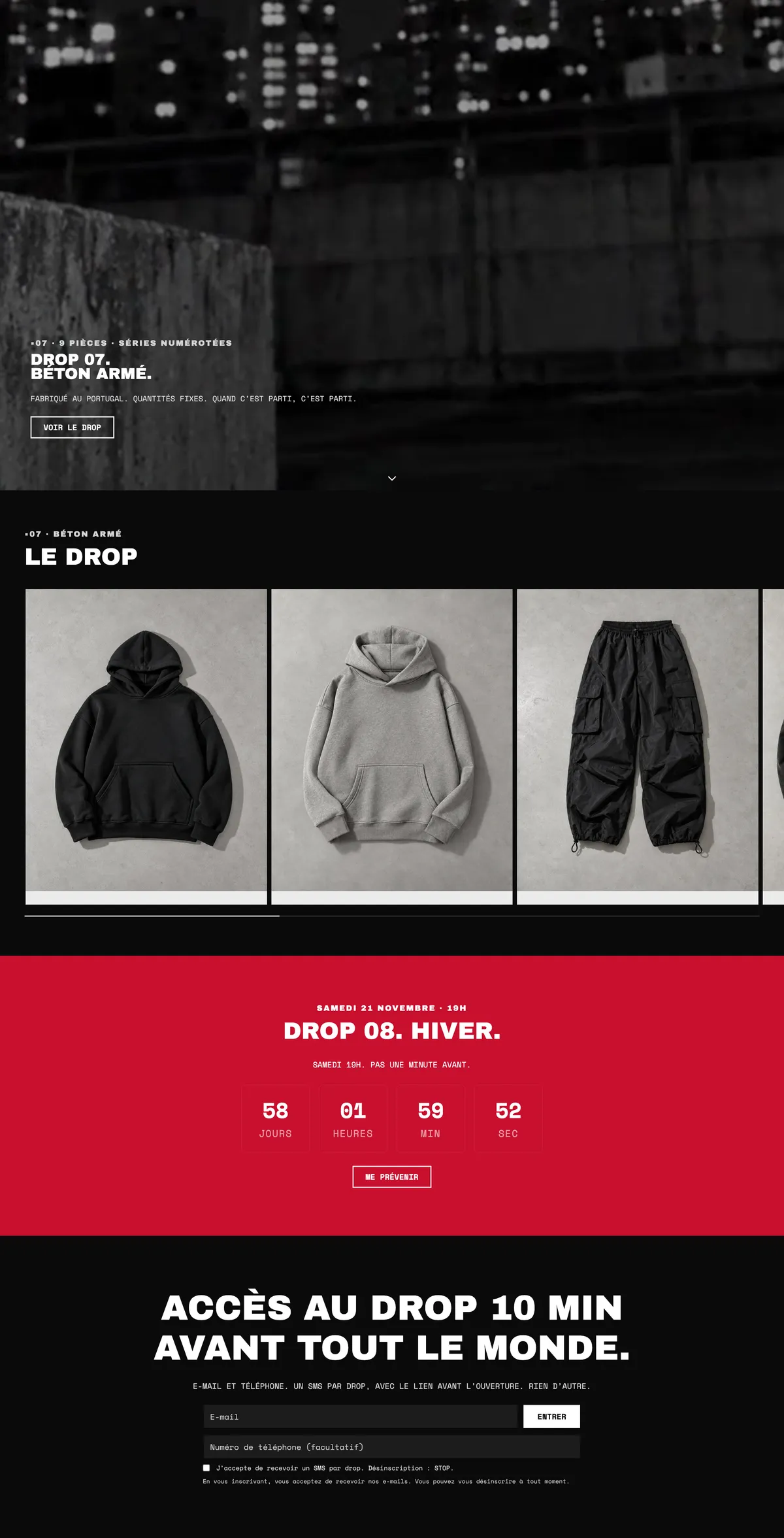
For your ads: a page that hides the header, footer and announcement bar to keep visitors focused on your offer.
Distraction-free landing page
For your ads: a page that hides the header, footer and announcement bar to keep visitors focused on your offer.
A sticky table of contents, a reading progress bar, an author box, sharing buttons and the next post at the end of the page.
Blog post with table of contents and reading bar
A sticky table of contents, a reading progress bar, an author box, sharing buttons and the next post at the end of the page.
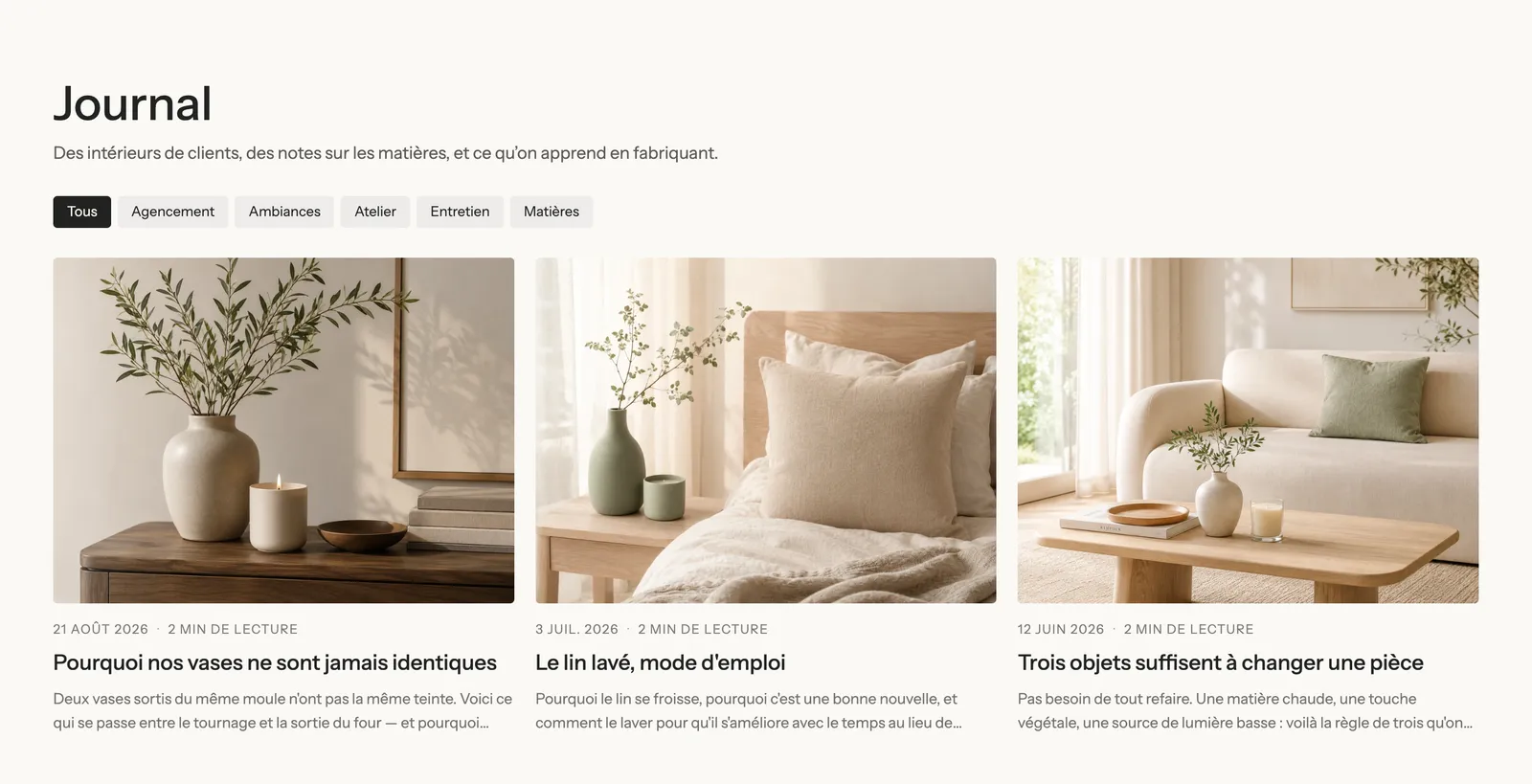
Your posts in a grid, a carousel, a mosaic or with a featured post, and a “See more” button to browse the blog.
Blog in a grid, carousel or bento
Your posts in a grid, a carousel, a mosaic or with a featured post, and a “See more” button to browse the blog.
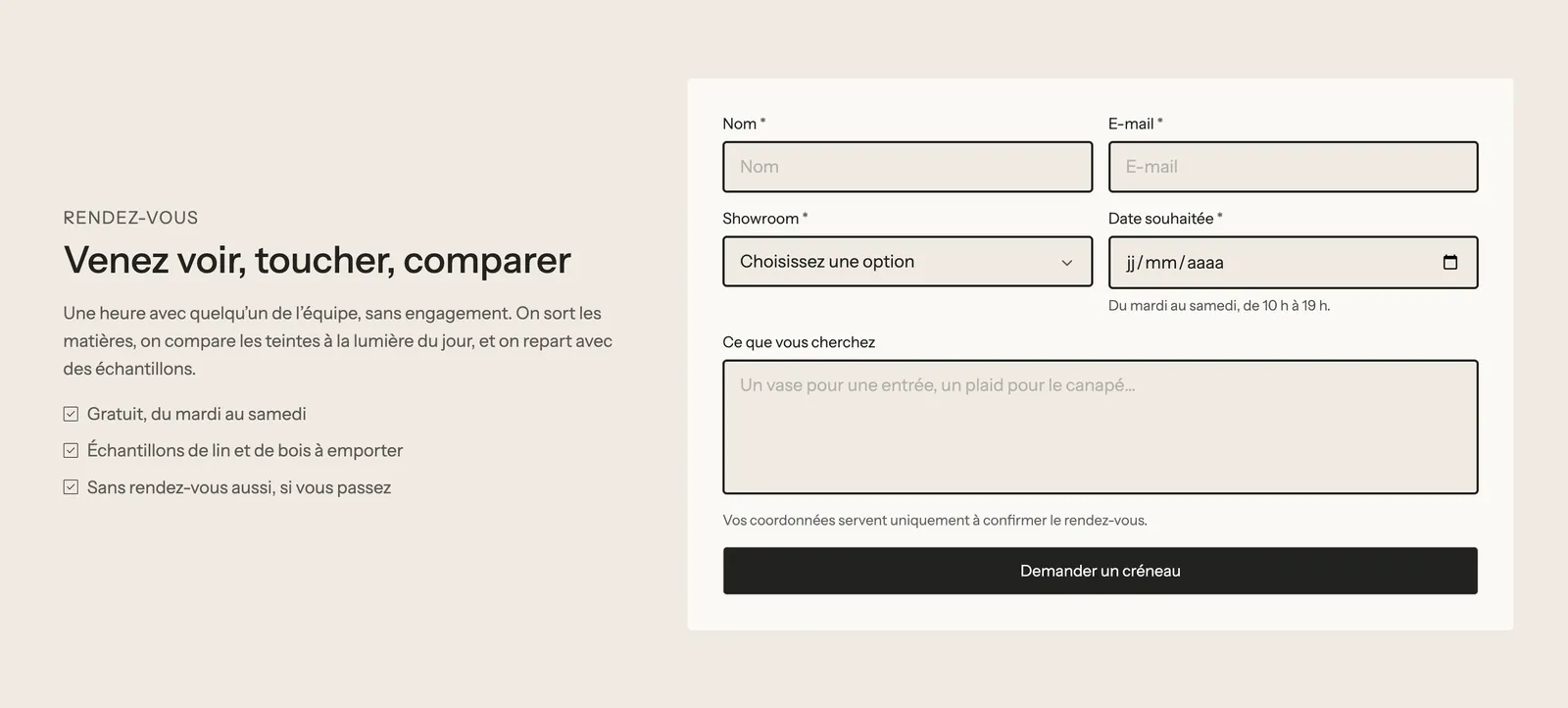
Build your forms with fifteen field types: date, list, choice, checkbox, order number, company, with consent.
Custom forms
Build your forms with fifteen field types: date, list, choice, checkbox, order number, company, with consent.
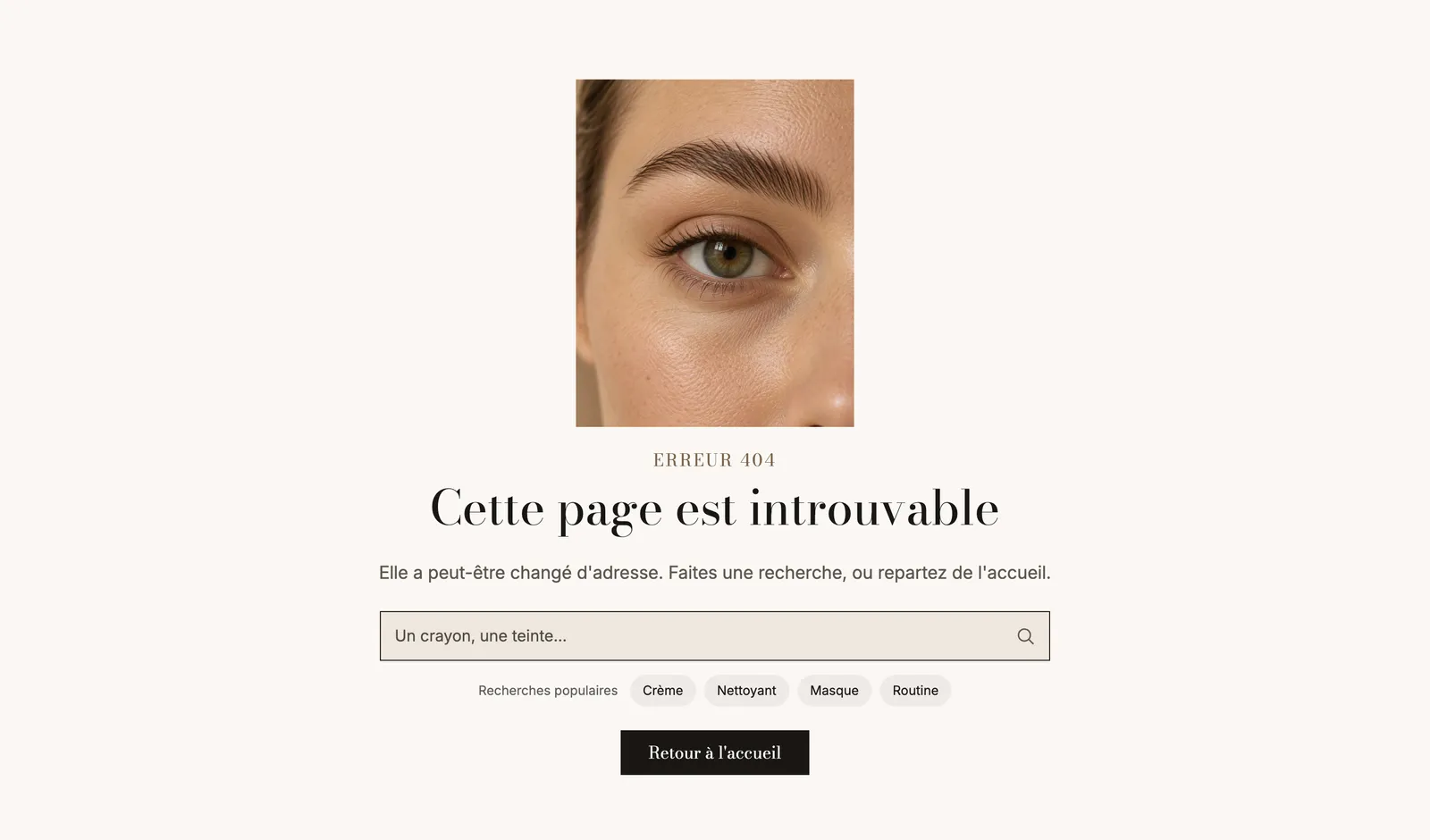
An error page with a search bar and product suggestions, so you do not lose visitors who land on a broken link.
Helpful 404 page
An error page with a search bar and product suggestions, so you do not lose visitors who land on a broken link.
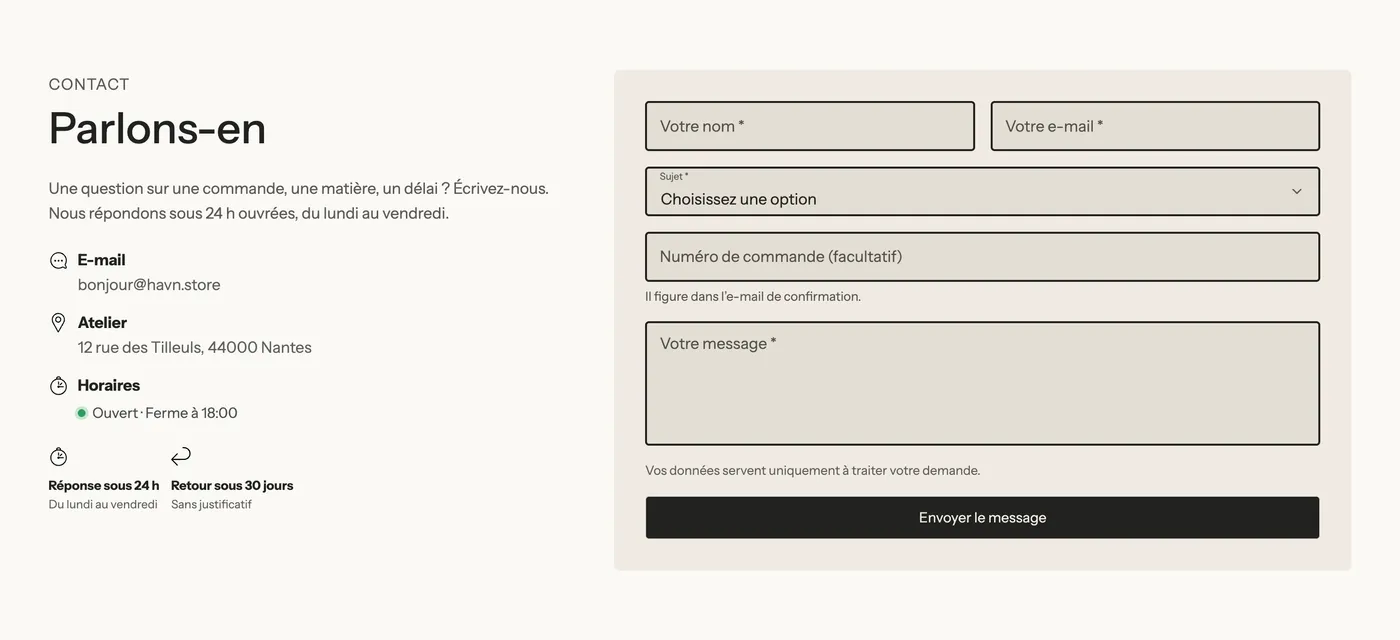
Form, address, phone, email, WhatsApp, opening hours and frequently asked questions together on one page, ready to fill in.
Complete contact page
Form, address, phone, email, WhatsApp, opening hours and frequently asked questions together on one page, ready to fill in.
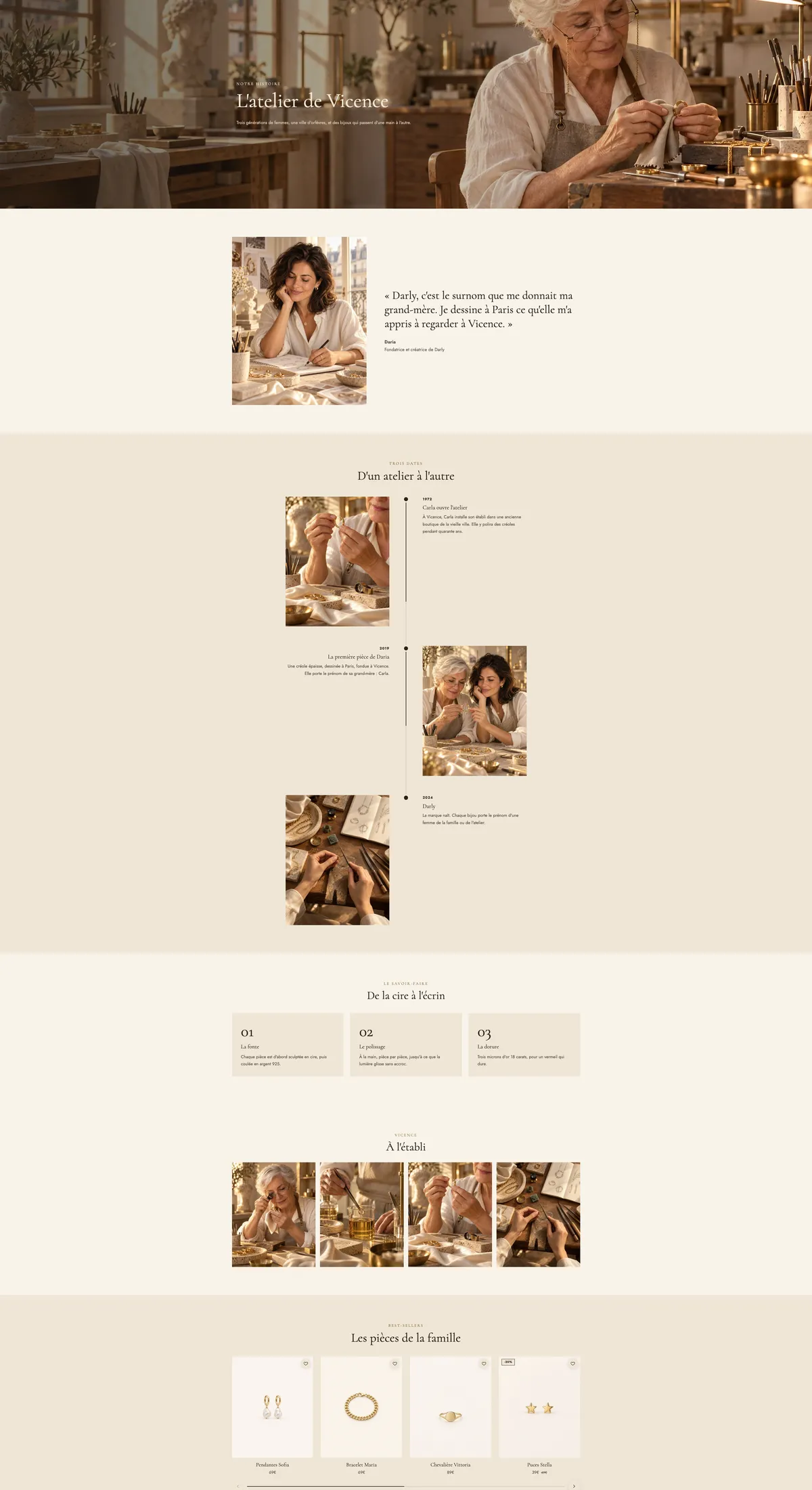
A ready-to-fill brand page template: large image, quote, timeline, craftsmanship, gallery and products.
Our story page
A ready-to-fill brand page template: large image, quote, timeline, craftsmanship, gallery and products.
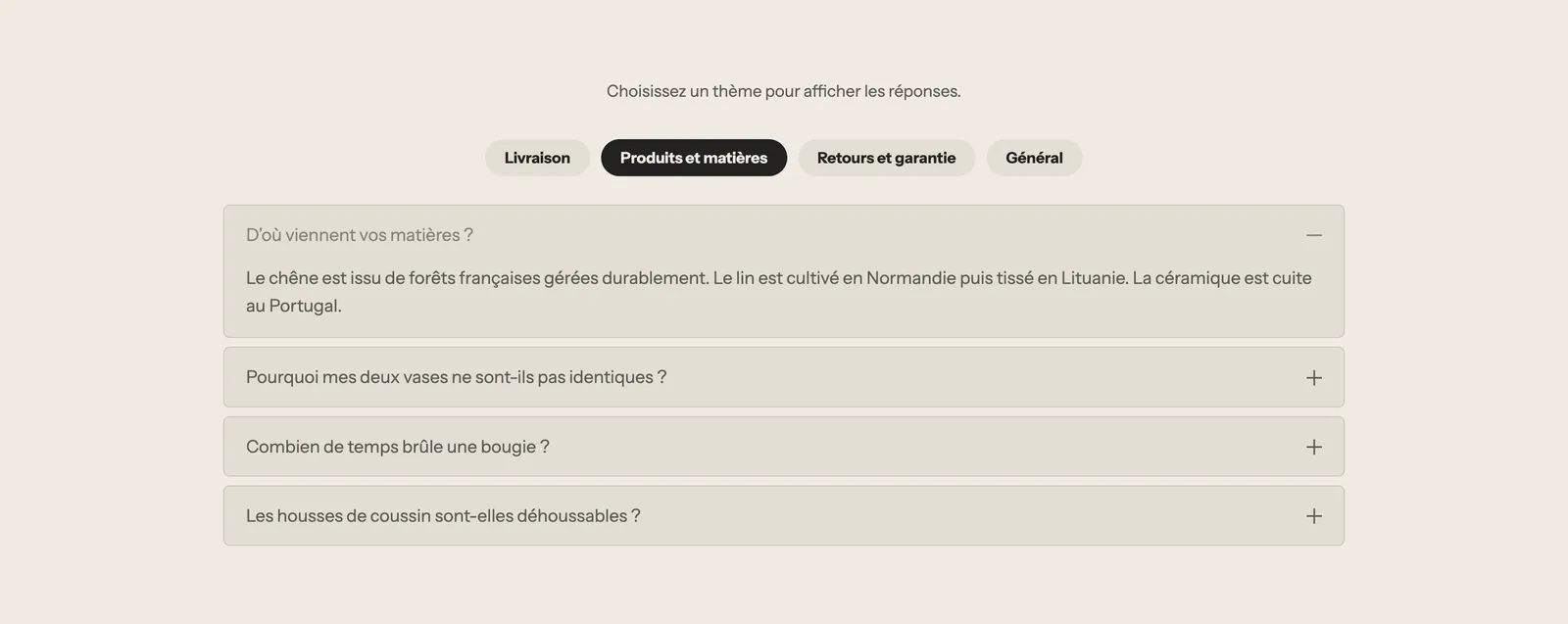
Questions organised by topic in tabs, marked up for Google, and a Help page that points to search, tracking and contact.
FAQ and Help pages
Questions organised by topic in tabs, marked up for Google, and a Help page that points to search, tracking and contact.
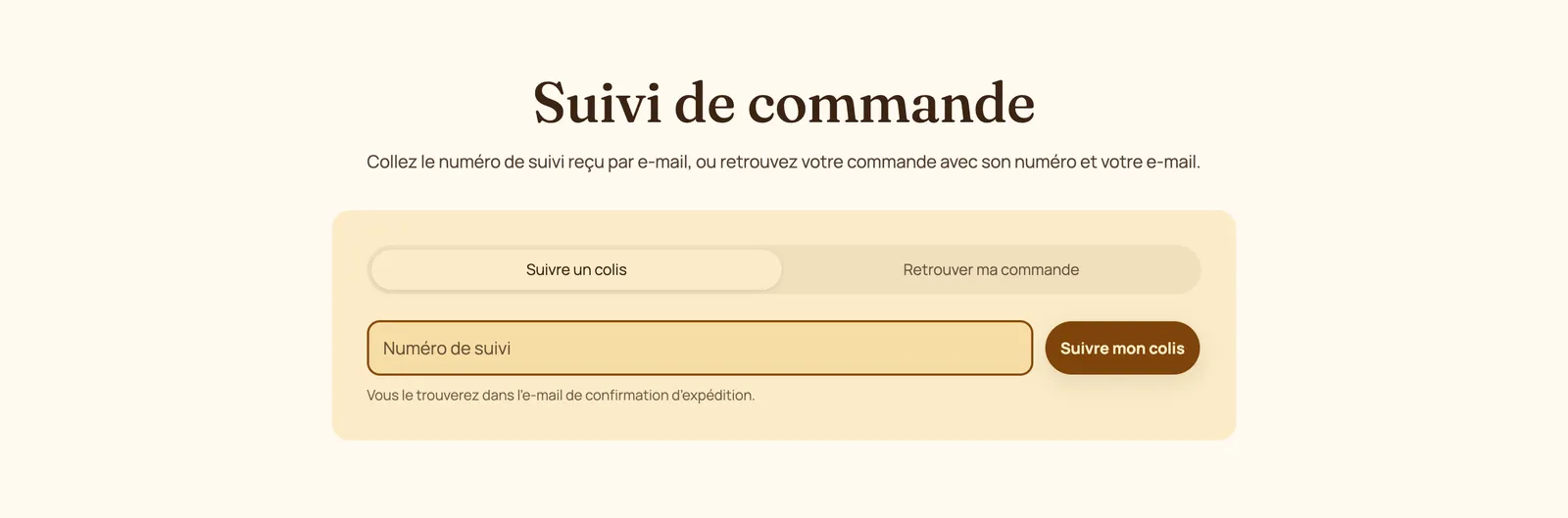
Customers track their parcel with its number, choose their carrier, and find their recent searches and, when logged in, their orders.
≈ 8 €/monthReplaces Track123 Order Tracking
Order tracking
Customers track their parcel with its number, choose their carrier, and find their recent searches and, when logged in, their orders.
Customer account in your store’s colours
Login, order history with photos, addresses and an account menu in the header, styled like your theme.
Coming soon page
Before launch, a holding page with a full-screen image or video, text and a newsletter signup.
No feature matches that search.
All of this is already in the theme.
One invoice, seven days to try it, and your features arrive with the store.