
Free shipping bar and reward tiers
Show in the cart what's left to unlock free shipping, a discount or a gift (four tiers), then create the actual discounts in Shopify.
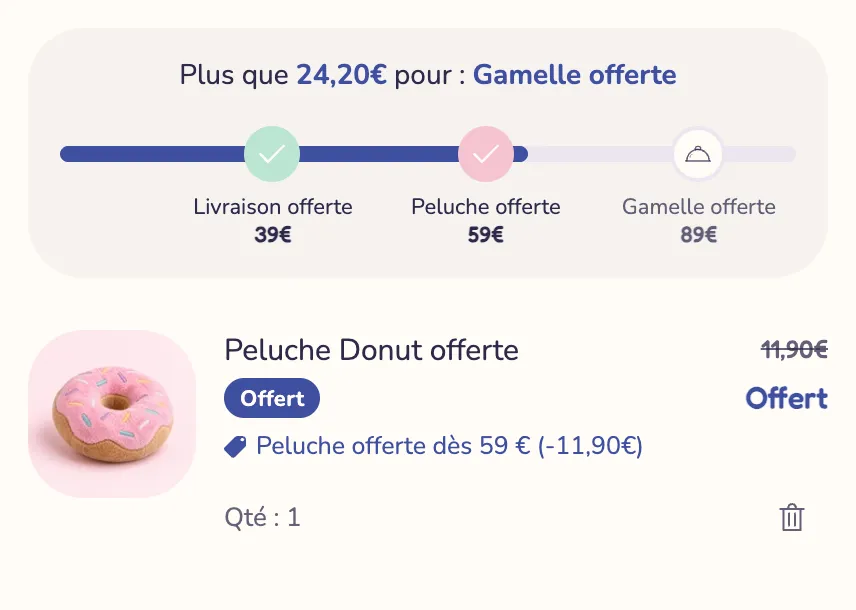
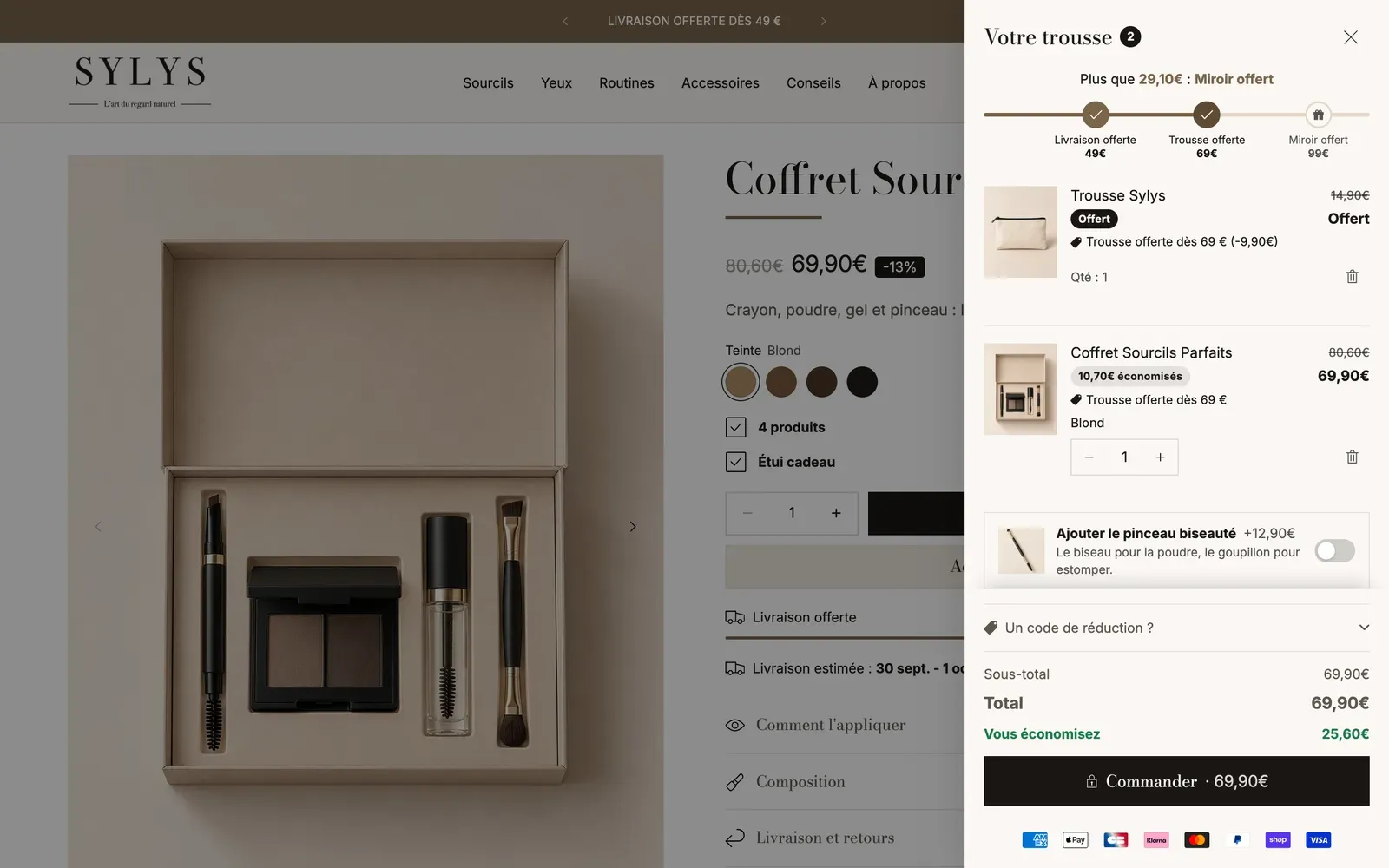
"Only $12 away from free shipping": this sentence nudges the customer to add an item instead of leaving. The Story Theme Rewards progress block shows it in the cart, with a bar that moves forward with each add and up to four rewards: free shipping, a discount, a gift or another perk.
Find the block
The block is already in place in the cart drawer that ships with the theme, with a first "Free shipping" tier at 50 in your store's currency.
- Open Online Store > Themes > Edit theme.
- In the preview, add a product to the cart and open the drawer.
- In the left sidebar, under Cart drawer > Header, click Rewards progress.
You can also add the block to the cart page (Cart template, Main column) and to the Added to cart popup: click Add block, Cart category, then Rewards progress. See Set up the cart.
Set up the tiers
- In Progress based on, choose Cart subtotal (an amount) or Number of items (for example "3 items bought").
- Open Tier 1 and fill in:
- Threshold: the amount, in the store's currency, or the number of items to reach;
- Reward: Free shipping, Discount, Free gift or Other;
- Label: the text under the step, for example "Free shipping" or "-10%";
- Icon and Colour once reached, if you like.
- Repeat for Tier 2, Tier 3 and Tier 4. A Threshold of 0 turns the tier off.
- Click Save.
A few useful settings:
- Count only one collection: only products from this collection move the bar forward.
- Don't count gifts and add-ons: checked by default, so the free gift doesn't push the total up.
- Progress message: use
[amount]for what's left and[reward]for the next reward, for exampleOnly [amount] away from [reward]. Message once everything is unlocked appears at the end. - Display: Bar with labels, Bar with icons, Minimal bar or Message only. Show thresholds writes the amount under each step.
- Unlock animation: Pop, Glow or None. Hide the bar once every tier is reached removes it once the last tier is reached.
- Thresholds per currency: if you sell in several currencies, enter round thresholds for each one, for example
USD:60,120;GBP:50,100. Otherwise, thresholds are converted at the exchange rate.
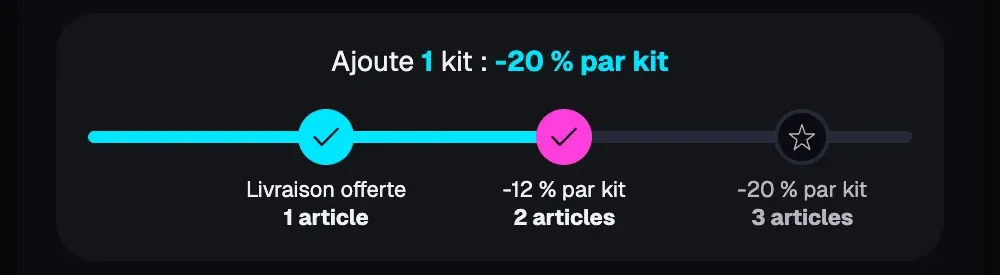
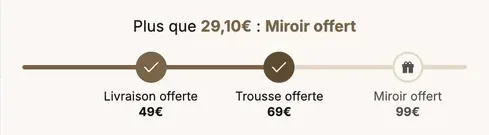
Three demo stores, three ways to set up the same block:

Offer a gift automatically
With the Free gift reward, choose the product in Gift products. The theme adds it to the cart as soon as the threshold is reached and removes it if the customer drops back below. If you choose several products, the first one available is added and the customer can pick another one in the cart. A gift the customer removes isn't added again during their visit.
Use the same tiers and the same gifts in the drawer and on the cart page, so the customer sees the same offer everywhere.
Create the rewards in Shopify
Each tier must match a real rule in your Shopify admin, with the same threshold.
- Free shipping: create a free shipping rate starting at the tier's amount in your shipping profiles, or an automatic discount of the Free shipping type with that minimum amount. See Set up shipping.
- Discount: create an automatic discount of the Amount off order type, with the tier's amount as the minimum purchase requirement.
- Free gift: create an automatic discount that brings the gift product's price down to zero from the threshold (for example Buy X get Y). Without it, the gift is added to the cart but charged at its regular price.
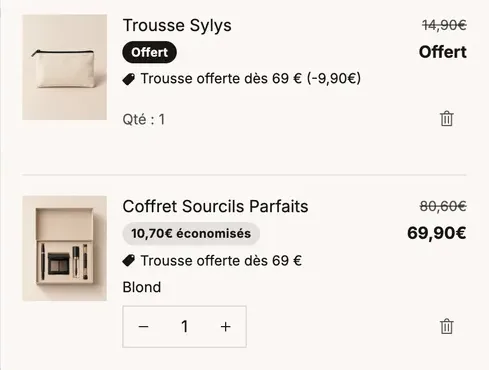
Then check with a test cart: fill it to just above the threshold, go all the way to the checkout page and make sure the shipping, the discount or the $0 gift shows up correctly. Do the same just below the threshold.
Show free shipping on the product page
On the product page, the Free shipping progress block shows what the cart still needs for free shipping and updates with each add. Set its Threshold to the same amount as your tier and your free shipping rate. To add it, open the Products > Default product template, click Add block in the Product page section and look for Free shipping progress.


Frequently asked questions
The bar says "Free shipping" but the customer pays for shipping
The free rate or the discount doesn't exist in Shopify, or its threshold is different from the block's. Make the two amounts match.
The gift is added but isn't free
The automatic discount that brings its price down to zero is missing. Create it in Discounts, then test again.
The bar doesn't move when I add a product
Check Count only one collection: if a collection is selected, only its products count.
Learn more
- Set up the cart
- Automatic discounts
- Set up shipping
- Cart blocks (Rewards progress) and Product page blocks: buying (Free shipping progress)