
Connect a domain name to your Shopify store
Buy a domain from Shopify or connect the one you already own, set it as your primary domain and update your Story Theme license.
Your store starts with a .myshopify.com address. A domain name of your own (mystore.com) inspires more trust and is easier to remember. You can buy it directly from Shopify or connect a domain you bought elsewhere.

Option 1: buy the domain from Shopify
This is the simplest option: Shopify sets everything up and renews the domain with your subscription.
- In your Shopify admin, open Settings > Domains.
- Choose to buy a new domain.
- Enter the name you want and pick an available extension (
.com,.co…). - Confirm the purchase.
The domain is connected automatically, usually within a few minutes, and becomes your primary domain.
Option 2: connect an existing domain
If you bought your domain from another registrar (GoDaddy, Namecheap, IONOS, Squarespace…), it stays there: you just point it to Shopify.
- In Settings > Domains, choose to connect an existing domain.
- Enter your domain, for example
mystore.com, and follow the instructions. For the most common registrars, Shopify can do the setup for you once you log in to your account with them. - Otherwise, open your domain's DNS zone at your registrar and edit two records:
| Type | Name | Value |
|---|---|---|
| A | @ (the bare domain) | 23.227.38.65 |
| CNAME | www | shops.myshopify.com |
- Delete any other A or
wwwCNAME records that point elsewhere (a registrar parking page, for example). - Go back to Shopify and run the connection check.
DNS changes can take up to 48 hours to take effect. Shopify then generates the security certificate (the https padlock) automatically.
Set the primary domain
The primary domain is the one shown in your customers' address bar. The store's other addresses (the .myshopify.com address, the version with or without www) redirect to it.
- In Settings > Domains, find your new domain in the list.
- If it isn't already marked as the primary domain, use the option to change the primary domain and select it.
- Choose the version with or without
www: both work, what matters is not changing it afterward.
Then open your store with the old .myshopify.com address: you should be redirected to the new domain.
Update your Story Theme license
- Open My shops in your member area.
- Click Edit next to the store.
- In Domain, replace the old address with your primary domain, without
https://(for examplemystore.com). - Click Save.
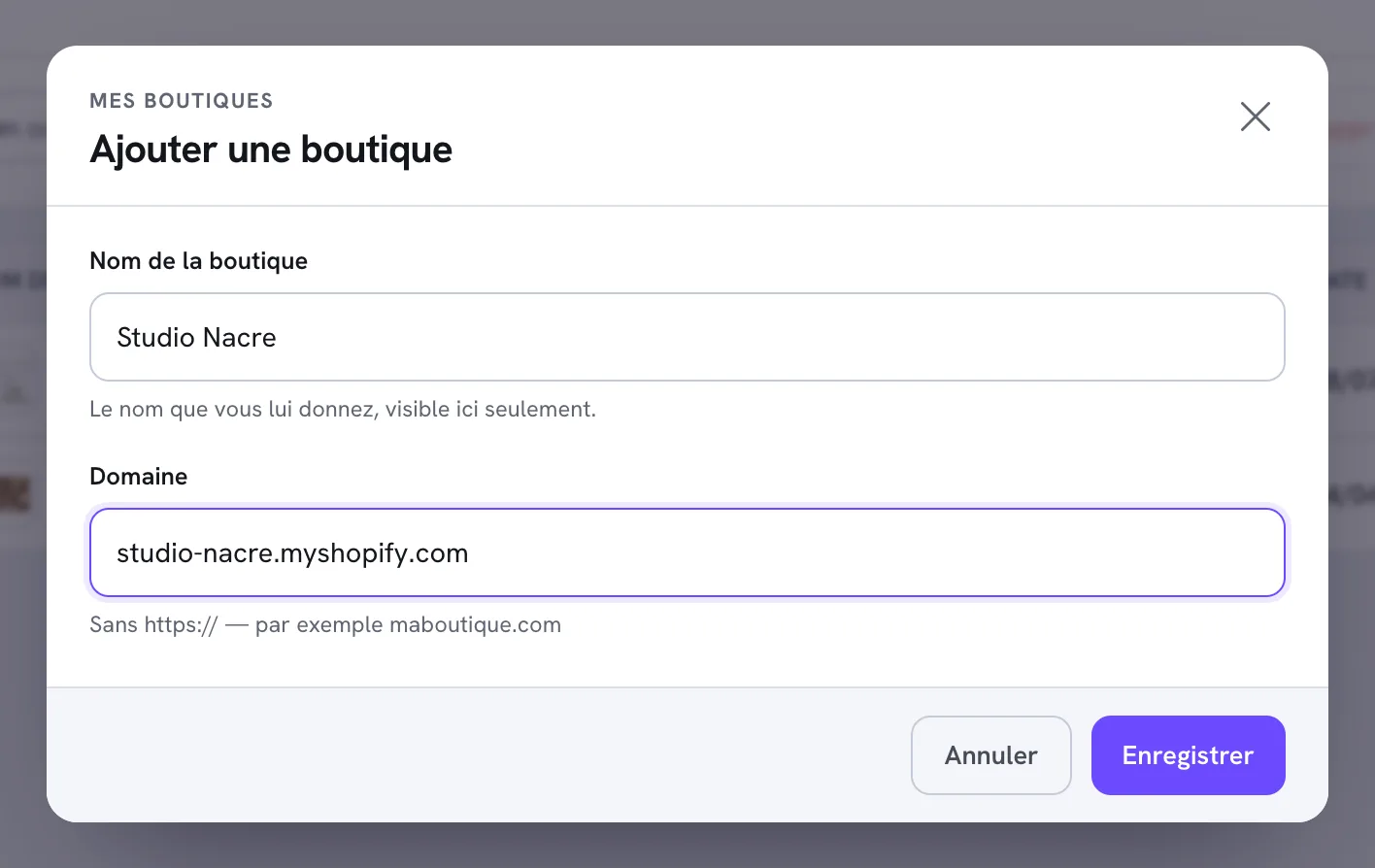
The details, and what to do if the license still isn't recognized, are in Add your store and activate the license.
Frequently asked questions
My domain shows a security error
The certificate is created after DNS propagation. Wait a few hours; if the error is still there after 48 hours, check in Settings > Domains that both records are recognized.
Can I keep my current website while I get ready?
Yes: as long as you don't change the DNS records, your domain keeps showing the old website. Build the store on the .myshopify.com address, then connect the domain on launch day (see the checklist before you launch).
Go further
- Manage your stores
- Shopify Help: Domains