
Free tools for your store
Six free tools, no sign-up needed, to analyze a page's SEO and check your share previews, your Google visibility, your margin, your UTM links and your legal notice.
The Story Theme free tools are six small tools to diagnose your store and run your business. They're public: you don't need to be a customer or create an account. So you can also share them with a business partner or a freelancer.
Find them at story-theme.com/free-tools, or from your member area with Tools > Free tools in the sidebar (the page opens in a new tab).
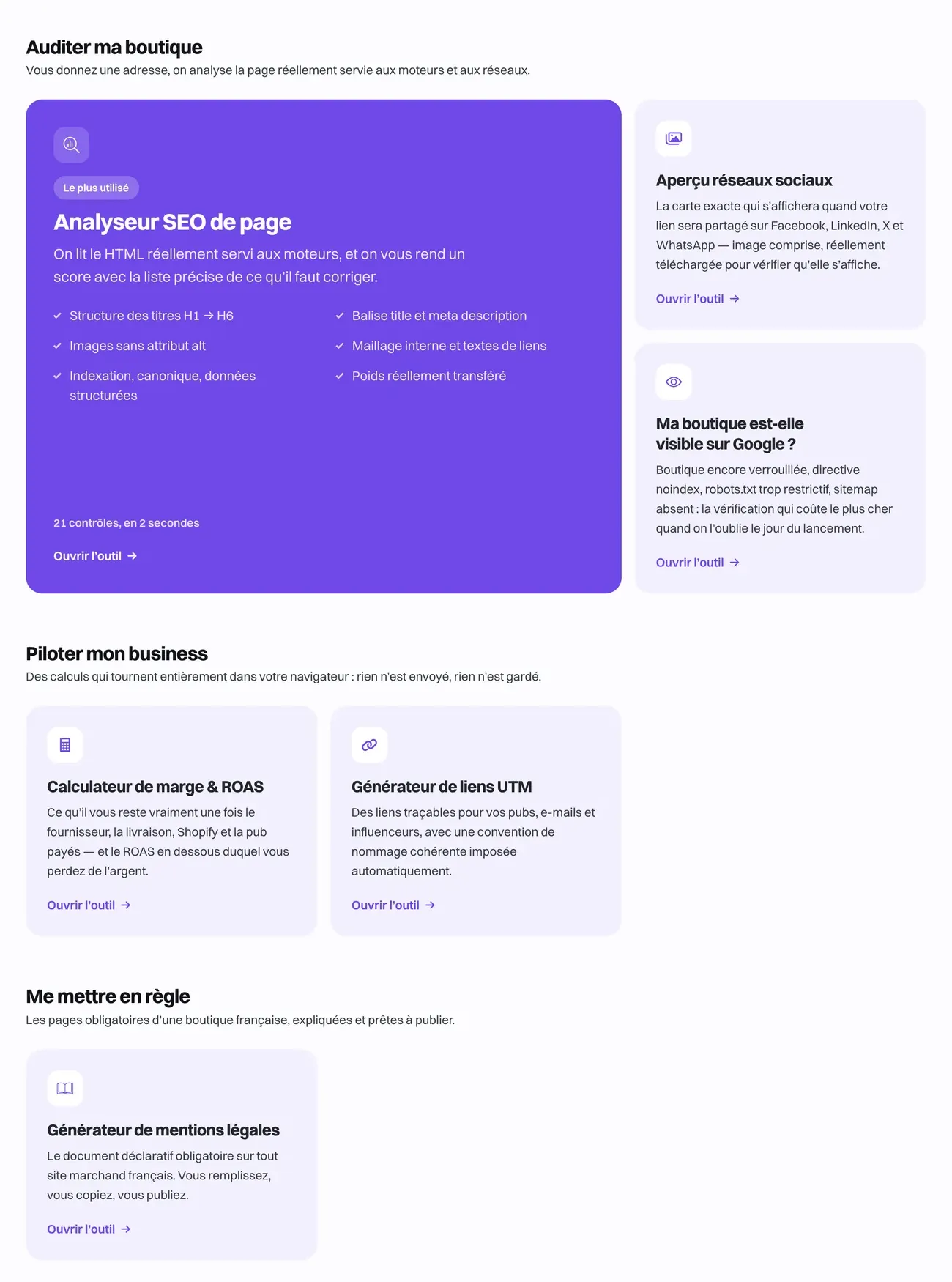
Audit my store
These three tools read the page actually served to search engines and social networks, from the address you give them.
On-page SEO analyzer
Paste the address of any page (home, product page, collection, blog post) and click Analyze the page. Within seconds, you get:
- a score out of 100 and the number of points that pass, need improving or are critical;
- the Google preview: the title and description as they're likely to appear in the results;
- key figures: title and meta description length, word count, H1 to H6 headings, images without alt text, links, page weight;
- Your heading structure: the outline Google reads to understand the page;
- the What to fix list, grouped by topic (meta tags, headings, content, images, links, technical).

The detailed list of points to fix appears once you've left your email address in Get this report by email: the report is also sent to you. The box to receive our e-commerce tips is unchecked by default; without it, your address is only used to send the report.
The analysis reads the page's HTML without running JavaScript: content added by an app after loading isn't taken into account. A store still protected by a password can't be analyzed: the tool shows an error.
Social share preview
Enter an address and click Show the preview: the tool displays the card that will appear when the link is shared on Facebook, LinkedIn, X and WhatsApp, image included. It lists what needs fixing and the tags it detected. For a good card, provide a sharing image of 1200 × 630 pixels (no SVG).
Good to know: social networks keep the old preview in memory. After a fix, use Facebook's Sharing Debugger or LinkedIn's Post Inspector to force an update.
Is my store visible on Google?
Enter your store's address and click Check my store. The tool checks what can prevent Google from seeing your store: password protection, a noindex directive, an overly restrictive robots.txt file, a missing or empty sitemap. It gives a one-sentence verdict, for example "Your store is indexable" or "Your store is still locked", then the details, the sitemaps found and your robots.txt.
This is the check to run on launch day, once the password is removed.
Run my business
These two tools calculate everything in your browser: nothing is sent, nothing is stored.
Margin & ROAS calculator
Enter your selling price, your VAT, your costs (product purchase, shipping, advertising per order, payment fees) and your target margin. The tool shows your net margin per order, your margin rate, your break-even ROAS (the return on ad spend below which every sale costs you money), the maximum acquisition cost and a recommended price. It warns you if your current price is making you lose money.
Payment fees are pre-filled with a ballpark figure: replace them with the ones from your contract.
UTM link builder
Create trackable links for your ads, emails and influencers. Choose a quick start (Facebook Ads, Instagram Ads, TikTok Ads, Google Ads, Newsletter, Link in bio, Influencer) or fill in the source, medium and campaign, then click Copy the link. The tool puts everything in lowercase and replaces spaces with hyphens, for clean analytics. Don't use UTMs on your store's internal links.
Get compliant
Legal notice generator
Fill in the information about the site publisher (company or sole proprietor), the host (the My store runs on Shopify button pre-fills this part; double-check it), the contact, the publication director and the consumer mediator. The tool puts the text together: Copy the text, Download as .txt, or receive it by email.
Then publish it in Shopify, under Online Store > Pages > Add page, and add the page to the footer menu (Create a page and add it to the menu).
Usage limits
To prevent abuse, a single internet connection can run 20 analyses per 15 minutes and send 5 emails per hour; beyond that, a message asks you to wait.