
Testimonials section: carousel, grid, wall and quote
Show your customers' reviews in a carousel, a grid or a wall with photos, and link each testimonial to the product they bought.
The Testimonials section shows customer reviews that you type in yourself: a star rating, a text, the author's name and photo, and if you like the product they bought, clickable. It reassures visitors on the home page, below a product page or on a landing page.
The variants (presets)
The four variants are in the Reviews and trust category of the picker.
Testimonials carousel
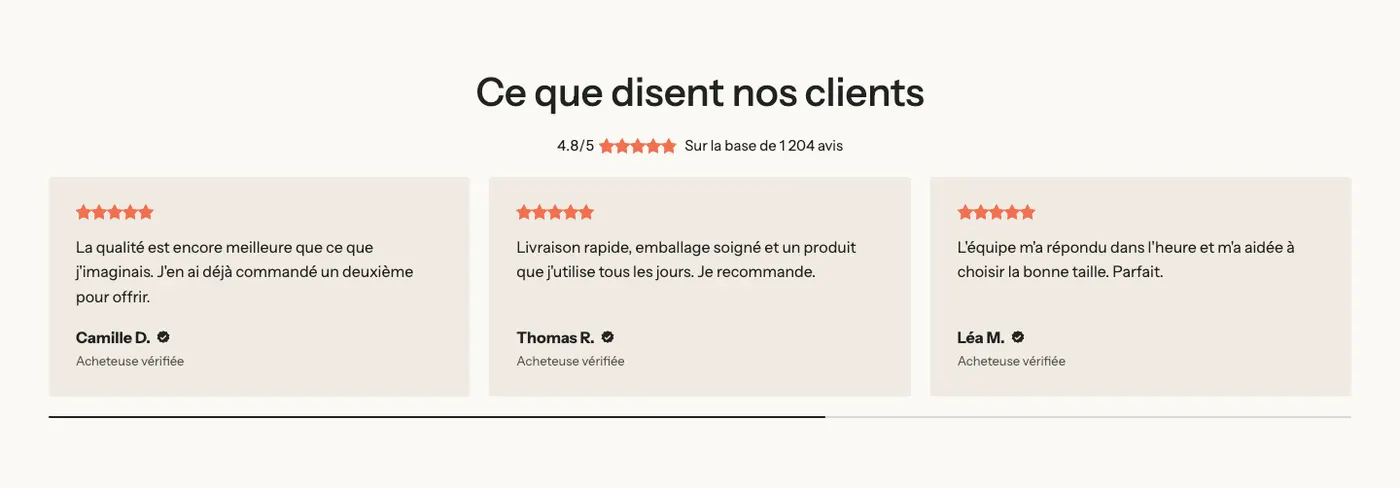
A heading, an overall rating in Stars (typed score), then a carousel of cards (three visible on desktop) with a progress bar.
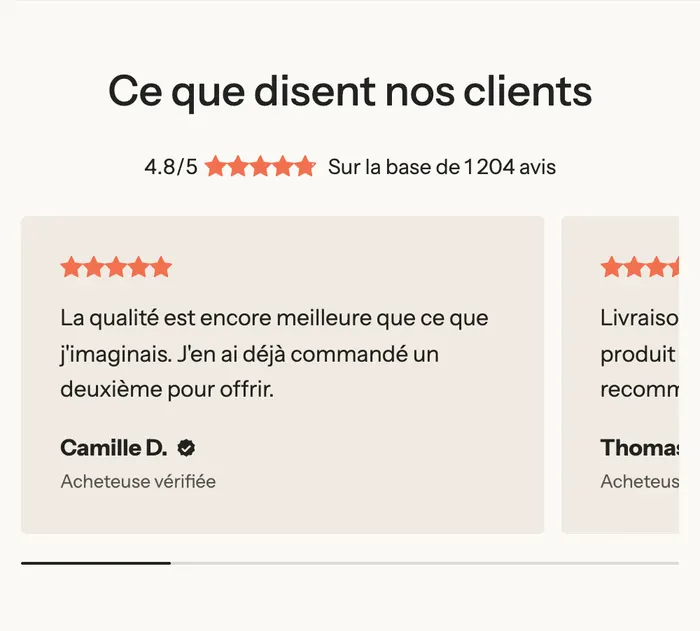
On mobile, one card at a time, with the next one peeking in at the edge:
Testimonials grid
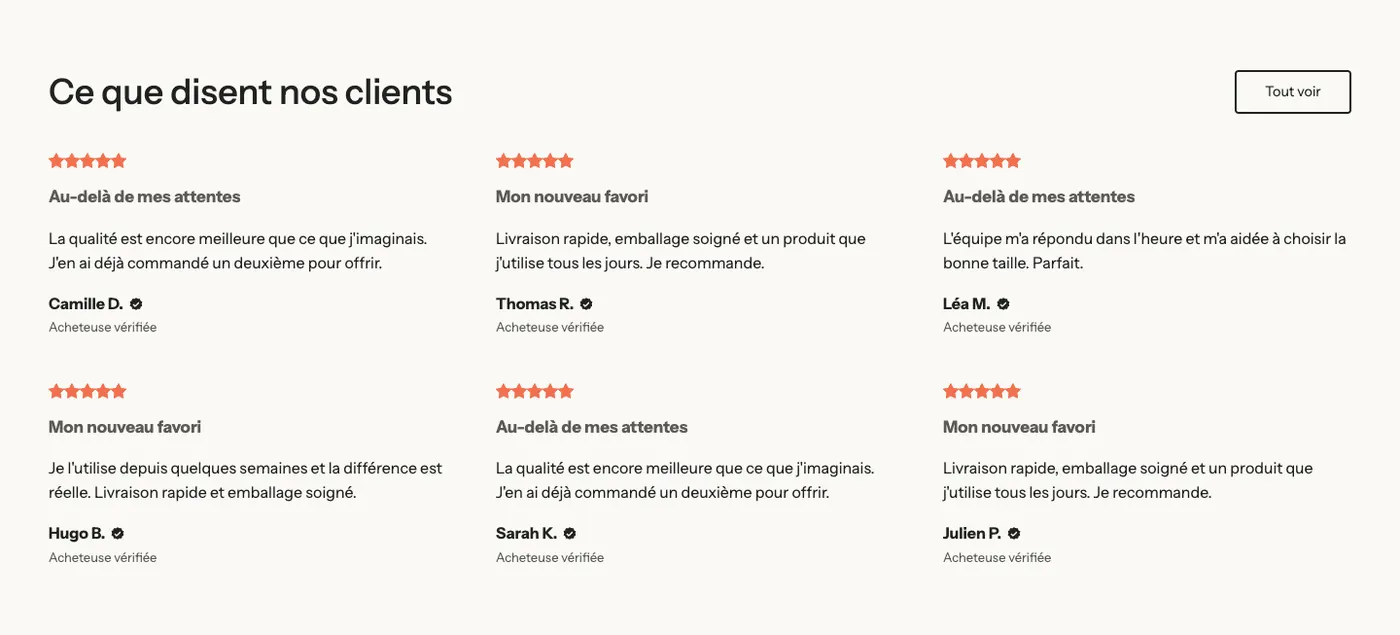
A heading and a View all button on one line, then a grid of six testimonials with no background (Minimal style), each with a bold title. On mobile, the grid becomes a carousel.
Testimonials wall
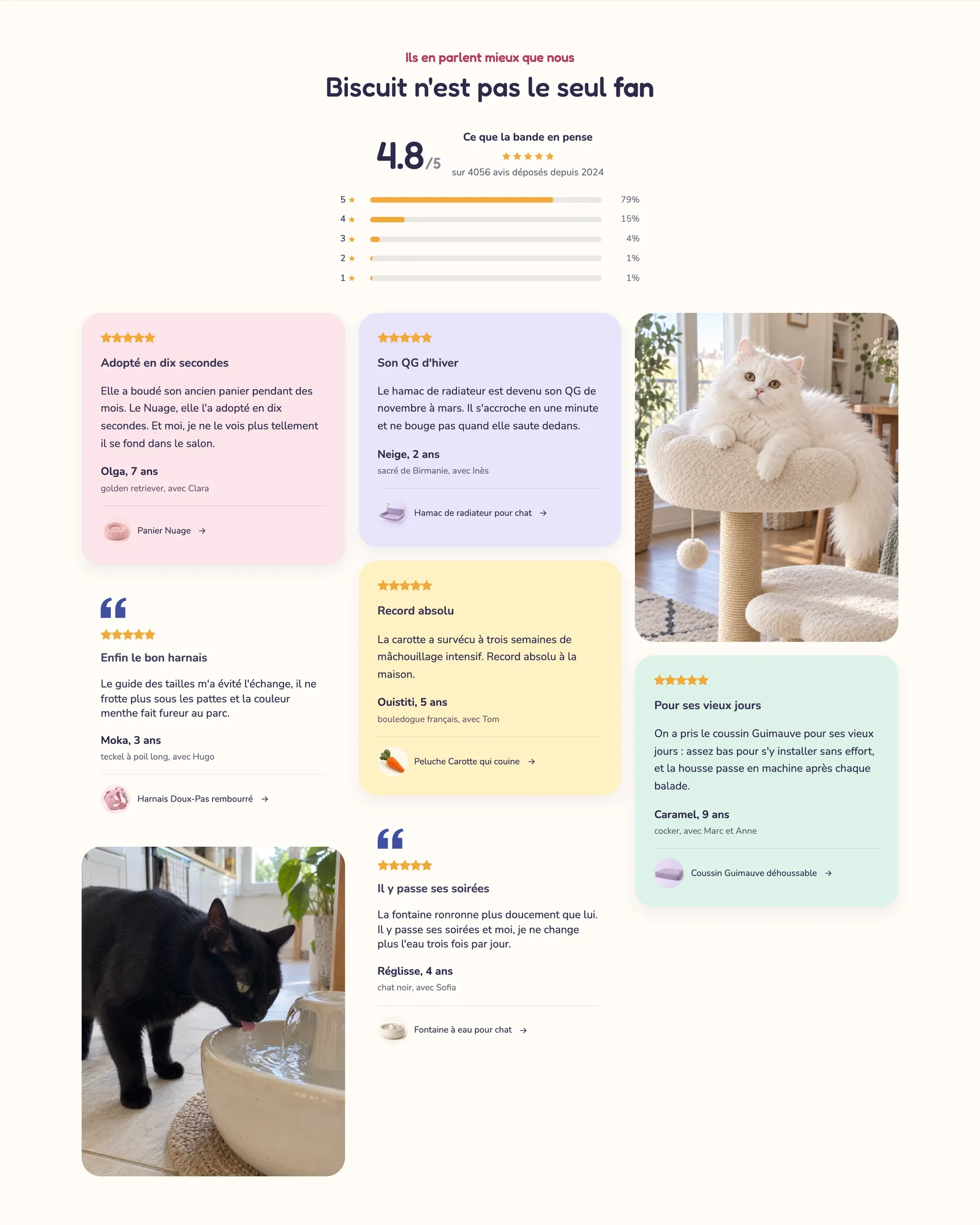
A heading and a wall (Masonry layout of a Gallery block) that mixes cards, quotes with quote marks and photos. The Softy demo, at the top of this article, builds the same kind of wall with cards in different colors and a rating summary above it.
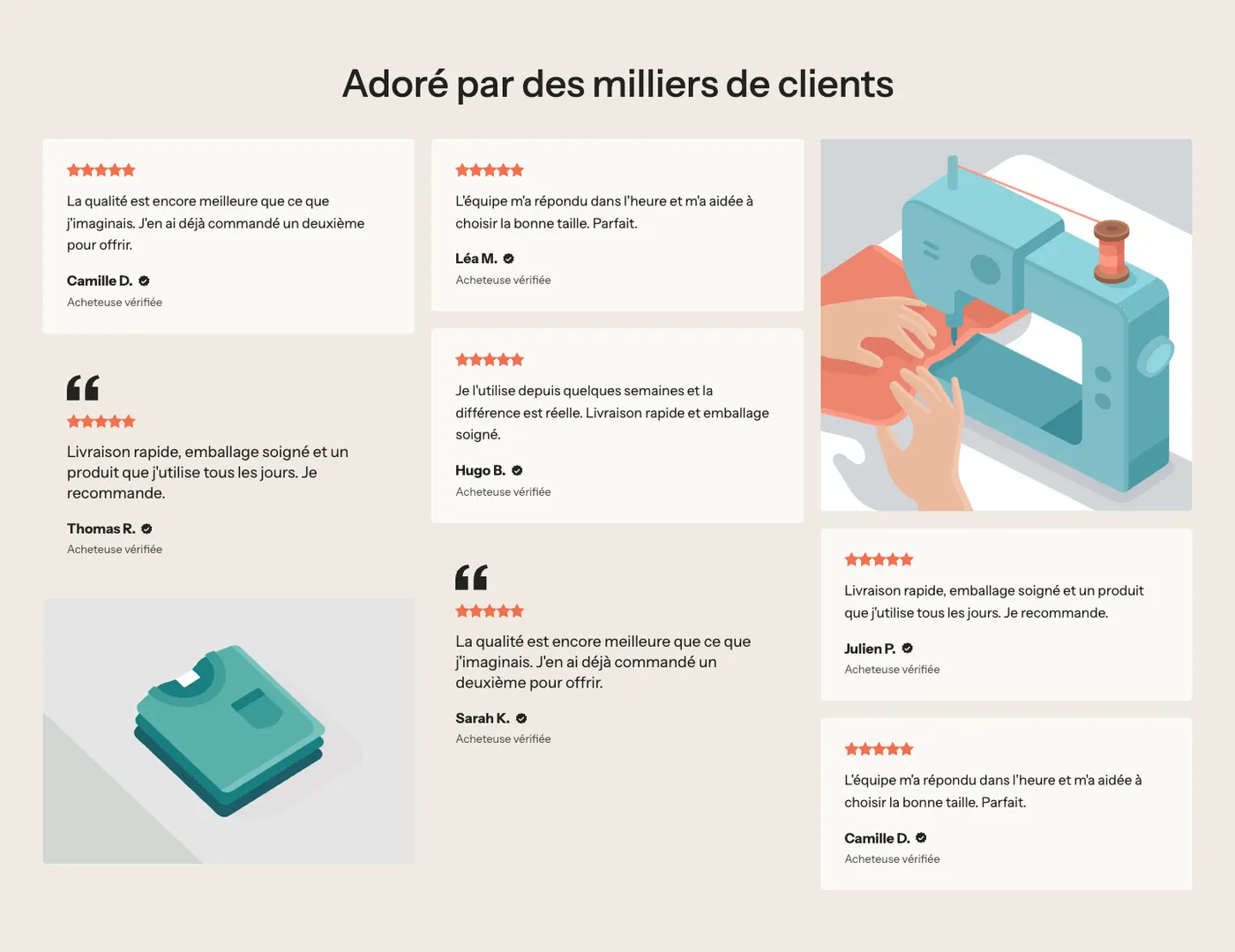
Testimonial with image
An image on the left and a single large testimonial, in Quote marks style. To highlight a standout review or the words of an ambassador customer.

Add the section
- In your Shopify admin, open Online Store > Themes and click Edit theme.
- Pick the template in the top menu.
- Click Add section, open the Reviews and trust category and choose the variant.
- Click each Testimonial to replace the rating, the text and the author.
- Click Save.
The section's blocks
| Block | What it's for |
|---|---|
| Testimonial | A review card, which holds its own blocks. |
| Stars (typed score) | The rating, in the card or above the section. |
| Text | The title and text of the review. |
| Author | The author's photo, name and role (in the card). |
| Product | The product reviewed, with its image and a link (in the card). |
| Carousel | Arranges the cards as a carousel, grid or bento, with arrows and pagination. |
| Gallery | Arranges the cards and photos as a wall (Testimonials wall variant). |
| Heading, Button, Image | The section heading, the View all link, the photo of the Testimonial with image variant. |
The Testimonial block
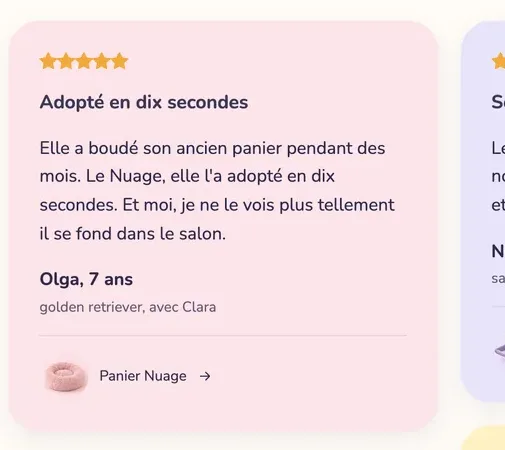
- Style: Minimal (no background, default), Card or Quote marks.
- Color palette (Card style): the card background. On Softy, each card has its own color.
- Alignment, Font (Body or Heading), Inner padding, Corner radius, Space between blocks.
- Hover effect: None or Theme.
Inside the card:
- Author: Photo and Photo size, Name, Role (shown under the name, for example "Verified buyer") and Show the verified icon (checked by default).
- Product: Product and Show product image. The customer clicks to open the product page: that's what turns a review into a sale.
The Stars (typed score) block
- Rating: the score out of 5 (4.8 by default).
- Stars style: five stars, "5/5" followed by the stars, a single star with the score, or Hide.
- Stars color: when empty, it follows the stars color of the theme palette (Theme settings > Colors).
- Text next to the stars, sizes and Alignment.
The Carousel block
It uses the settings shared by every list in the theme: Layout (Grid, Carousel, Bento), Carousel on mobile, Columns on desktop, Columns on mobile, then Arrows, Pagination style and Auto-rotate slides.
The section settings
The section only has the frame shared by almost every section: Layout, Color palette, Separators and Animations, explained in Understand the theme editor.
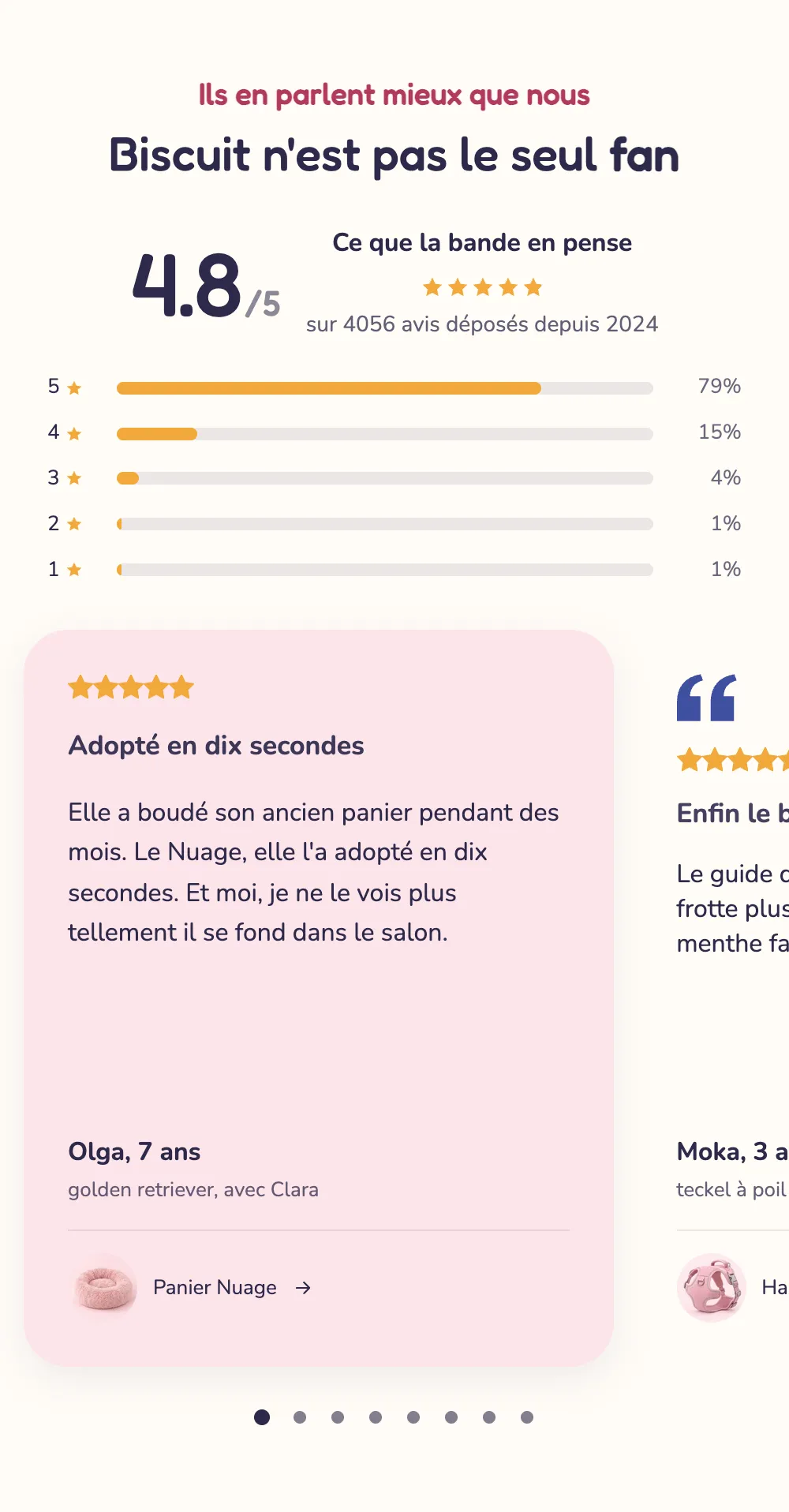
On mobile, Softy's testimonials switch to a carousel with pagination dots:
Tips and pitfalls
- Publish real reviews, with your customers' consent. A first name and an initial ("Camille D.") are enough.
- Keep the verified icon for real buyers only: it's a promise you make to your visitors.
- Link each testimonial to its product with the Product block: the customer goes straight from the review to the product page.
- The overall rating in Stars (typed score) is a number you type in: keep it in line with your actual rating.
- Six to eight testimonials are enough in a carousel. Vary text lengths in a wall, that's what creates the rhythm.