
Page, 404, Password and customer account sections
The Story Theme system page sections: standard page, 404 page, collections list page, pre-launch password page and customer account pages.
Some pages of your store aren't built freely: a standard Shopify page, the 404 error page, the list of all collections, the password page and the customer account pages. Each has its own section, available only on its template. They're all still made of blocks: you can enrich them like any other section.
To set them up: Online Store > Themes > Edit theme, then choose the template in the dropdown at the top (Pages, 404 page, Collections list, Password, Customer accounts…).
Page
The Page section displays a page created in Online Store > Pages: legal notice, about, terms… The shipped page template holds two blocks:
- Page title: Heading style, Show separator line, Bold, Custom font size, Alignment (+ mobile).
- Page content: the text entered in Shopify. Page (empty = content of the page being viewed), Maximum text width (800 px by default), font size, alignment.
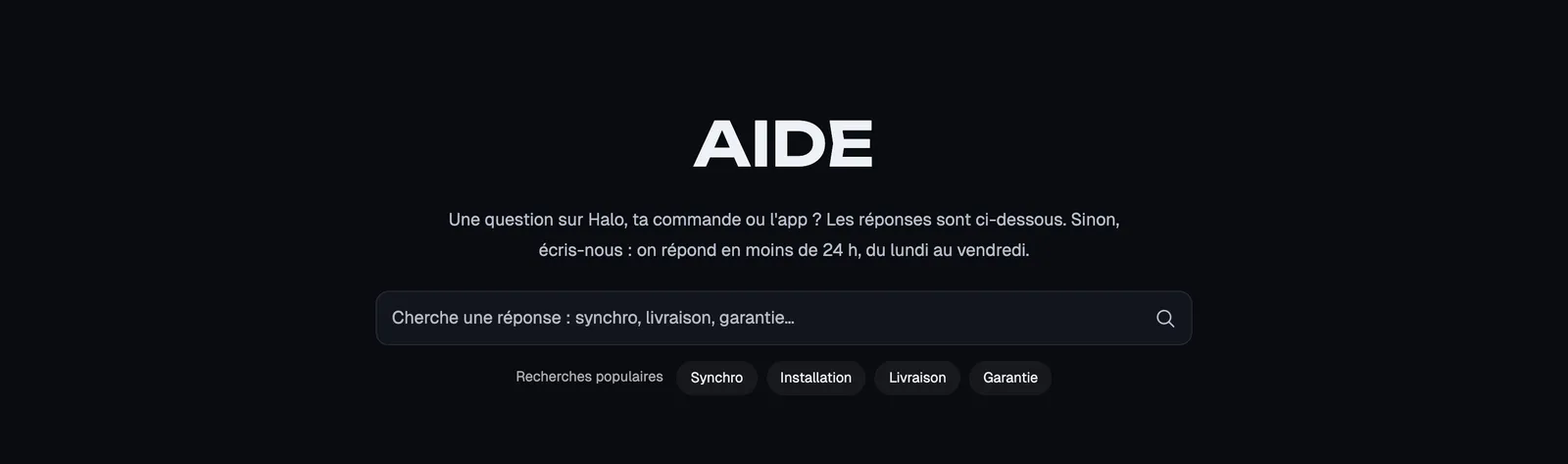
You can add other blocks. On the Lumyx Help page, a Search form with popular searches follows the title and text:
For a richer page (contact, FAQ, story), a dedicated page template works better: see Create a page and add it to the menu.
404 page
The 404 page section shows when a visitor lands on an address that doesn't exist (broken link, deleted product). The shipped template holds a Heading, a Text, a Search form and a Button. The goal: not losing the visitor.
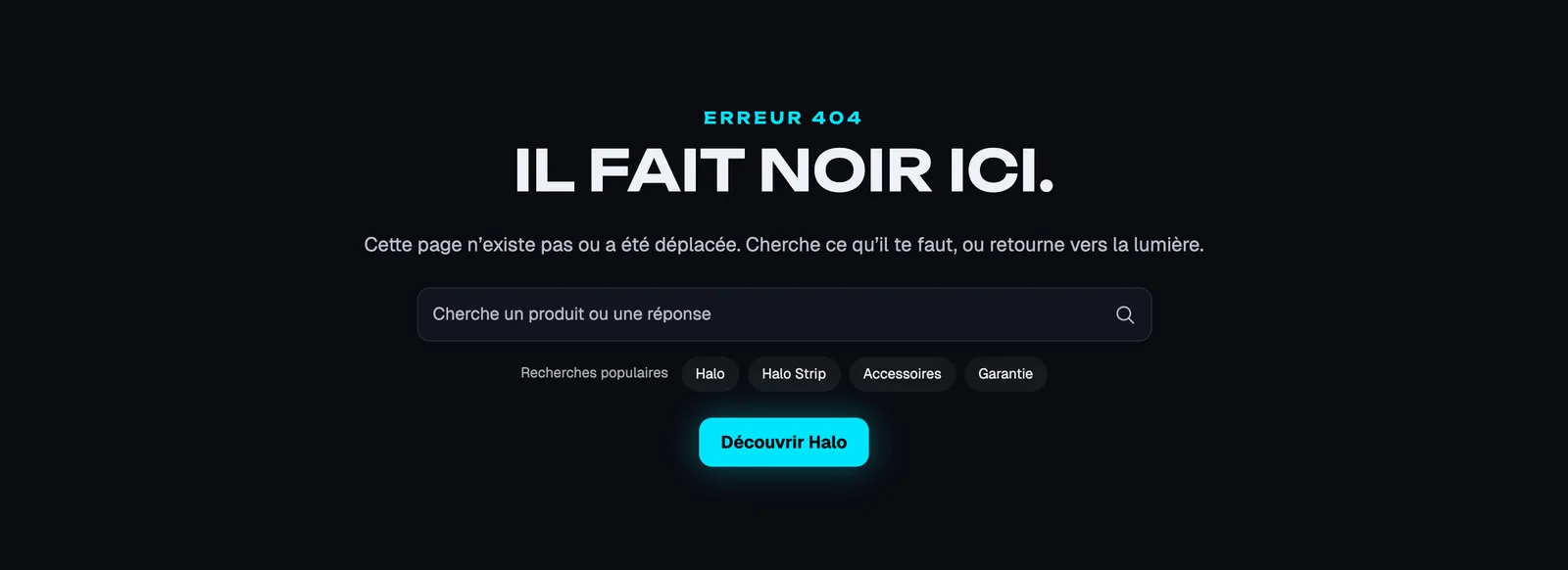
For example, add a Product list of your best sellers below the button: the visitor leaves with a buying idea.
Collections list page
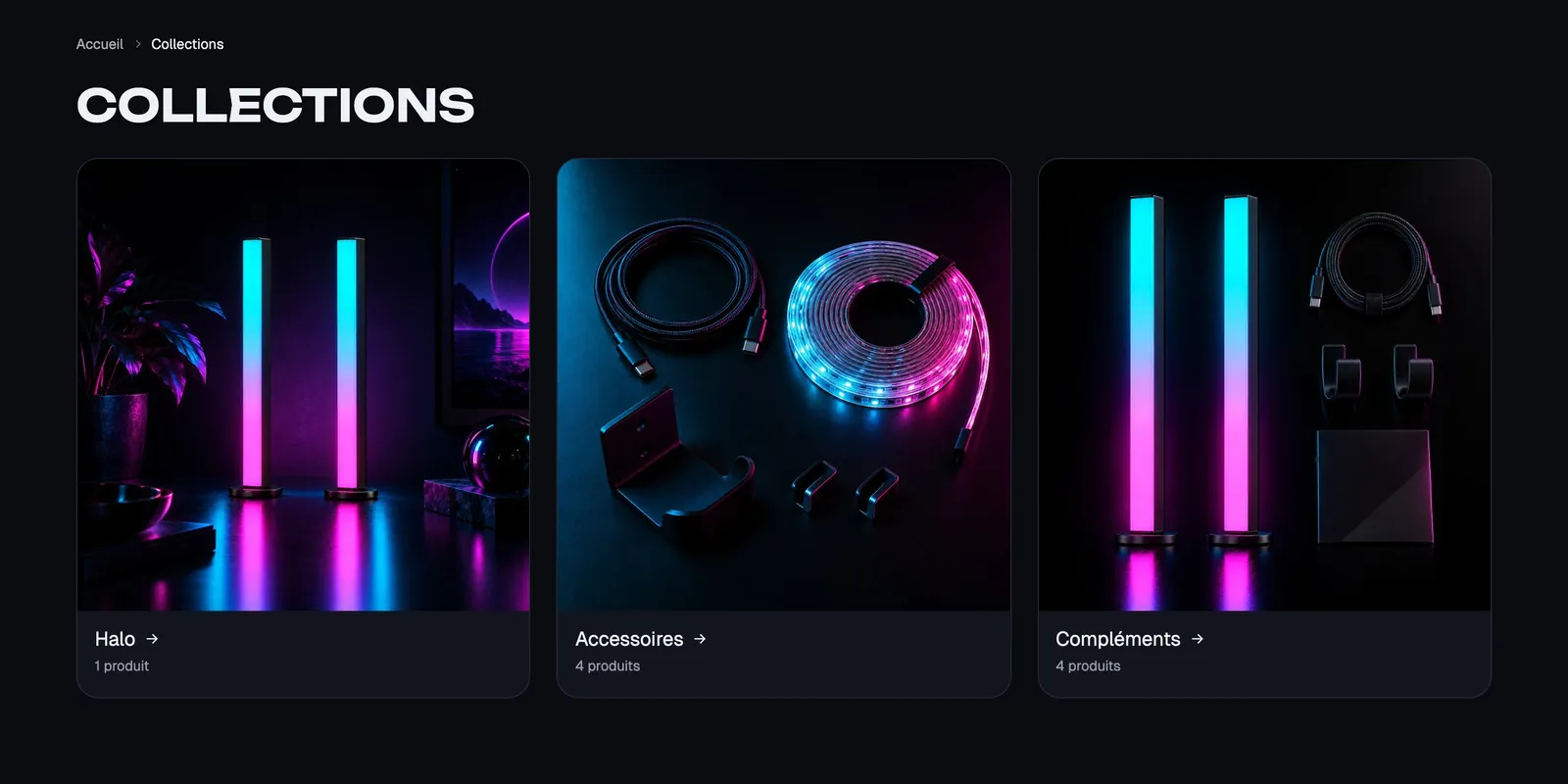
The Collections list page section shows the list of all your collections, at the /collections address. The shipped template holds a Breadcrumb, a Page title and a Collection list (source, image ratio, product count…, see Collection list section).
Password
The Password section shows as long as your store is password protected, for example before launch. It's a waiting page: the shipped template holds the Password block (the link to enter with the password), a Store logo, a Heading, a Text, a Countdown, a Newsletter and Social media links.
Section settings:
- [Media] Media type (None, Image, Video), Image and Image mobile, Video, Overlay opacity (35% by default).
- Full screen (on by default) and Show Powered by Shopify.
The Password block has a Button text, a Style (Link by default), a Position (Top or Bottom) and an Alignment. It opens a window where you (or your testers) enter the password.
Customer account pages
Seven sections cover the customer account pages: Login, Create account, Account, Order, Addresses, Account activation and Password reset. Each holds the matching block (Login form, Registration form, Order history, Order details, Address book…), with styling settings such as Style (Plain or Card), Content max width or the button's Full width.
The account type is chosen in the Shopify admin, in the customer accounts settings. With new accounts, the header's Account block can open a login window.
The common settings
All these sections share the theme's common frame (Layout, Color palette, Separators, Animations), explained in Understand the theme editor.
Tips and pitfalls
- Test your 404 page by typing a made-up address after your domain, for example
/pages/test-404. - Fill in your legal pages in Shopify before launch: the Page section only shows what the page contains. See Legal pages.
- On the password page, check that the Password link stays visible: it's your only way in while the store is protected.
- If your customers say they can't log in, first check which customer account type is turned on.